
Typeform is a capable form builder, and plenty of people pay for it every month without looking at the bill again. If that is you, the question is not whether the tool works. The question is whether the monthly charge still matches the forms you send. Two form tools on GrabLTD are sold as one-time purchases, and this guide goes through what their deal pages say.
Everything below comes from those deal pages as they read on 1 October 2026. Where a page leaves a limit or a term out, the text says so instead of guessing. Check the current price of your monthly tool before you decide, because list prices change.
Three numbers to check before any feature list
Most form tools advertise unlimited forms, so that claim tells you very little. Look at three things instead: how many replies you can collect each month, how many seats the account includes, and whether the features your forms depend on are in the plan. Those features might be logic that skips questions, file uploads, e-signatures or bookings.
The opinion here is blunt. A reply cap hurts more than a form cap. A tool that lets you build a hundred forms but stops at 1,000 replies a month will bite in the first busy month, not in the first quiet week. Count the replies you got last month, multiply by twelve, and compare that with the cap. If your tool shows 300 replies a month, you have room. If it shows 900, you are one good campaign away from a limit.
For scale, Typeform's own pricing page lists Basic at about $28 a month on annual billing with 100 responses a month, and Plus at about $56 with 1,000 responses and 3 seats (list prices, October 2026; check the current price). Dashform's first tier lists 1,000 replies a month, so the reply cap is where the comparison gets interesting.
Seats matter just as much. A seat is one person who can log in and edit. If three people share the account today and the first tier includes one seat, you will either pay for an upgrade or share a login. Shared logins usually break a deal's terms, so count the people first and the seats second.
MakeForms Bundle: a form builder, signatures and booking
The MakeForms Bundle puts three tools behind one login for a single payment. MakeForms is the builder, with drag-and-drop editing, an AI form drafter that starts from a plain-language prompt, logic and alert routing, and file uploads. Flexisign handles e-signatures and SMS authentication. Schedule.so adds booking pages for teams and events.
The deal page shows $499 one-time, excluding tax, and lists unlimited submissions, 500 GB of file storage and up to 100 custom domains. It also says the listing stores three price levels, so the price on the page may match one specific tier. Read the tier on the live deal before you pay. SMS authentication in Flexisign runs through Twilio, and the page tells you to check whether those Twilio costs are yours.
Two gaps matter. The deal page gives no redeem or refund terms in days and points you to the RocketHub listing instead. The page also says its last check of RocketHub returned an error, so confirm the deal is still on sale there before you buy.
The bundle suits agencies that collect client intake and need signatures and booking in one place. It is a poor fit if you only need a simple form on your website.
Dashform: forms that score and route replies
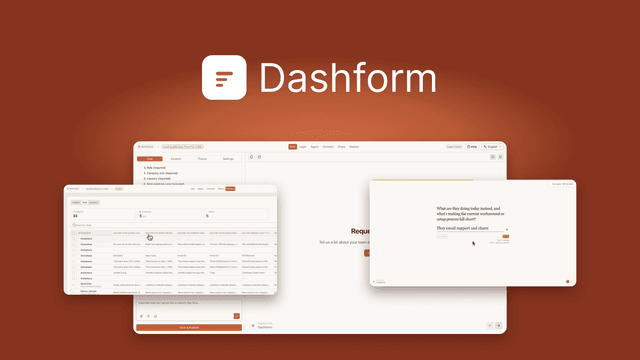
Dashform is built around qualifying people. You describe the form in one sentence, and the AI drafts questions and logic, in either a conversational AI Funnel or a fixed Logic Funnel. Each reply can be scored from 0 to 100 against rules you write, then routed to the right follow-up. The deal page also lists webhooks, an MCP endpoint so AI agents can use your forms, and white labelling on every tier.
The deal page gives three one-time prices, all excluding tax:
| Tier | Price | Limits on the deal page |
|---|---|---|
| Tier 1 | $59 | 5 AI funnels, 25 logic funnels, 1,000 replies and 1,000 AI credits a month, 1 seat, 15 AI voice minutes a month |
| Tier 2 | $119 | Not stated |
| Tier 3 | $279 | Not stated |
The page says higher tiers raise limits and seats, but it gives no numbers for tiers 2 and 3. You can move up a tier while the deal is live and move down within 60 days of purchase. Codes do not stack. You have 60 days to activate, and the page offers a refund for up to 60 days. Support is promised within 24 hours.
Dashform fits agencies that care about lead quality and recruiters who run early screening. It is not a fit for a plain form with no AI, or for a team that expects more than 1,000 replies a month on the first tier.
If you are choosing for a team, read the seat numbers twice. The MakeForms page gives no seat limit for its forms side, and Dashform's first tier is a single seat. Either product may need a higher tier before a team of three can work comfortably, and the deal page is the only place to confirm which one.
If MakeForms is the one you are leaning towards, the Typeform to MakeForms switching guide walks through the export, rebuild and cancellation steps.
Which one fits your forms
The two products do different jobs. MakeForms Bundle covers the builder, signatures and booking. Dashform concentrates on sorting replies. Setting the prices side by side makes the gap look enormous, but it is not a like-for-like comparison. $59 for Dashform's first tier buys scoring and routing, and $499 for the bundle buys three tools.
A simple rule works for most people. If signatures or booking are part of your week, the bundle covers more ground. If your forms exist to sort people into groups, Dashform is the cheaper place to start, provided the first tier's reply cap covers your month.
Neither deal page lists payment collection. If you take money through your forms, check that before you buy, not after.
What you might give up
Switching is rarely free. A long-running monthly tool usually has a deep ecosystem: templates you have grown fond of, a wide list of native integrations, and a support route you already know. A lifetime tool may have fewer of those, or different ones.
Ask, too, which export formats the new tool supports, since that decides how easy your next move will be. Dashform's deal page quotes 300-plus integrations and webhooks, and it says that figure is the vendor's own. Check that your specific app is on the list, not just that the number is large. The MakeForms page, for its part, names Twilio as the SMS route, which is a cost you may not expect.
Before you move your forms
Moving forms is less about the builder and more about what depends on them. Export your responses from the old tool before you cancel, and keep a copy of the questions as text, since a rebuilt form rarely matches the old one line for line. Rebuild the logic and walk through every branch, because a path that worked in the old tool may behave differently in the new one.
Then check the connections. A Zapier step, webhook or spreadsheet sync points at a specific form, and a new form usually gets a new address. Update those links first, send a test reply through each one, and only then set a date to cancel the old subscription.
Timing the cancellation is the step people skip. Most monthly tools bill on a cycle, so cancelling the day you sign up for the new tool can leave you paying for both for a month. Let the old tool run until the new forms have collected a few real replies, then cancel it at the next renewal date.
You can see every live deal on the browse page. Prices and limits change, so the deal page is always the place to confirm what you get.