
Switching guide

Switch from Semrush (rank tracking) to Serpview

Serpview replaces only the rank-tracking part of Semrush, using your own Search Console data, not competitors or backlinks. If that is all you use, it saves about $1,323 in year one and $4,139 over three years against Semrush's entry plan billed annually. Read the new-user rule and the 30-day redeem window first.

This switch at a glance

Time needed
2-3 hours
Difficulty
Medium
Semrush (rank tracking) costs
$117 a month
Serpview costs
nothing monthly after a one-time purchase
Saves in year 1
$1,323
Saves over 3 years
$4,139

How do you move from Semrush (rank tracking) to Serpview?

  1. Export your Semrush rank data

    Export the keyword list, project names and any position history you need from Semrush, using whatever CSV export your Semrush plan offers. Save the files before you change anything, because you cannot rebuild old positions from the new tool.

  2. List what Semrush does for you

    Write down every Semrush feature you use. Rank tracking for your own keywords, competitor positions, backlink checks, site audits and keyword research are different jobs. Serpview covers the first and gives you Search Console analysis, so decide now what you will keep Semrush for.

  3. Buy Serpview and redeem the code

    Serpview's Tier 1 plan is $85 one-time, with up to 25 sites, one indexing slot and up to five team members. Redeem the code within 30 days. The listing says codes are for new users only and are not stackable.

  4. Connect Search Console

    Connect your Google Search Console account. The listing says Serpview supports multiple Google accounts, so add each account that owns a site you track. Serpview reads the data that Search Console already holds for your sites.

  5. Connect Analytics and Bing if you use them

    Add Google Analytics and Bing Webmaster Tools if your reports depend on them. The listing names both as data sources.

  6. Rebuild your keyword lists and projects

    Recreate your keyword groups and project names in Serpview. Expect some keywords to show no data, because Search Console only reports queries your site already appears for.

  7. Compare a week of reports side by side

    Run Semrush and Serpview on the same keywords for a week. Positions will differ, because the two tools measure rankings in different ways. Look for trends and direction, not exact matches.

  8. Cancel Semrush after the exports are safe

    Once you have your exports and your reports work in Serpview, cancel Semrush from your billing settings. Check whether your plan is monthly or annual, since annual plans may not refund a partial year.

What can go wrong?

  • New users only. The listing says the code is for new users only. If you have already used Serpview, this deal is not for you, even though you may have an existing account.
  • Serpview reads your own Search Console data. Search Console only shows queries your site already gets impressions for. You will not see where you rank for keywords you are not showing up for, and you will not see competitor positions. Semrush can show both.
  • The keyword limit is not stated. The product page does not list how many keywords Serpview tracks. Semrush's entry plan tracks 500 keywords on 5 websites. Test Serpview on your full keyword list before you cancel Semrush.
  • Serpview does not do backlinks. The listing says Serpview is not a backlink index. If you use Semrush for backlink research, keep that subscription or find another tool for it.
  • The 30-day rules are strict. Redeem within 30 days, and refund only within 30 days through DealFuel. Test the tool on your real sites during the first week, so you know early whether it covers what you need.

Semrush does many jobs. Rank tracking is one of them, and for a lot of people it is the only one they open each week. If that is your situation, Serpview on a lifetime plan is a credible swap. It is a web dashboard built on the data your own Google Search Console, Analytics and Bing Webmaster accounts already hold. That also means it reports the positions Google gives you, such as average position per query, not a separate daily check of where you rank for a keyword list.

The swap only works if you need rank tracking for your own sites. Serpview is not a Semrush replacement in the wider sense. The product page describes it as a Search Console tool with keyword and page analysis, cannibalization checks, Core Web Vitals monitoring and white-label reports. It does not describe competitor rank tracking or a backlink index, and that is where a lot of Semrush money goes.

Who should switch and who should stay

Switch if you are a freelancer, a small agency or an in-house marketer who mostly checks how your own sites perform in Google. The listing names those three groups as the best fit, and it says the tool is a poor fit for heavy backlink research.

Stay on Semrush if you track competitors, research new keywords, or run backlink reports for clients. Stay also if you need historical rank data. Serpview's listing does not mention historical data, so confirm it before you cancel. Existing Serpview users cannot use this deal, because the code is for new users only.

Cost over three years

Semrush's entry plan lists at $139 a month on monthly billing, or about $117 a month billed annually, with 500 tracked keywords on 5 websites (list prices on Semrush's pricing page, October 2026; check the current price). At the annual rate, three years cost about $4,224. Serpview's Tier 1 plan costs $85 once, which saves about $4,139 over three years and about $1,323 in the first year. It breaks even in month 1.

Those numbers look dramatic, and they should be read carefully. They only hold if Serpview replaces the whole Semrush bill, and it replaces only the rank-tracking part. If you keep Semrush for backlinks or competitor work, your real saving is the difference between the Semrush plan you drop and the cost of whatever you keep, which may be nothing. Do this switch because you only ever used one corner of Semrush, not because the headline number looks large.

What you lose

You lose competitor positions, backlink research, and the Semrush plan's wider toolset. You also lose the exact keyword counts and historical positions you have built up, which is why the export step matters.

The product page's higher tiers, at $190 and $331 one-time, raise the site and indexing limits. The page marks some limits as not stated, so ask before you choose a higher tier.
Semrush (rank tracking) to Serpview questions

Does Serpview track rankings for keywords I do not rank for?

The listing describes analysis of your own Search Console, Analytics and Bing data. Search Console only reports queries your site already gets impressions for, so keywords you do not appear for will not show data.

Is Serpview a lifetime deal?

The listing sells the tiers as one-time payments: $85, $190 and $331 excluding tax, depending on the tier. Check the DealFuel listing for the exact terms before you buy.

Can I use it with my team?

Tier 1 allows up to five team members and up to 25 sites. The listing states that all tiers share the same features.

Does it include AI features?

The listing mentions an AI copilot and MCP access for AI agents. Heavier AI use requires your own API key.

What happens to my Semrush history?

The product page does not say how Serpview handles history. Export what you need from Semrush before you cancel, since you cannot count on the new tool to hold the old data.

The deal this guide uses

  • Serpview

    SEO

    Serpview

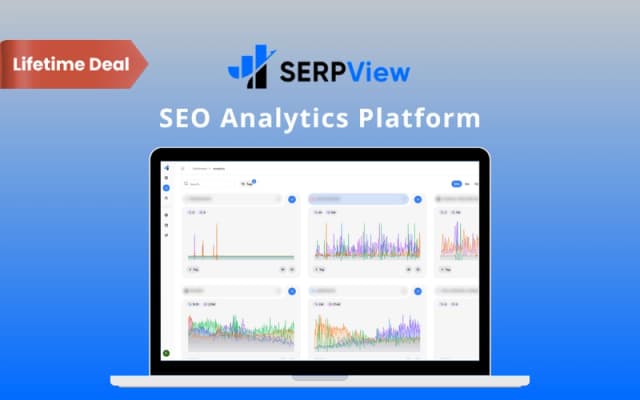
    Browser-based SEO analytics built on Search Console data, with 60+ tools and MCP access.

    $85Regular price $29972% offAt DealFuel