

AI Tools · Lifetime deal
AI Invoice Maker
Make clean PDF invoices on iPhone, iPad, Mac and Apple Vision, with AI formatting.
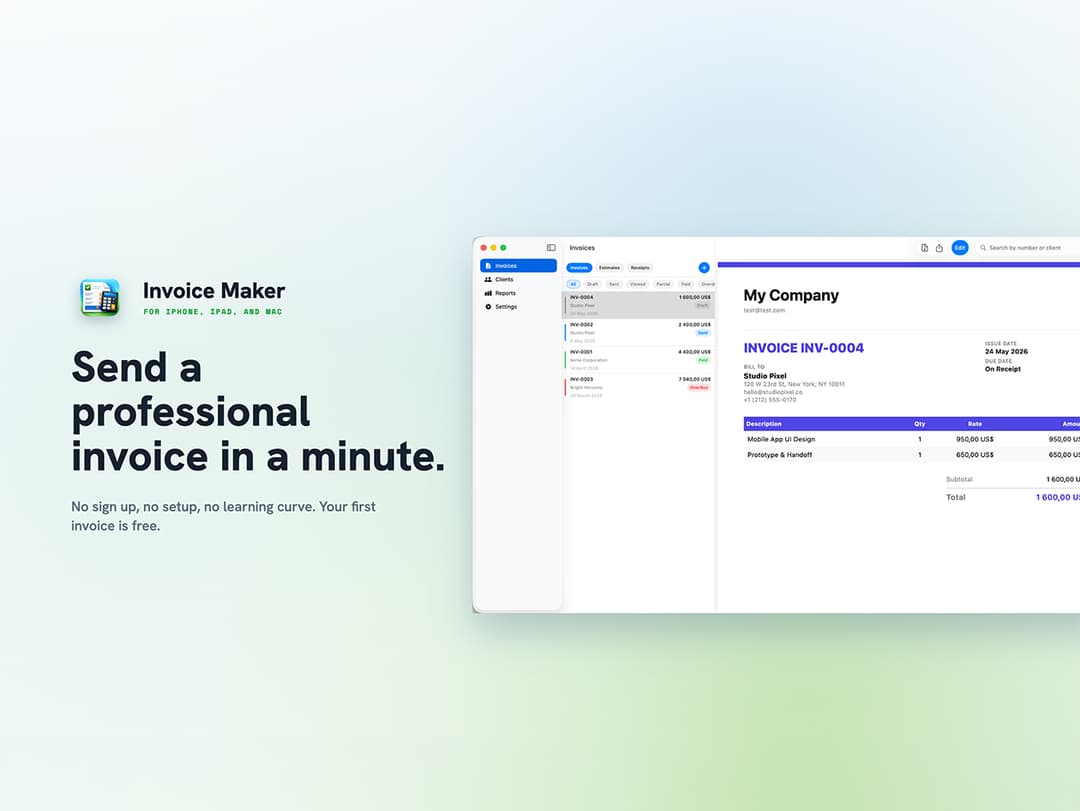
AI Invoice Maker at a glance
- Platform
- iOS, macOS, visionOS
- Upgrades
- Updates are included.
- Note
- Only available to new users, per the page.
- Updates
- Included
Our take
Is AI Invoice Maker worth buying?
Based on the StackSocial listing, this is a narrow invoicing app for Apple devices sold as a single lifetime license. It suits freelancers who just need clean invoices. Redeem within 30 days, note that redeemed licenses are final, and the page lists no product support details.
Good fit if
- You bill clients and use Apple devices.
- You want invoices without a full accounting tool.
- You invoice in several currencies.
Skip it if
- You use Windows or Android.
- You need accounting beyond invoicing.
Which AI Invoice Maker plan do you need?
Prices in USD, excluding tax.
| Lifetime deal | |
|---|---|
| One-time price | $19.99 |
| Regular price (StackSocial) | |
| You save | $20 |
| PDF templates | 9 |
| Currencies | 150+ |
| Platforms | iPhone, iPad, Mac, Apple Vision |
| Updates | Included |
Before you buy: StackSocial's terms and extra costs
- Refund. StackSocial says unredeemed licenses can be returned for store credit within 30 days. Once redeemed, all sales are final.
- Redeem. Redeem your code within 30 days of purchase.
- Upgrades. Updates are included.
- Platform. iOS and iPadOS 17.0+, macOS 14.0+ and visionOS 1.0+. One account works across devices.
- Note. Only available to new users, per the page.
What is AI Invoice Maker?
AI Invoice Maker creates client-ready invoice PDFs from basic billing details on iPhone, iPad, Mac and Apple Vision. AI handles the layout, invoices are numbered automatically, and you can choose from 9 PDF templates and over 150 currencies. It also keeps a client directory, recurring invoices and a product catalog. This is a lifetime license sold through StackSocial.
What AI Invoice Maker says it does
- Nine PDF invoice templates
- Over 150 currencies and tax rate support
- Recurring invoices, client directory and saved products catalog
- Reports with CSV export
Why AI Invoice Maker
Building invoices in a spreadsheet is slow and easy to get wrong. This app formats and numbers them for you. It is a narrow invoicing tool, Apple devices only, and the page says it is only available to new users.
How does AI Invoice Maker work?
Redeem your code
Buy on StackSocial and redeem within 30 days.
Install the app
Use iPhone, iPad, Mac or Apple Vision.
Enter billing details
Add client and line item details.
Export and send
Create the PDF and share it by email or message.
Then it handles:
- Invoice creation from billing details
- Automatic invoice numbering
- Multi-currency invoices
- Recurring invoices
- Client and product lists
- CSV reports
Who is AI Invoice Maker for?
Built for
- Freelancers who bill clients directly
- Small business owners on Apple devices
- People who want invoices without accounting software
Not for
- Windows or Android users
- Existing users, since the offer is for new users only
What is included in AI Invoice Maker?
Invoices
- AI-assisted invoice creation
- 9 PDF templates
- Automatic numbering
- Instant PDF export
Billing details
- 150+ currencies
- Tax rates
- Client directory
- Saved products and services
Tracking
- Recurring invoices
- Reports with CSV export
- Sharing by email or messaging
Video review
We have not reviewed AI Invoice Maker on video yet.
Get notifiedBuyer reviews
No reviews yet. Bought AI Invoice Maker? Add it to your workspace and share what it replaced.
Add to your workspaceAI Invoice Maker questions
What does AI Invoice Maker do?
It turns billing details into a numbered, client-ready PDF invoice, with AI handling the layout.
Which devices does it support?
iPhone and iPad on iOS 17 or later, Mac on macOS 14 or later, and Apple Vision on visionOS 1.0 or later.
Does it support multiple currencies?
Yes, over 150 currencies, plus tax rates.
What is the refund policy?
Unredeemed licenses can be returned for store credit within 30 days. Once redeemed, sales are final.
Who can buy it?
The page says it is only available to new users.
Often compared with
These are other tools in the same space, not deals on GrabLTD.
- Invoice Simple
- Zoho Invoice
- Wave
- FreshBooks
- Invoice2go
Sources
Checked . Prices and terms on this page come from: