

Developer · Lifetime deal
AI Webcam Effects
Chrome extension for webcam backgrounds, filters, overlays and recording on any video call.
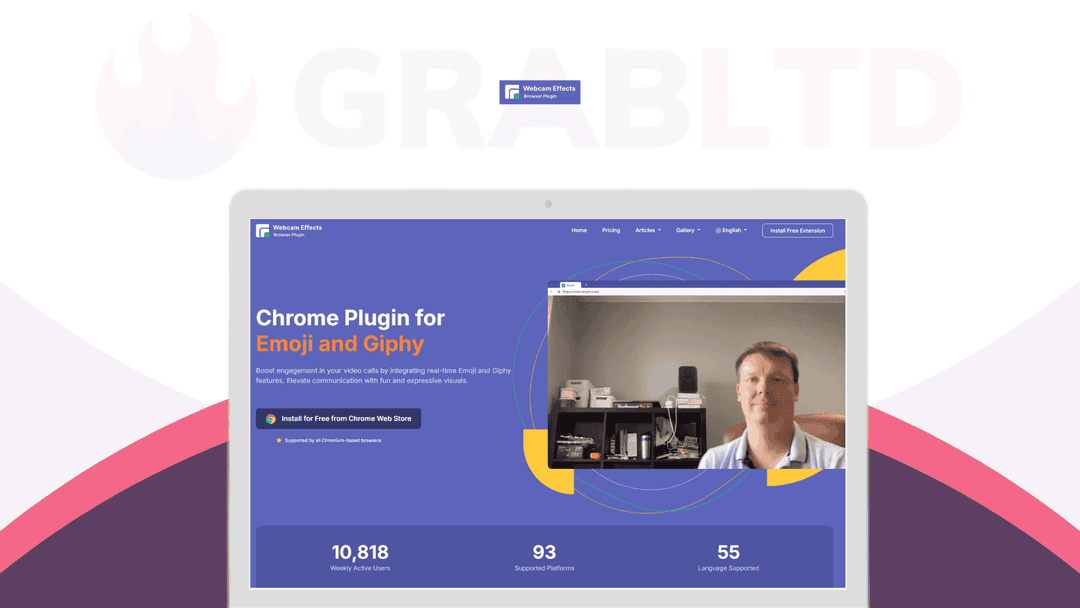
AI Webcam Effects at a glance
- Platform
- Chrome, Windows, Mac, Linux
- Note
- Lifetime plan. Dealify advertises friendly support but gives no vendor support details.
Our take
Is AI Webcam Effects worth buying?
Based on the Dealify listing, this is a one-plan lifetime deal for a browser based webcam effects extension, with a 30-day refund and a 60-day redemption window. It fits people who stay in Chrome and want effects without desktop software. Storage is capped at 500MB on this plan.
Good fit if
- You take many video calls in Chrome and want backgrounds and filters.
- You stream or record from the browser.
- You want to remove the free version watermark with one payment.
Skip it if
- You use a browser other than Chrome.
- You need large cloud storage for recordings.
Which AI Webcam Effects plan do you need?
Prices in USD, excluding tax.
| Plan A | |
|---|---|
| One-time price | $119 |
| Regular price (Dealify) | |
| You save | $880 |
| Cloud storage | 500MB |
| Watermark | Removed |
| Features | All enabled |
Before you buy: Dealify's terms and extra costs
- Refund. 30-day money-back guarantee. Message Dealify to request a refund.
- Redeem. Redeem your code within 60 days of purchase. The code arrives by email.
- Platform. Chrome extension on Windows, Mac and Linux.
- Note. Lifetime plan. Dealify advertises friendly support but gives no vendor support details.
What is AI Webcam Effects?
AI Webcam Effects is a Chrome extension that changes your webcam feed in the browser. It offers virtual or blurred backgrounds, a beauty filter, light correction, an AI video enhancer, overlays, titles and screen or webcam recording. It works with Google Meet, Zoom, Teams and streaming sites. The deal is a lifetime plan that removes the watermark.
What AI Webcam Effects says it does
- Over 15 visual effects and filters (AI Webcam Effects's figure)
- Works on Windows, Mac and Linux through Chrome
- Works with Google Meet, Zoom, Microsoft Teams, Skype, YouTube, TikTok and Twitch
- Records webcam video or your screen
Why AI Webcam Effects
Desktop virtual camera software needs installing and setting up. This runs inside Chrome, so any site that reads your browser camera can use the effects. The limit is that it depends on Chrome, and the lifetime plan includes 500MB of cloud storage.
How does AI Webcam Effects work?
Redeem the code
Redeem the activation code from your email within 60 days of purchase.
Add the extension
Install the extension in Chrome and sign in.
Pick your effects
Choose a background, filters, overlays or titles.
Join or stream
Select the effects camera in your call or live stream.
Record if needed
Record your webcam or screen from the extension.
Then it handles:
- Virtual and blurred backgrounds
- Beauty filter and light correction
- AI video enhancement
- Logo watermark and lower third titles
- Picture in picture and smart zoom
- Emoji and GIF overlays
- Webcam and screen recording
Who is AI Webcam Effects for?
Built for
- Remote workers who want a polished look on video calls
- Streamers and creators who work in the browser
- Anyone who wants effects without desktop software
Not for
- People who do not use Chrome
- Buyers who need more than 500MB of cloud storage on this plan
What is included in AI Webcam Effects?
Camera effects
- Virtual backgrounds image, video or custom, or blur
- Beauty filter skin smoothing
- Light correction brightness, contrast and color balance
- AI video enhancer
Branding and presenting
- Custom watermark
- Custom overlay screen
- Titles (lower thirds)
- Smart zoom also called Center Stage
- Picture in picture
Recording
- Webcam recording
- Screen recording
- Cloud storage 500MB on this plan
Video review
We have not reviewed AI Webcam Effects on video yet.
Get notifiedBuyer reviews
No reviews yet. Bought AI Webcam Effects? Add it to your workspace and share what it replaced.
Add to your workspaceAI Webcam Effects questions
What is AI Webcam Effects?
A Chrome extension that adds backgrounds, filters, overlays and recording to your webcam feed in the browser.
Which platforms does it work with?
The listing names Google Meet, Zoom, Microsoft Teams, Skype, YouTube, Twitch and TikTok, and says it runs on Windows, Mac and Linux through Chrome.
What does the lifetime plan add?
It enables all features, removes the watermark and includes personal virtual backgrounds, a custom watermark, a custom overlay screen, the video enhancer and 500MB of cloud storage.
Is there a free version?
Per the vendor's site, a free tier exists with a watermark. The deal page itself lists the paid features.
What is the refund policy?
Dealify lists a 30-day money-back guarantee. Contact Dealify to request it, and redeem your code within 60 days.
Does it work outside Chrome?
The listing describes a Chrome extension only. It does not name other browsers.
Often compared with
These are other tools in the same space, not deals on GrabLTD.
- ManyCam
- XSplit VCam
- YouCam
- mmhmm
- SplitCam
Sources
Checked . Prices and terms on this page come from: