

Video & Audio · Lifetime deal
AnyRec Video Enhancer
Desktop video enhancer that upscales resolution and removes noise and shake.
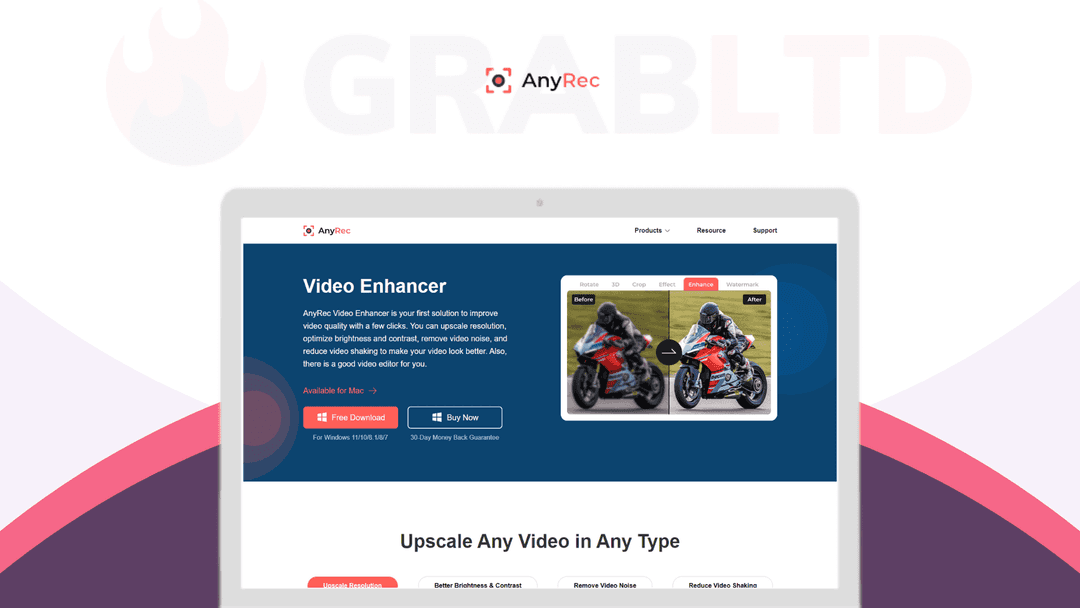
AnyRec Video Enhancer at a glance
- Platform
- Windows, Mac
- Support
- Support and updates are included, by email.
- Updates
- Included
Our take
Is AnyRec Video Enhancer worth buying?
Based on the DealMirror listing, this is a lifetime desktop video enhancer licensed per PC. It covers the common fixes of upscaling, noise and shake. The listing is unclear on which tier covers Windows versus Mac, so check before buying.
Good fit if
- You want a simple desktop tool to upscale and clean up video.
- You prefer a one-time license over a subscription.
- You work on one to three computers.
Skip it if
- You need a cloud based or mobile tool.
- You need to know exactly which OS each tier covers before buying.
Which AnyRec Video Enhancer plan do you need?
Prices in USD, excluding tax.
| Plan A | Plan B | |
|---|---|---|
| One-time price | $24 | $36 |
| Regular price (DealMirror) | ||
| You save | $75 | $163 |
| PCs | 1 | 3 |
| Updates | Included | Included |
Before you buy: DealMirror's terms and extra costs
- Refund. 30-day money-back guarantee on DealMirror, 60 days for DealMirror Prime members, per the listing.
- Redeem. Redeem your code within 60 days of purchase.
- Platform. Windows 7 to 11 or macOS 10.12 and later. Licenses are per PC.
- Support. Support and updates are included, by email.
What is AnyRec Video Enhancer?
AnyRec Video Enhancer is desktop software that improves video quality. It upscales resolution (for example 720p to 1080p or 1080p to 4K), adjusts brightness and contrast, removes noise and reduces shaking. Basic tools such as rotate, crop, trim and watermark are included. The deal is a lifetime license limited by the number of PCs.
What AnyRec Video Enhancer says it does
- Upscales video, for example 720p to 1080p and 1080p to 4K (AnyRec Video Enhancer's figure)
- Removes video noise and reduces shaking
- Supports MP4, AVI, MOV, FLV, MKV and WebM
- Support and updates are included
Why AnyRec Video Enhancer
Low quality footage is hard to fix without a pro editor. This app handles upscaling, noise and shake in one step on your own computer. It is a desktop tool, so processing depends on your PC, and the license is per computer.
How does AnyRec Video Enhancer work?
Redeem the code
Redeem your DealMirror code within 60 days of purchase.
Install the app
Download and install the Windows or Mac version.
Add your video
Click Add File and choose the video.
Choose enhancements
Tick upscale, brightness, noise removal or shake reduction, then apply.
Export
Save the improved video, optionally after trimming or cropping.
Then it handles:
- Upscaling video resolution
- Improving brightness and contrast
- Removing video noise
- Reducing camera shake
- Rotating, flipping and cropping
- Trimming and merging clips
- Adding watermarks
Who is AnyRec Video Enhancer for?
Built for
- Anyone restoring old or low quality footage
- Creators who want one simple enhancer
- Buyers who prefer software that runs on their own PC
Not for
- Users who want a cloud or browser tool
- People who need Linux or mobile support
What is included in AnyRec Video Enhancer?
Enhancement
- Upscale resolution
- Brightness and contrast
- Noise removal
- Shake reduction
Editing tools
- Rotate and flip
- Crop video
- Add watermark
- 2D to 3D
Video review
We have not reviewed AnyRec Video Enhancer on video yet.
Get notifiedBuyer reviews
No reviews yet. Bought AnyRec Video Enhancer? Add it to your workspace and share what it replaced.
Add to your workspaceAnyRec Video Enhancer questions
What is AnyRec Video Enhancer?
Desktop software that improves video quality through upscaling, brightness and contrast, noise removal and shake reduction.
Which platforms does it run on?
The listing says Windows 7 to 11 and macOS 10.12 or later.
How many computers can I use?
It depends on the tier. The listing shows one PC on the lower tiers and three PCs on the higher tier.
What is the refund policy?
30 days on DealMirror, or 60 days for Prime members. Redeem the code within 60 days of purchase.
What is the catch?
Licenses are tied to a number of PCs and the listing says both lifetime and multiuser license, which does not match the per-PC limits. Confirm before buying.
Often compared with
These are other tools in the same space, not deals on GrabLTD.
- Topaz Video AI
- HitPaw Video Enhancer
- AVCLabs Video Enhancer AI
- DaVinci Resolve
- Movavi Video Suite
Sources
Checked . Prices and terms on this page come from: