

AI Voice · Lifetime deal
AnyToSpeech
Browser speech studio that reads text, PDFs, slides and pages aloud in 150+ voices.
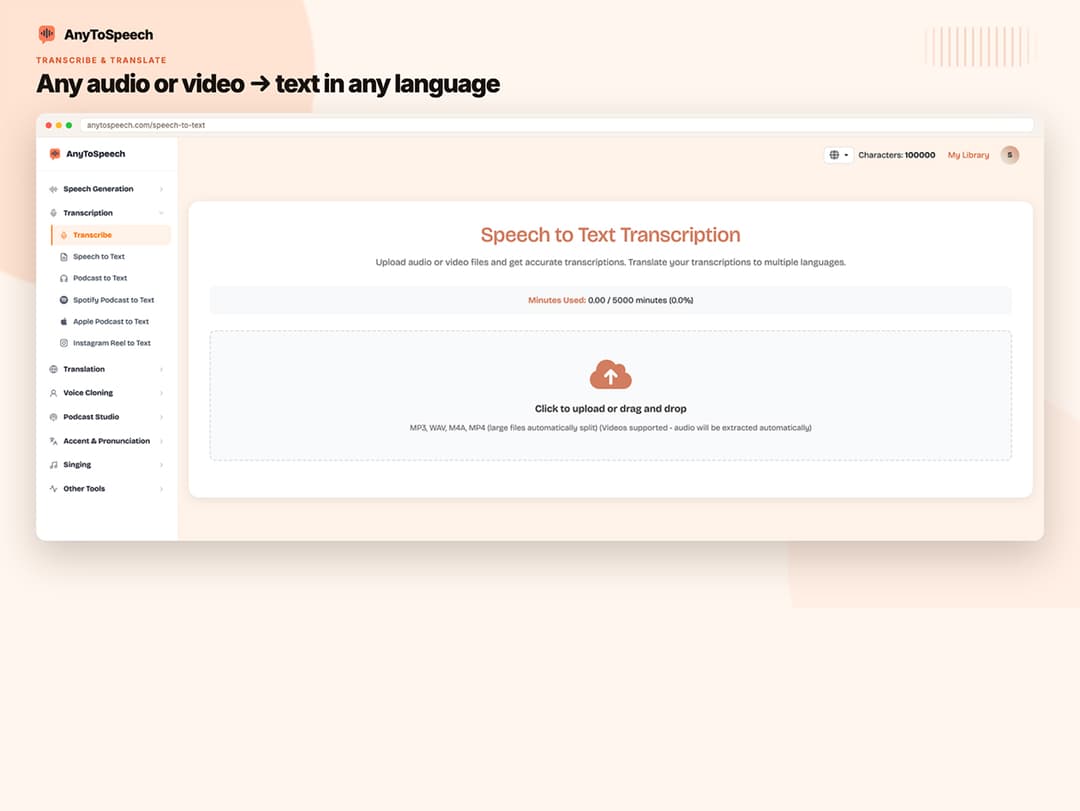
AnyToSpeech at a glance
- Platform
- Web
- Upgrades
- Codes do not stack. If your account is on a higher plan, contact AnyToSpeech support instead of redeeming.
- Note
- Lifetime access lasts as long as AnyToSpeech operates the service.
- Support
- Standard support on the Hobby plan.
Our take
Is AnyToSpeech worth buying?
Based on the StackSocial listing, this is the Hobby plan for life, with 50,000 characters and 200 transcription minutes a month, a 30-day redemption window and no refund after redeeming. It suits light voiceover needs. Higher limits sit on plans that are not in this deal.
Good fit if
- You need occasional voiceovers or documents read aloud.
- You want transcription and a voice clone in one tool.
- You can redeem within 30 days.
Skip it if
- You produce high volume audio every month.
- You need a mobile app or Podcast Series.
Which AnyToSpeech plan do you need?
Prices in USD, excluding tax.
| Hobby | Standard | Pro | |
|---|---|---|---|
| One-time price | $39.99 | $59.99 | $199.99 |
| Regular price (StackSocial) | Not stated | Not stated | |
| You save | $209.01 | ||
| Characters per month | 50,000 | Not stated | Not stated |
| Transcription minutes per month | 200 | Not stated | Not stated |
| Saved voice clones | 1 | Not stated | Not stated |
| Podcast Series | Not included | Not stated | Not stated |
Before you buy: StackSocial's terms and extra costs
- Refund. Unredeemed codes can be returned for store credit within 30 days. After redemption, all sales are final.
- Redeem. Redeem within 30 days of purchase. Each code is for one purchase and one account, and cannot be transferred after redemption.
- Upgrades. Codes do not stack. If your account is on a higher plan, contact AnyToSpeech support instead of redeeming.
- Platform. Web only through anytospeech.com. Mobile apps are not included.
- Note. Lifetime access lasts as long as AnyToSpeech operates the service.
- Support. Standard support on the Hobby plan.
What is AnyToSpeech?
AnyToSpeech turns text into spoken audio in the browser. You can paste text or upload PDF, DOCX, PPTX, image or web page content and pick from 150+ voices in 27 languages. It also clones a voice, transcribes audio and video, translates media and builds two-speaker podcasts. The deal is the Hobby plan for life, with monthly limits.
What AnyToSpeech says it does
- 150+ premium voices in 27 languages (AnyToSpeech's figure)
- Reads text, PDF, DOCX, PPTX, images and web pages aloud
- Hobby plan: 50,000 characters and 200 transcription minutes per month
- Commercial use of outputs is included
Why AnyToSpeech
Voiceovers are slow and costly to record. This tool turns documents and pages into audio you can publish. The Hobby plan has monthly caps and one saved voice clone, and Podcast Series is not included on it.
How does AnyToSpeech work?
Redeem the code
Redeem the StackSocial code within 30 days of purchase, on your AnyToSpeech account.
Add your content
Paste text, upload a file or image, or drop in a link.
Pick a voice
Choose a voice and language, or use your saved voice clone.
Generate
Create the audio and download it as MP3.
Extend
Use transcription, translation or the two-speaker Podcast Studio.
Then it handles:
- Reading documents and slides aloud
- Voicing web pages from a URL
- Extracting text from images and voicing it
- Cloning a voice
- Transcribing audio and video
- Translating audio and video
- Making two-speaker podcasts
Who is AnyToSpeech for?
Built for
- Creators who need quick voiceovers
- People who want documents as audio
- Light users within the monthly limits
Not for
- Heavy users above 50,000 characters a month on the Hobby plan
- Anyone who needs a mobile app, since the listing says web only
- Buyers who need Podcast Series on this plan
What is included in AnyToSpeech?
Text to speech
- Multiple inputs text, PDF, DOCX, PPTX, images, URLs
- 150+ voices 27 languages
- MP3 downloads and library
Voice and audio tools
- Voice cloning 1 saved clone on Hobby
- Transcription 200 minutes a month on Hobby
- Media translation
- Speech-to-speech editing
Podcasts
- Podcast Studio two speakers
- Podcast Series not on Hobby
Video review
We have not reviewed AnyToSpeech on video yet.
Get notifiedBuyer reviews
No reviews yet. Bought AnyToSpeech? Add it to your workspace and share what it replaced.
Add to your workspaceAnyToSpeech questions
What is AnyToSpeech?
A browser tool that converts text, documents, images and web pages into speech, with voice cloning and transcription.
What are the Hobby plan limits?
The listing gives 50,000 characters and 200 transcription minutes per month, plus 1 saved voice clone.
Can I use the audio commercially?
The listing says commercial use of outputs is included.
Does lifetime mean forever?
The listing says access lasts as long as AnyToSpeech operates the service.
What is the refund policy?
Unredeemed codes can be returned for store credit within 30 days. Once redeemed, all sales are final.
Are there other plans?
The page also lists Standard and Pro plans with higher limits and Podcast Series, sold separately.
Often compared with
These are other tools in the same space, not deals on GrabLTD.
- ElevenLabs
- Speechify
- Murf
- NaturalReader
- Play.ht
Sources
Checked . Prices and terms on this page come from: