

Design · Lifetime deal
ArchiMaster 3D Kitchen & Bath Software for Windows
Windows 3D planner for kitchens and baths, with cabinets, materials and VR viewing.
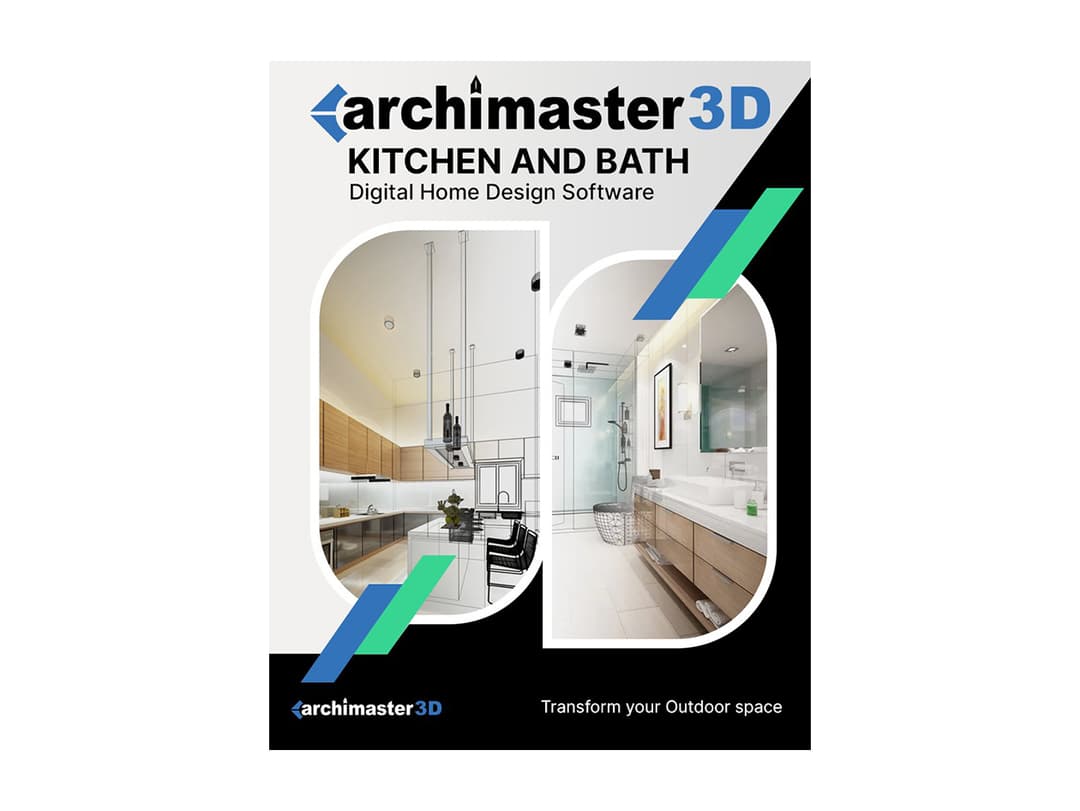
ArchiMaster 3D Kitchen & Bath Software for Windows at a glance
- Platform
- Windows
- Upgrades
- Free upgrade to v3 is included. v4 and later versions cost extra. Several variants can be redeemed on one account.
- Support
- Support is through ArchiMaster Support. The vendor has no standard return policy.
Our take
Is ArchiMaster 3D Kitchen & Bath Software for Windows worth buying?
Based on the StackSocial listing, this is a lifetime Windows license for a kitchen and bath 3D planner, valid on one device with a free upgrade to version 3. It suits homeowners planning a remodel. The redemption window is 30 days and redeemed licenses are final.
Good fit if
- You are planning a kitchen or bathroom remodel on a Windows PC.
- You want to compare layouts and finishes before buying.
- You prefer a one-time license over a subscription.
Skip it if
- You use a Mac or tablet.
- You need version 4 or later included.
Which ArchiMaster 3D Kitchen & Bath Software for Windows plan do you need?
Prices in USD, excluding tax.
| Lifetime deal | |
|---|---|
| One-time price | $19.99 |
| Regular price (StackSocial) | |
| You save | $40 |
| Devices | 1 |
| Platform | Windows 64-bit |
| Included upgrades | Free upgrade to v3 |
| Designs | Unlimited |
Before you buy: StackSocial's terms and extra costs
- Refund. Unredeemed licenses can be returned for store credit within 30 days of purchase. Redeemed licenses are final.
- Redeem. Redeem within 30 days of purchase.
- Upgrades. Free upgrade to v3 is included. v4 and later versions cost extra. Several variants can be redeemed on one account.
- Platform. Windows 7, 8, 10 or 11, 64-bit, on one device. 4GB RAM minimum and 10GB of free storage.
- Support. Support is through ArchiMaster Support. The vendor has no standard return policy.
What is ArchiMaster 3D Kitchen & Bath Software for Windows?
ArchiMaster 3D Kitchen & Bath is Windows software for planning a kitchen or bathroom in 3D before you buy. A design wizard can start from a photo of your room. You can choose from 200+ cabinet styles, an appliance catalog and a materials library, and view the result in 3D or in VR. The deal is a lifetime license for one device.
What ArchiMaster 3D Kitchen & Bath Software for Windows says it does
- 200+ cabinet styles (ArchiMaster 3D Kitchen & Bath Software for Windows's figure)
- Photorealistic 3D views and unlimited designs
- Works offline after install
- Includes a free upgrade to version 3
Why ArchiMaster 3D Kitchen & Bath Software for Windows
Remodel decisions are expensive to reverse. A 3D plan lets you compare layouts and finishes before you order. It runs on Windows only, and the license covers one device, with later major versions costing extra.
How does ArchiMaster 3D Kitchen & Bath Software for Windows work?
Redeem the code
Redeem the StackSocial code within 30 days of purchase.
Install on Windows
Install ArchiMaster 3D on a 64-bit Windows PC.
Start a room
Use the design wizard with a photo of your room or a blank layout.
Add cabinets and finishes
Place cabinets, appliances and materials.
View in 3D
Review photorealistic views, or VR with a supported headset.
Then it handles:
- Planning kitchen layouts
- Planning bathroom layouts
- Choosing cabinet styles
- Placing appliances and electronics
- Testing countertops, flooring and paint
- Viewing designs in 3D
- Viewing designs in VR
Who is ArchiMaster 3D Kitchen & Bath Software for Windows for?
Built for
- Homeowners planning a kitchen or bath remodel
- DIYers who want to compare layouts first
- Small contractors who need quick visuals
Not for
- Mac or mobile users, since the listing says Windows desktop only
- Anyone who needs version 4 or later without paying extra
What is included in ArchiMaster 3D Kitchen & Bath Software for Windows?
Design tools
- Design wizard import a photo of your room
- 200+ cabinet styles
- Appliance catalog
- Unlimited designs
Materials and views
- Materials library countertops, flooring, paint, stains, fabrics
- Photorealistic 3D views
- VR mode HTC Vive and Oculus Rift
Video review
We have not reviewed ArchiMaster 3D Kitchen & Bath Software for Windows on video yet.
Get notifiedBuyer reviews
No reviews yet. Bought ArchiMaster 3D Kitchen & Bath Software for Windows? Add it to your workspace and share what it replaced.
Add to your workspaceArchiMaster 3D Kitchen & Bath Software for Windows questions
What is ArchiMaster 3D Kitchen & Bath?
Windows desktop software for designing kitchens and bathrooms in 3D, with a catalog of cabinets, appliances and materials.
What do I need to run it?
A 64-bit Windows 7, 8, 10 or 11 PC with a 2.0 GHz processor, 4GB RAM (8GB recommended), 10GB of storage and a 1GB graphics card.
Does it need the internet?
It works offline, with internet needed only for online features and help.
Are future versions included?
A free upgrade to version 3 is included. Version 4 and later cost extra.
What is the refund policy?
Unredeemed licenses can be returned for store credit within 30 days. Once redeemed, the sale is final.
Can I use it on several computers?
The listing says the license is for one device.
Often compared with
These are other tools in the same space, not deals on GrabLTD.
- Sweet Home 3D
- HomeByMe
- Planner 5D
- SketchUp
- Chief Architect
Sources
Checked . Prices and terms on this page come from: