

Marketing · Lifetime deal
Architecto
AI workspace that drafts cloud architecture diagrams, documentation and reviews from a prompt.
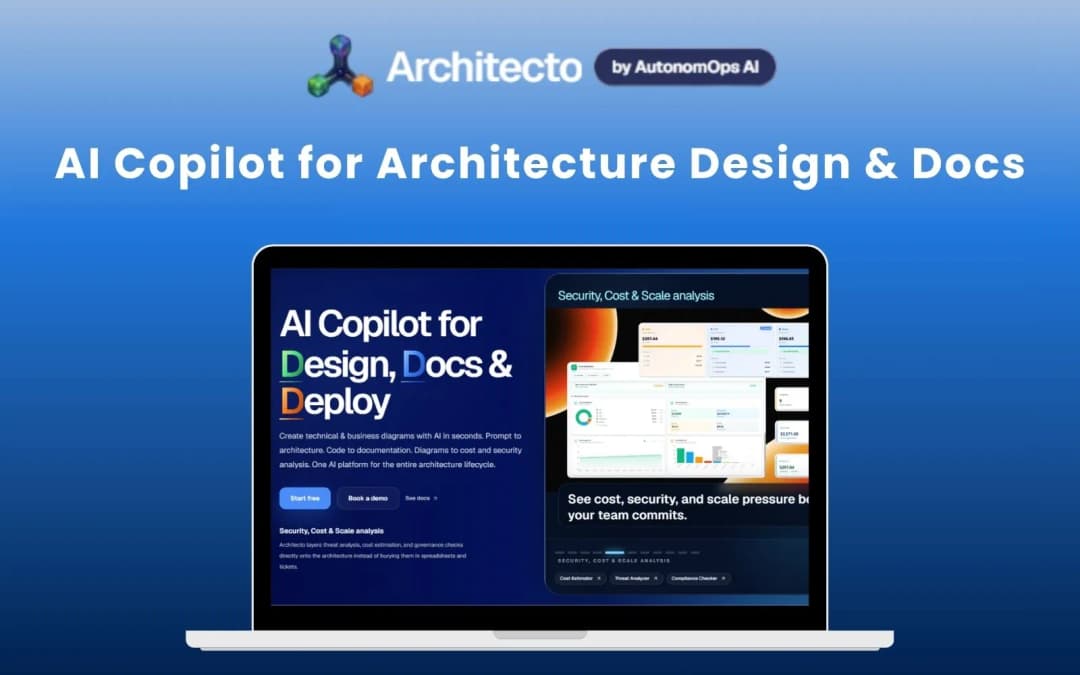
Architecto at a glance
- Platform
- Web
- Support
- Standard support on Pro, priority support on Ultimate.
Our take
Is Architecto worth buying?
Based on the Dealify listing, this is the Pro lifetime plan with 5,000 credits a month and 90 days of version history. It suits architects who want diagrams and docs from one workflow. The cost estimator and security modeling are only on the higher Ultimate plan.
Good fit if
- You design or document cloud systems regularly.
- You want diagrams and docs generated from one prompt.
- You are happy to work within a monthly credit budget.
Skip it if
- You need cost estimates or threat modeling, which are on Ultimate.
- You need unlimited monthly AI usage.
Which Architecto plan do you need?
Prices in USD, excluding tax.
| Pro | Ultimate | |
|---|---|---|
| One-time price | $249 | $449 |
| Regular price (Dealify) | ||
| You save | $591 | $2,451 |
| Credits per month | 5,000 | Not stated |
| Approx. AI diagrams | 100 per month | Not stated |
| Version history | 90 days | Not stated |
| Support | Standard | Not stated |
Before you buy: Dealify's terms and extra costs
- Refund. 30-day money-back guarantee per the Dealify listing.
- Redeem. Redeem the code within 60 days of purchase. The code arrives by email.
- Usage cost. Work runs on monthly credits. 50 credits for a first topology and 25 for follow ups and most analyses.
- Platform. Web based workspace.
- Support. Standard support on Pro, priority support on Ultimate.
What is Architecto?
Architecto is an AI workspace for cloud architecture. It generates diagrams and documentation from a plain language prompt, and reviews designs for scalability and performance. Higher tiers add cost estimates and security and threat modeling. Usage runs on monthly credits. The deal is a lifetime plan with a credit allowance.
What Architecto says it does
- 240+ architecture patterns to start from (Architecto's figure)
- 5,000 credits a month on the Pro plan, about 100 AI diagrams (Architecto's figure)
- Integrates with AWS, Google Cloud, Azure, Kubernetes, Terraform and GitHub
- Pattern library plus a quiz repository and flashcards
Why Architecto
Architecture diagrams, docs and reviews usually live in separate tools. Architecto keeps them connected from one prompt. The Pro plan caps work at 5,000 credits a month and omits the cost estimator and security modeling that sit on the Ultimate plan.
How does Architecto work?
Redeem the code
Redeem the Dealify code from your email within 60 days of purchase.
Describe a system
Enter a prompt or start from a pattern.
Generate diagrams
Architect AI drafts the topology, which costs credits.
Create documentation
Use CoDocs and HyperDoc AI to produce docs from the design.
Run analyses
Check scalability and performance, with more modules on Ultimate.
Then it handles:
- Generating cloud architecture diagrams
- Drafting technical documentation
- Starting from architecture patterns
- Scalability and performance analysis
- Studying with quizzes and flashcards
- Keeping version history of designs
Who is Architecto for?
Built for
- Cloud and solutions architects
- Engineering teams documenting systems
- Engineers studying architecture patterns
Not for
- Buyers who need cost estimates or threat modeling on the Pro plan
- Teams that need unlimited monthly AI usage
What is included in Architecto?
Design
- Architect AI diagrams from prompts
- Pattern Library
- Diagram Studio manual diagramming
- Flow IQ and DiagramGPT
Docs and analysis
- CoDocs and HyperDoc AI
- Scalability and performance analysis
- Markdown notes
Learning
- Quiz repository 4,000+ questions
- Flashcards 50,000
- Daily challenges
Video review
We have not reviewed Architecto on video yet.
Get notifiedBuyer reviews
No reviews yet. Bought Architecto? Add it to your workspace and share what it replaced.
Add to your workspaceArchitecto questions
What is Architecto?
An AI workspace that creates cloud architecture diagrams, documentation and analyses from a prompt or an existing pattern.
What does the Pro plan include?
5,000 credits a month, 90 days of version history, standard support, the pattern library, Architect AI and scalability analysis.
What is only on Ultimate?
The cost estimator, security and threat modeling, IaC orchestration, cloud discovery, drift detection and anti pattern detection.
How do credits work?
A first topology or doc generation costs 50 credits. Follow ups and most analysis modules cost 25.
What is the refund policy?
A 30-day money-back guarantee. Redeem the code within 60 days of purchase.
What is the catch?
Credits reset monthly, so heavy use can run out, and the Pro plan leaves out several review modules.
Often compared with
These are other tools in the same space, not deals on GrabLTD.
- Lucidchart
- Eraser
- Cloudcraft
- Miro
- Structurizr
Sources
Checked . Prices and terms on this page come from: