

Productivity · Lifetime deal
Billify
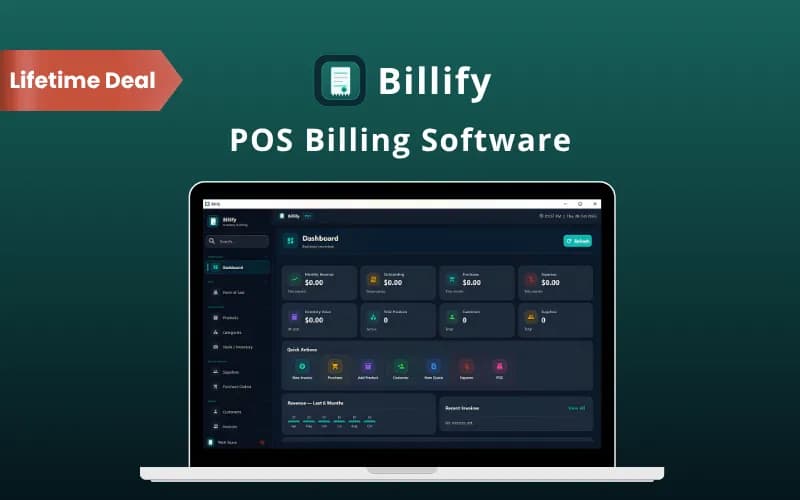
A till, a stock list and an invoice book, all running from one Windows PC with the data stored on your own machine. Billify handles counter sales, low-stock tracking, partial payments and purchase orders, and it keeps billing even when your connection drops.
Which Billify plan do you need?
Prices in USD, excluding tax.
| Lifetime deal | |
|---|---|
| One-time price | $15 |
| Regular price (DealFuel) | |
| You save | $14 |
What is Billify?
Billify is a Windows desktop program that puts billing, stock and counter sales in one place. Nothing lives in the cloud: your records sit in a local database on your own computer, and daily work carries on when the internet does not.
What Billify actually does
Think of it as a till, a stock book and an invoice pad sharing one set of records. Sell an item at the counter and the stock count moves with it.
- Manage products, prices, barcodes and stock details - Bill customers through invoices and point-of-sale transactions - Track stock levels, low-stock status and stock movements - Record payments, purchases, expenses and returns - Organize customer and supplier information - Review sales, stock, expense and profit/loss reports - Offer discount codes and customer loyalty points - Back up your records and restore saved data when needed
The features that matter
The point-of-sale screen is where a shop will spend its day. You pick the customer and the products, apply a discount or coupon code, record the payment method, print the invoice and start the next sale. It all happens on one screen.
Invoicing goes further than a receipt printer. Invoices take product or service lines, generate as PDFs, and accept full or partial payments with the method, reference and history kept against each one. Accepted quotations convert into invoices, so nobody retypes a quote the customer already agreed to. On the buying side you get purchase orders with quantities, unit costs and a status, plus sales and purchase returns that adjust stock as they are recorded.
Then there is the storage decision, which is the real reason to pick Billify or pass on it. Data is held in a local SQLite database and no external database server is needed. That is a strength if you want to own your records and a risk if you never back up. Billify exports database and Excel backups and can import them again, but the software will not do the remembering for you. Put it in the diary.
How it fits in your stack
DealFuel lists Billify as an alternative to myBillBook, Paytm, Shopify, Vyapar and Zoho POS. That list is generous. Shopify and Paytm are online platforms that take card payments; Billify records which payment method was used, it does not process the payment. The fair comparison is with the desktop billing side of Vyapar or myBillBook. If you run one counter and want billing and stock without a monthly fee, the swap makes sense.
Who it's built for
This is for a small shop, a wholesaler's front desk or a service business that sells from stock and works on a Windows PC. DealFuel also lists agencies, finance professionals and startups, though the feature set points at the counter. You need Windows 10 or 11 in 64-bit, at least 4 GB of RAM (8 GB recommended) and 1 GB of free disk space. Mac users are out of luck.
How you actually use it
- Download Billify, install it on a supported Windows computer and enter your license key. - Add your products, prices, stock details, customers and suppliers. - Create invoices or process POS sales, record payments and monitor your stock. - Check your reports and export backups of your business records.
The deal
The 1 Device plan is $15 (listed at $29). The 5 Devices plan is $29 (listed at $60) and the 10 Devices plan is $49 (listed at $120). Every plan carries the same feature list; only the number of licensed devices changes. One caution: activation and license verification need an internet connection, and the listing does not say whether several devices can share one database. Ask before you buy five seats for a single shop. For one counter, $15 is hard to argue with.
Video review
We have not reviewed Billify on video yet.
Get notifiedBuyer reviews
No reviews yet. Bought Billify? Add it to your workspace and share what it replaced.
Add to your workspace