

AI Tools · Lifetime deal
BookZero
AI receipt scanning for organized books and tax reports
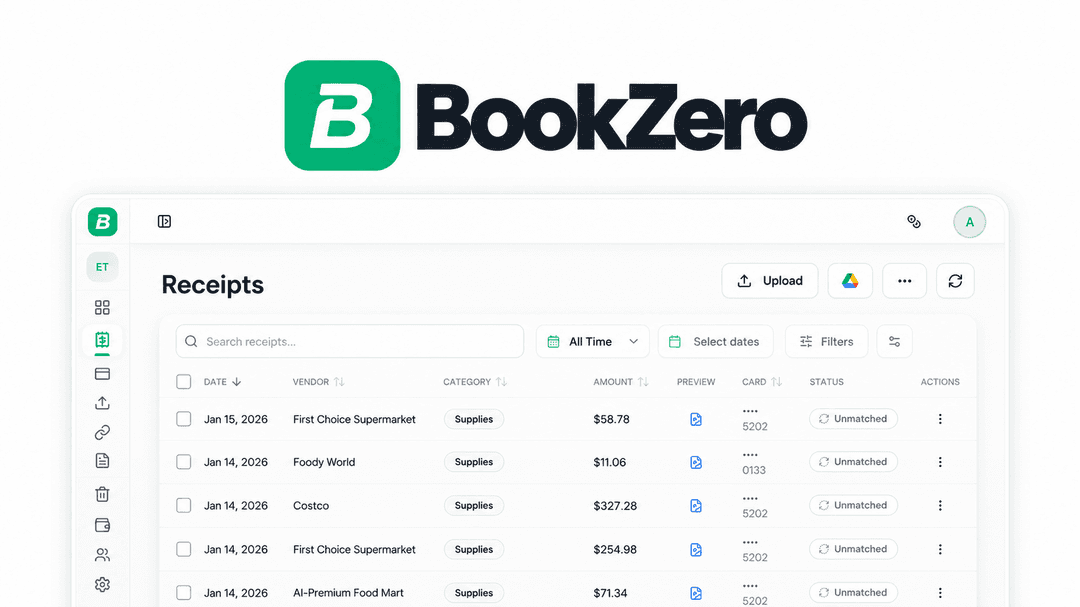
BookZero at a glance
- Platform
- US, Canada, Telegram, Google Drive, QuickBooks, Xero
- Note
- Lifetime access to BookZero
- Note
- All future plan updates
- Upgrades
- Ability to upgrade or downgrade between 3 license tiers
- Note
- No codes, no stacking—just choose the plan that is right for you
Which BookZero plan do you need?
Prices in USD, excluding tax.
| Tier 1 (Solo) | Tier 2 (Growth) | Tier 3 (Team) | |
|---|---|---|---|
| One-time price | $49 | $129 | $289 |
| Includes | 125 Scans per month | 400 Scans per month; Google Drive import, QuickBooks export & Xero export | 1000 Scans per month; Google Drive import, QuickBooks export & Xero export; AI financial analyzer |
Before you buy: AppSumo's terms and extra costs
- Note. Lifetime access to BookZero
- Note. All future plan updates
- Redeem. You must activate your license within 60 days of purchase
- Upgrades. Ability to upgrade or downgrade between 3 license tiers
- Note. No codes, no stacking—just choose the plan that is right for you
What is BookZero?
BookZero is an AI receipt scanner for bookkeeping and tax categorization in the US and Canada. It reads receipts and bank statements. It extracts details, matches receipts to bank transactions, and organizes expenses for CRA and IRS reporting. It exports records or syncs them to accounting software.
What BookZero says it does
- BookZero automates bookkeeping and tax categorization for the US and Canada with AI receipt scanning.
- AI pulls vendor, date, tax, and total from receipts in seconds. (BookZero's figure)
- Automated receipt extraction can skip manual data entry.
- Receipt and bank-statement details can be processed in under five seconds. (BookZero's figure)
- BookZero is fine-tuned on millions of receipt-specific data points. (BookZero's figure)
- BookZero handles crumpled restaurant receipts, ingredient lists, and gas station printouts.
- Receipt photos sent to the BookZero Telegram bot can appear automatically in the dashboard.
- Receipts can be imported from a watched Google Drive folder.
- Receipts can be matched automatically to bank transactions, showing what is accounted for.
- Expenses can be sorted into CRA and IRS tax categories with AI.
- Clean CSVs and CRA and IRS tax reports can be exported for an accountant.
- CRA and IRS reports can include T2125, Schedule C, and GST, HST, and PST splits.
Why BookZero
BookZero addresses repetitive receipt entry and line-by-line statement cross-checking. It extracts receipt details, matches them to bank transactions, categorizes expenses, and prepares reports or synced records. People maintaining business books can focus on other work.
How does BookZero work?
Capture receipts
Snap or upload a receipt from your phone, send a photo to the Telegram bot, or import files from Google Drive on Tier 2 and above.
Extract details
AI reads receipts and bank statements and pulls out vendor, date, tax, and total.
Match and categorize
Match receipts to bank transactions, then sort expenses into CRA and IRS tax categories.
Review and export
See what is accounted for, then export clean CSVs and CRA and IRS tax reports.
Sync expenses
On Tier 2 and above, push matched receipts to QuickBooks or Xero and attach receipt files automatically.
Then it handles:
- Capture receipts by phone or Telegram
- Import receipts from Google Drive
- Extract receipt and bank-statement details
- Match receipts to bank transactions
- Sort expenses into CRA and IRS categories
- Export CSVs and tax reports
- Sync expenses to QuickBooks or Xero
- Ask questions about the books
Who is BookZero for?
Built for
- Freelancers
- Small e-commerce sellers
- Meal-prep and restaurant operators
- CPAs managing books for multiple clients
- People losing hours a week to manual data entry
Not for
- Tier 1 users who need Google Drive import, QuickBooks export, or Xero export
- Tier 1 or Tier 2 users who need AI book questions or the financial analyzer
What is included in BookZero?
Receipt and statement capture
- Phone receipt capture Snap or upload receipts from your phone.
- Telegram receipt capture Send a receipt photo to the BookZero Telegram bot.
- Google Drive imports Import receipt files from Google Drive on Tier 2 and above.
AI extraction and matching
- Receipt data extraction AI pulls vendor, date, tax, and total from receipts.
- Bank statement reading AI reads receipts and bank statements to pull transaction details.
- Bank transaction matching Match receipts to bank transactions and see what is accounted for.
- Receipt format handling Process crumpled restaurant receipts, ingredient lists, and gas station printouts.
Tax organization and reporting
- CRA and IRS categorization Sort expenses into CRA and IRS tax categories with AI.
- Clean CSV exports Export clean CSVs for handoff to an accountant.
- CRA and IRS tax reports Generate CRA and IRS tax reports for accountant handoff.
- T2125 and Schedule C reports Generate T2125 and Schedule C reports with GST, HST, and PST splits.
AI bookkeeping analysis
- Book questions Ask questions about your books through an AI agent on Tier 3.
- Spending breakdowns Pull up monthly spending and top-expense breakdowns on Tier 3.
- Bookkeeping assistance Let AI agents handle bookkeeping busywork on Tier 3.
Accounting software sync
- QuickBooks and Xero sync Push matched receipts to QuickBooks or Xero on Tier 2 and above.
- Automatic receipt attachments Attach receipt files automatically to synced expenses.
Video review
We have not reviewed BookZero on video yet.
Get notifiedBuyer reviews
No reviews yet. Bought BookZero? Add it to your workspace and share what it replaced.
Add to your workspaceBookZero questions
What does BookZero do?
BookZero uses AI to extract vendor, date, tax, and total from receipts and bank statements, then matches them to transactions. It categorizes expenses for CRA and IRS reporting, exports CSVs and tax reports, and can sync matched receipts with attached files to QuickBooks or Xero.
Who is BookZero for?
BookZero is aimed at freelancers, small e-commerce sellers, meal-prep and restaurant operators, and CPAs who manage books for multiple clients. It is designed for users who want to reduce manual receipt entry and transaction matching.
What are the plan limits and prices?
Tier 1 (Solo) is $49 for 125 scans per month. Tier 2 (Growth) is $129 for 400 scans per month. Tier 3 (Team) is $289 for 1,000 scans per month. Tier 2 and above include Google Drive import plus QuickBooks and Xero export; Tier 3 also includes the AI financial analyzer.
How can receipts be submitted?
You can snap or upload receipts from a phone, send receipt photos to the BookZero Telegram bot, or import files from Google Drive on Tier 2 and above. BookZero then extracts the receipt details and places them in the dashboard.
What happens after purchase?
The purchase includes lifetime access to BookZero and all future plan updates. You must activate the license within 60 days of purchase. You can upgrade or downgrade between the three license tiers, with no codes and no stacking.