

Design · Lifetime deal
Cerebrum Scale
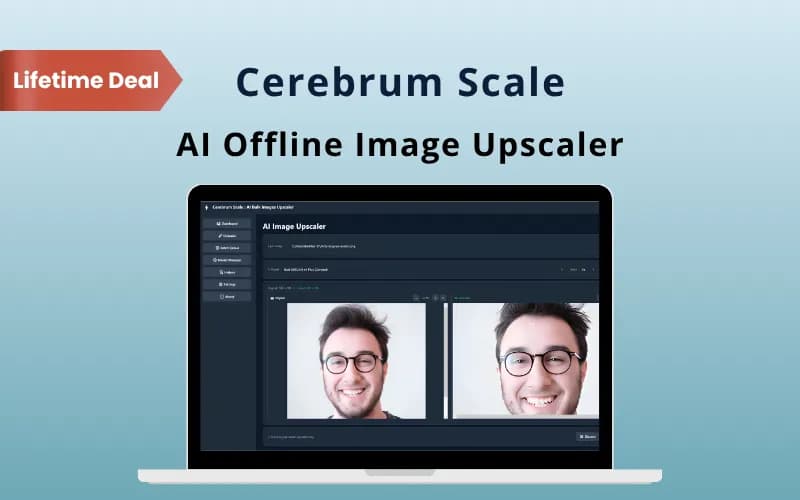
Offline Windows app for 2x and 4x AI image upscaling with batch queues and three models.
Cerebrum Scale at a glance
- Platform
- Windows
- Redeem
- The coupon code is valid for 30 days after purchase.
- Upgrades
- Coupon codes cannot be stacked. One code per user or account, new users only.
- Support
- Free updates, plus support by email and chat.
- Note
- Personal license for 2 PCs with commercial usage rights.
Our take
Is Cerebrum Scale worth buying?
Based on the DealFuel listing, Cerebrum Scale is a focused offline upscaler for Windows with no per image limits. It suits people with batches of images and a decent GPU. The page names no vendor site and no GPU requirements, so check performance expectations first.
Good fit if
- You upscale many images and want no per image fees.
- You cannot upload files to a cloud service.
- You use Windows with a supported GPU.
Skip it if
- You use macOS or Linux.
- You need editing tools beyond upscaling.
- You need documented minimum hardware specs.
Which Cerebrum Scale plan do you need?
Prices in USD, excluding tax.
| Lifetime deal | |
|---|---|
| One-time price | $11 |
| PCs per license | 2 |
| Upscale factors | 2x and 4x |
| AI models | General, Anime, Photo |
| Usage limits | None stated |
| Commercial use | Included |
Before you buy: DealFuel's terms and extra costs
- Refund. DealFuel lists a 30-day refund.
- Redeem. The coupon code is valid for 30 days after purchase.
- Upgrades. Coupon codes cannot be stacked. One code per user or account, new users only.
- Support. Free updates, plus support by email and chat.
- Platform. Windows 10 or 11 on desktops and laptops.
- Note. Personal license for 2 PCs with commercial usage rights.
What is Cerebrum Scale?
Cerebrum Scale is a Windows desktop app that upscales images 2x or 4x on your own computer. It uses local ONNX models with DirectML GPU acceleration, so images are not uploaded anywhere. It ships with three models and lets you queue whole folders. The deal is a personal license for 2 PCs with commercial usage rights.
What Cerebrum Scale says it does
- Runs fully offline with no APIs, subscriptions or usage limits (Cerebrum Scale's figure)
- Three built in models: General, Anime and Photo
- Batch queue for whole folders with start, pause and resume
- Personal license for 2 PCs with commercial usage rights
Why Cerebrum Scale
Web upscalers charge per image or cap monthly use and require uploads. Cerebrum Scale does the job on your own hardware. It is Windows only and does one thing, so it will not replace a photo editor, and speed depends on your GPU.
How does Cerebrum Scale work?
Redeem your code
Buy on DealFuel and redeem the coupon code within 30 days.
Install the app
Download and install the Windows desktop app.
Choose a model
Pick General, Anime or Photo and a 2x or 4x scale.
Queue images
Add files or a whole folder to the batch queue.
Export
Save as PNG, JPG or WebP.
Then it handles:
- 2x and 4x image upscaling
- Batch upscaling of folders
- Large files through tile based rendering
- Side by side before and after preview
- Offline use with private files
Who is Cerebrum Scale for?
Built for
- Photographers and designers with large batches
- People who cannot upload client images to a web service
- Windows users with a capable GPU
Not for
- Mac or Linux users
- Anyone who needs an editor with retouching tools
What is included in Cerebrum Scale?
Upscaling
- 2x and 4x scale
- Three models General, Anime and Photo
- Tile based rendering adjustable tile size
- DirectML acceleration on supported hardware
Workflow
- Batch queue folders, start, pause and resume
- Side by side preview with zoom
- Processing history and statistics
Formats
- Input formats PNG, JPG, JPEG, BMP, WebP
- Output formats PNG, JPG, WebP
Video review
We have not reviewed Cerebrum Scale on video yet.
Get notifiedBuyer reviews
No reviews yet. Bought Cerebrum Scale? Add it to your workspace and share what it replaced.
Add to your workspaceCerebrum Scale questions
What is Cerebrum Scale?
A Windows desktop app that upscales images 2x or 4x locally using AI models, with no uploads.
What do I need to run it?
Windows 10 or 11. GPU acceleration uses DirectML on supported hardware. The page gives no minimum GPU specs.
Does it need the internet?
No. The vendor says it runs fully offline.
How many computers can I use it on?
The license covers 2 PCs for one user.
Can I use results commercially?
The page lists commercial usage rights with the license.
What is the refund policy?
DealFuel lists 30 days. The coupon code must be redeemed within 30 days.
Often compared with
These are other tools in the same space, not deals on GrabLTD.
- Topaz Gigapixel AI
- Upscayl
- Waifu2x
- Let's Enhance
- Real-ESRGAN
Sources
Checked . Prices and terms on this page come from: