

AI Tools · Lifetime deal
Contextli
Speak an idea and get a drafted email, Slack reply or bug report at your cursor.
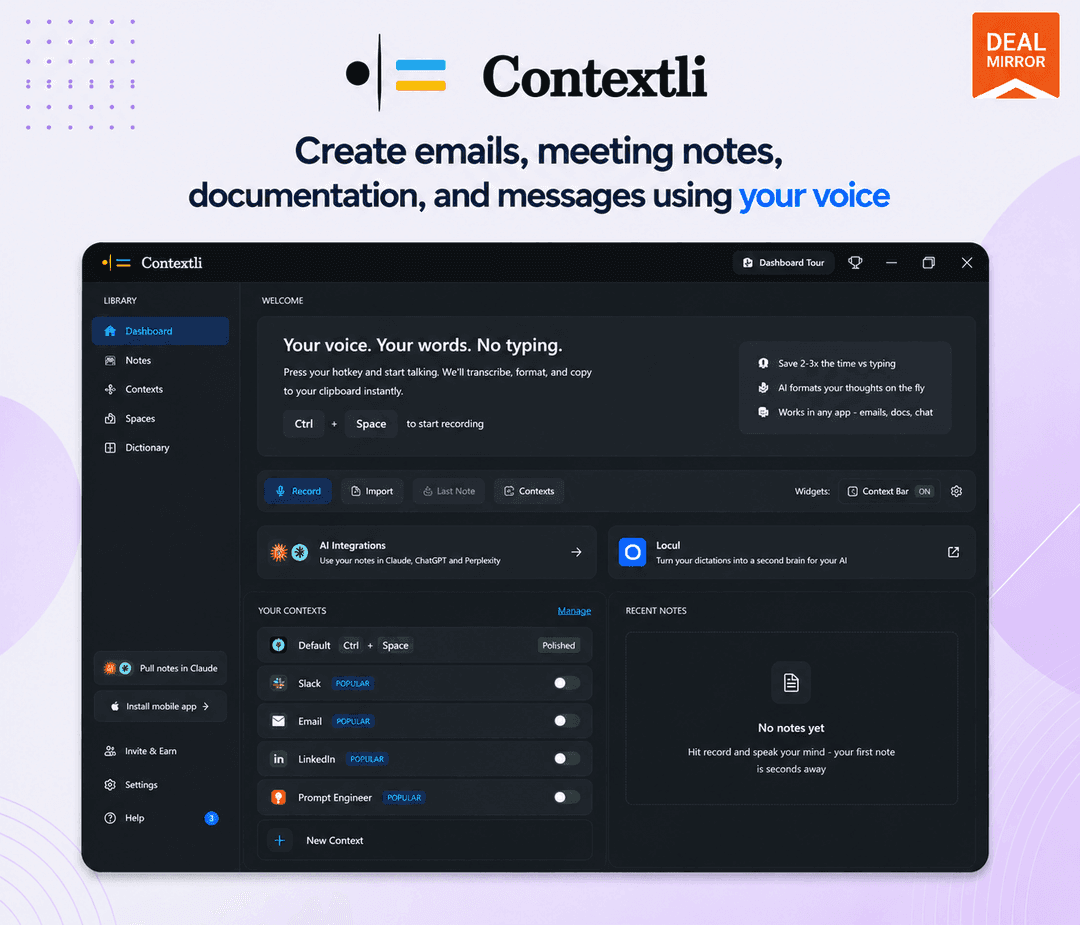
Contextli at a glance
- Platform
- macOS, Windows, iOS, Android
- Support
- Email support. Priority support is on Pro Plus only.
Our take
Is Contextli worth buying?
Based on the DealMirror listing, Contextli is a dictation app with three lifetime tiers, and the stored deal is the Starter tier with lightweight AI and offline transcription. Complete offline mode and premium models need Pro or higher. The Android app is shown as not yet shipped, so confirm platform support.
Good fit if
- You write many emails and chat replies and prefer speaking.
- You want your own API keys with no per use fee from Contextli.
- You work on macOS or Windows.
Skip it if
- You need complete offline mode on the Starter tier.
- You need the Android app today.
- You need cloud sync across devices without Pro Plus.
Which Contextli plan do you need?
Prices in USD, excluding tax.
| Starter | Pro | Pro Plus | |
|---|---|---|---|
| One-time price | $59 | $119 | $199 |
| Regular price (DealMirror) | Not stated | Not stated | |
| You save | $20 | ||
| DealMirror plan | Starter | Not stated | Not stated |
| One time bonus credits | 7,200 | Not stated | Not stated |
| Custom Modes | Unlimited | Not stated | Not stated |
| Offline | Offline transcription | Not stated | Not stated |
| Own API keys | Unlimited use, you pay your provider | Not stated | Not stated |
Before you buy: DealMirror's terms and extra costs
- Refund. DealMirror lists 30 days for regular buyers and 60 days for DealMirror Prime members.
- Redeem. Redeem your code within 60 days of purchase.
- Usage cost. Each tier includes one time bonus credits. With your own API keys you pay your provider's cost.
- Support. Email support. Priority support is on Pro Plus only.
- Platform. macOS, Windows, iOS and Android are listed, but the roadmap says the Android app was still to ship.
What is Contextli?
Contextli is a voice dictation app that drafts the finished text instead of a raw transcript. You press a hotkey, speak an idea, pick a Mode such as email, Slack reply or bug report, and the formatted text appears at your cursor. It works with cloud processing, your own API keys or local models offline. The deal has three lifetime tiers with different bonus credits and offline features.
What Contextli says it does
- One hotkey to dictate into apps such as Gmail, Slack, Notion and Jira
- Unlimited custom Modes on all plans
- Unlimited use with your own API keys (Contextli's figure)
- More than 100 languages, listed as 99+ in the FAQ (Contextli's figure)
Why Contextli
Plain dictation gives a wall of text you must rewrite. Contextli rewrites speech into the format of the app you are in. Offline use depends on tier, Starter lists only offline transcription, and the Android app is shown as not yet shipped on the roadmap.
How does Contextli work?
Redeem your code
Buy on DealMirror and redeem the code within 60 days.
Install the app
Install on your computer and set the hotkey.
Pick a Mode
Choose or build a Mode for the task, such as an email.
Speak
Press the hotkey and say the idea.
Paste
The drafted text drops in at your cursor.
Then it handles:
- Dictating emails and Slack replies
- Drafting bug reports and project updates
- Meeting summaries
- Custom Modes for repeat workflows
- Offline dictation with local models
- Using your own API keys
Who is Contextli for?
Built for
- Knowledge workers who write many short messages
- People who prefer speaking to typing
- Users who need an offline path for private recordings
Not for
- Anyone who needs the Android app today
- Starter buyers who need complete offline mode, which is a Pro feature
What is included in Contextli?
Dictation
- Context aware Modes unlimited on all plans
- One hotkey
- Language support 100 or so languages
Processing options
- Cloud processing
- Bring your own API keys
- Offline mode complete on Pro and Pro Plus
Plans
- Premium models Pro and above
- Cloud sync Pro Plus, multi device
- Priority support Pro Plus
Video review
We have not reviewed Contextli on video yet.
Get notifiedBuyer reviews
No reviews yet. Bought Contextli? Add it to your workspace and share what it replaced.
Add to your workspaceContextli questions
What is Contextli?
A voice dictation tool that turns spoken ideas into formatted drafts for the app you are using.
How do the tiers differ?
Starter lists 7,200 bonus credits and lightweight AI. Pro lists 30,000 credits, premium models and complete offline mode. Pro Plus lists 48,000 credits, priority support and multi device cloud sync.
Does it work offline?
Yes with local models. Starter lists offline transcription only. Pro and Pro Plus list complete offline mode.
Which platforms are supported?
macOS, Windows, iOS and Android are listed. The roadmap says the Android app was still shipping, so confirm before buying.
Do I need my own API key?
No. Bring your own keys is supported and gives unlimited use at your provider's cost.
What is the refund policy?
DealMirror lists 30 days, or 60 days for DealMirror Prime members. Redeem within 60 days.
Often compared with
These are other tools in the same space, not deals on GrabLTD.
- Wispr Flow
- Superwhisper
- Otter
- Dragon
- Apple Dictation
Sources
Checked . Prices and terms on this page come from: