

AI Tools · Lifetime deal
DomScan
Public domain intelligence through REST API and MCP
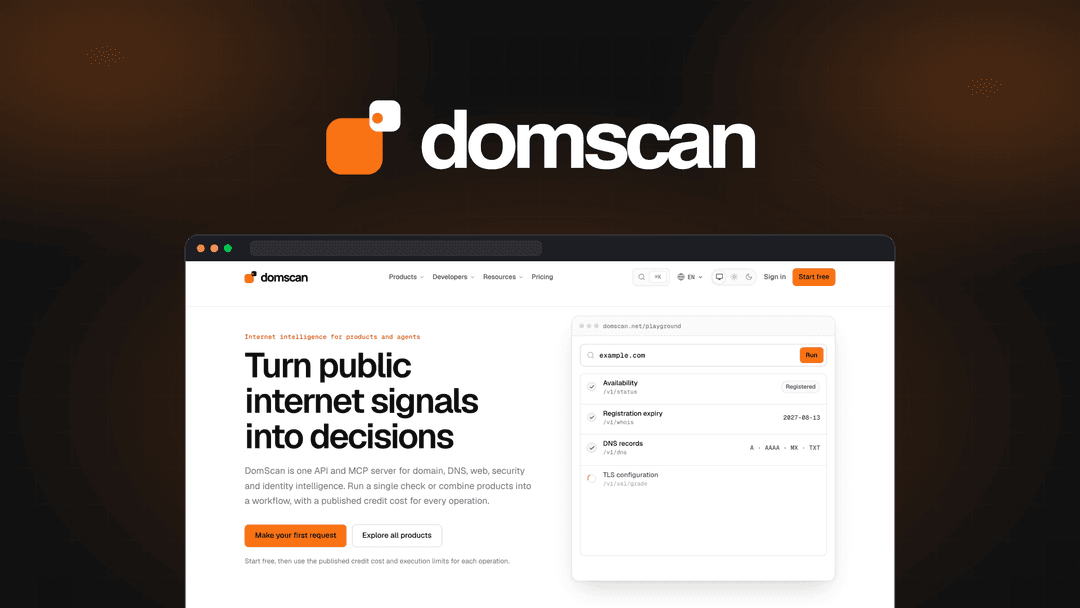
DomScan at a glance
- Platform
- Web, REST API, MCP, Claude, ChatGPT, Cursor
- Note
- Lifetime access to DomScan.
- Note
- All future plan updates are included.
- Upgrades
- Ability to upgrade or downgrade between 4 license tiers.
- Note
- No codes and no stacking; choose the plan that is right for you.
Which DomScan plan do you need?
Prices in USD, excluding tax.
| Tier 1 | Tier 2 | Tier 3 | Tier 4 | |
|---|---|---|---|---|
| One-time price | $29 | $89 | $239 | $489 |
| Regular price (AppSumo) | ||||
| You save | $170 | $360 | $600 | $770 |
| Includes | 10,000 Credits per month | 30,000 Credits per month | 100,000 Credits per month | 250,000 Credits per month |
Before you buy: AppSumo's terms and extra costs
- Note. Lifetime access to DomScan.
- Note. All future plan updates are included.
- Redeem. You must activate your license within 60 days of purchase.
- Upgrades. Ability to upgrade or downgrade between 4 license tiers.
- Note. No codes and no stacking; choose the plan that is right for you.
What is DomScan?
DomScan provides domain and public-web intelligence through a REST API and MCP server. It collects page content, domain records, DNS, certificates, reputation, security signals, and change data while showing observed values, missing evidence, unknown states, and rate limits.
What DomScan says it does
- 43 API products, 135 endpoints, and 136 MCP tools are bundled behind one key. (DomScan's figure)
- Collects public pages as HTML, Markdown, or text with synchronous or asynchronous options.
- Identifies site technology and categorizes pages by industry, content type, and topic.
- Combines page facts with normalized metadata, structured data, and website-declared identity signals.
- Follows redirect chains to show where a public URL leads.
- Checks domain availability before users commit to a name.
- Provides available WHOIS or RDAP registry details.
- Reviews A, AAAA, MX, NS, TXT, and CNAME DNS records.
- Maps subdomains and compares domain lifecycle details and valuation estimates.
- Inspects SSL certificate details and public site reputation signals.
- Checks for reported vulnerabilities and lookalike domains.
- Verifies email authentication and related domain security signals.
Why DomScan
Public domain research can leave gaps when evidence is blocked, incomplete, or uncertain. DomScan combines page, registry, DNS, certificate, reputation, email, and monitoring evidence in a shared interface, so teams can review context and changes without masking missing data.
How does DomScan work?
Submit a target
Provide a public URL or domain through the REST API or MCP server.
Collect public context
Gather page content, technology, metadata, structured data, identity signals, and redirect paths.
Check domain records
Resolve WHOIS or RDAP details, DNS records, availability, lifecycle data, and valuation estimates.
Review risk signals
Inspect certificates, reputation, reported vulnerabilities, lookalike domains, email authentication, and contact validity.
Monitor and automate
Compare DNS answers, monitor domains or brands, and run supported tools from compatible assistants.
Then it handles:
- Collect and format public pages
- Identify site technology and page topics
- Check domain availability and registry records
- Map DNS records and subdomains
- Review certificates and reputation
- Check vulnerabilities, lookalike domains, and email authentication
- Check email and phone validity
- Monitor domains and brands for changes
Who is DomScan for?
Built for
- Developers building applications with domain intelligence
- Security teams investigating brand impersonation
- Growth teams researching competitor technology stacks
- Teams monitoring domains or brands for changes
- Agent builders connecting domain tools to AI assistants
Not for
- People who require complete findings when public evidence is blocked, incomplete, or unsupported
- MCP users whose preferred assistant does not support compatible MCP tools
What is included in DomScan?
Public page context
- Collect page content Return HTML, Markdown, or text with synchronous or asynchronous options.
- Detect site technology Identify technologies used on the public site.
- Classify page context Categorize pages by industry, content type, and topic.
- Follow redirects Show the full path a public URL follows.
- Combine page facts Merge metadata, structured data, and website-declared identity signals.
Domain research
- Check availability Confirm whether a domain name is available.
- Review registry records Access WHOIS or RDAP details when available.
- Inspect DNS records Review A, AAAA, MX, NS, TXT, and CNAME records.
- Map subdomains Map public subdomains for a domain.
- Compare domain signals Review lifecycle details and valuation estimates.
Security and reputation
- Inspect certificates Review SSL certificate details.
- Assess reputation Review public site reputation signals.
- Find reported risks Check for reported vulnerabilities and lookalike domains.
- Verify email authentication Check email authentication and related domain security signals.
- Check contact validity Check email and phone validity.
AI and application access
- Use MCP tools Connect compatible assistants including Claude, ChatGPT, and Cursor.
- Run supported tools Access DomScan tools without custom integration code.
- Build with REST APIs Use documented REST endpoints and the same underlying data.
- Automate monitoring Compare DNS answers and monitor domains or brands.
Evidence visibility
- Show observed values Keep collected and confirmed values visible in every response.
- Flag missing evidence Report absent, unknown, blocked, incomplete, and unsupported data.
- Expose rate limits Return rate-limit information instead of masking it.
Video review
We have not reviewed DomScan on video yet.
Get notifiedBuyer reviews
No reviews yet. Bought DomScan? Add it to your workspace and share what it replaced.
Add to your workspaceDomScan questions
What is DomScan?
DomScan provides one REST API and MCP server for researching public domains and URLs. It bundles 43 API products, 135 endpoints, and 136 MCP tools behind one key. Developers can use documented REST APIs, while agent builders can connect compatible assistants such as Claude, ChatGPT, and Cursor.
What can DomScan research?
It collects public page content as HTML, Markdown, or text; identifies site technology; follows redirects; checks domain availability; resolves WHOIS and RDAP records; maps DNS and subdomains; and reviews certificates, reputation, vulnerabilities, lookalike domains, email authentication, and phone validity. It can also monitor domains or brands for changes over time.
Who is DomScan for?
DomScan is designed for developers building applications, agent builders connecting AI assistants, security teams triaging brand impersonation, and growth teams researching a competitor’s technology stack.
What do the plans cost and include?
Tier 1 is $29 (regular $199) with 10,000 Credits per month; Tier 2 is $89 (regular $449) with 30,000 Credits per month; Tier 3 is $239 (regular $839) with 100,000 Credits per month; Tier 4 is $489 (regular $1259) with 250,000 Credits per month. REST endpoints have published credit costs.
What happens after purchase?
You must activate your license within 60 days of purchase. The purchase includes lifetime access to DomScan and all future plan updates. You can upgrade or downgrade between the four license tiers. There are no codes to redeem, and plans cannot be stacked.
How does DomScan handle uncertain data?
Responses keep evidence visible, including observed values, absent data, unknown states, and rate limits. Results that are blocked, incomplete, or unsupported remain clearly identified rather than being masked.