

AI Tools · Lifetime deal
Garmingo Voice
On-device voice dictation, searchable transcripts, and real-time microphone enhancement
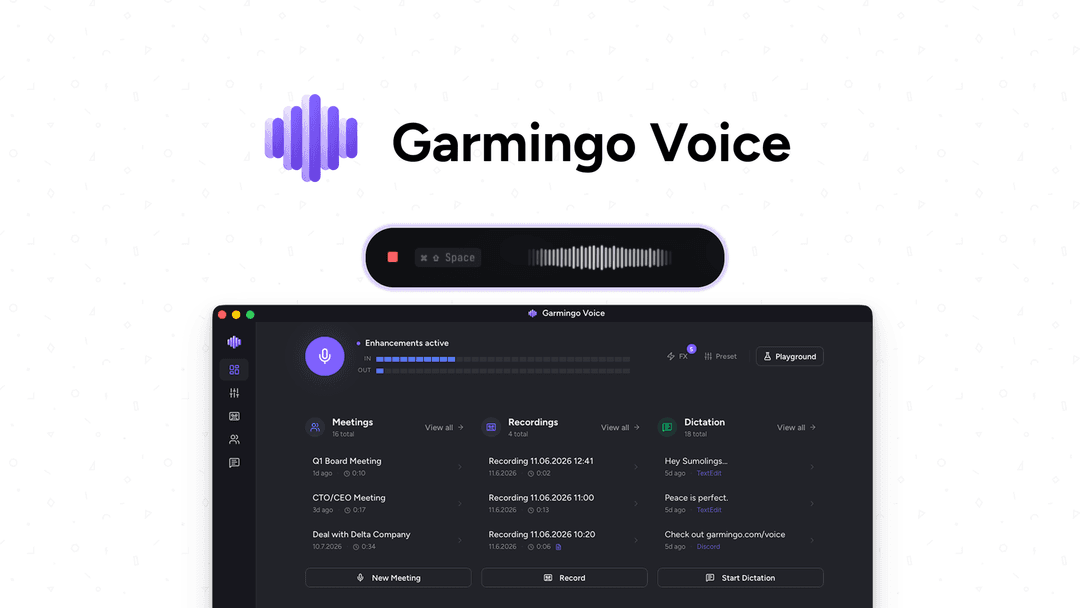
Garmingo Voice at a glance
- Platform
- macOS, Windows
- Redeem
- Lifetime access to Garmingo.
- Upgrades
- All future Subscription plan updates are included.
- Note
- If the linked plan name changes, the deal automatically transfers to the new plan with all updates.
- Note
- This deal is only for brand-new Garmingo users; previous accounts, trials, or paid plans with this partner are not eligible.
- Redeem
- Activate the license within 60 days.
- Upgrades
- Upgrade while the deal is live; downgrade only within 60 days of purchase.
Which Garmingo Voice plan do you need?
Prices in USD, excluding tax.
| License Tier 1 | License Tier 2 | License Tier 3 | License Tier 4 | License Tier 5 | |
|---|---|---|---|---|---|
| One-time price | $49 | $119 | $249 | $399 | $499 |
| Regular price (AppSumo) | |||||
| You save | $150 | $170 | $330 | $490 | $800 |
| Includes | 1 Devices; 24,000 Cloud credits | 3 Devices; 60,000 Cloud credits | 6 Devices; 150,000 Cloud credits | 15 Devices; 250,000 Cloud credits | 30 Devices; 350,000 Cloud credits |
Before you buy: AppSumo's terms and extra costs
- Redeem. Lifetime access to Garmingo.
- Upgrades. All future Subscription plan updates are included.
- Note. If the linked plan name changes, the deal automatically transfers to the new plan with all updates.
- Note. This deal is only for brand-new Garmingo users; previous accounts, trials, or paid plans with this partner are not eligible.
- Redeem. Activate the license within 60 days.
- Upgrades. Upgrade while the deal is live; downgrade only within 60 days of purchase.
- AI usage cost. Future AI model access may be provided at a discounted rate or require an add-on.
What is Garmingo Voice?
Garmingo Voice is a voice tool for dictation, meeting transcription, searchable transcripts, and real-time microphone enhancement. Dictation and meeting recording work from any app on macOS or Windows, with offline processing or an optional GDPR-compliant EU cloud.
What Garmingo Voice says it does
- Supports private, on-device AI for dictation, meeting transcription, and real-time microphone enhancement.
- Converts speech into formatted text and searchable transcripts on macOS or Windows, even offline.
- Supports a fully customizable hotkey for dictation into any app.
- Words land with ~72ms latency. (Garmingo Voice's figure)
- Produces polished, tone-adjusted copy formatted for writing from emails to code.
- Allows text refinement with voice commands while dictating.
- Supports custom vocabulary for names, products, and jargon.
- Records meetings from any app with speaker labels and timestamps.
- Transcribes unlimited recordings on-device in 99+ languages with automatic accent detection. (Garmingo Voice's figure)
- Searches a recording library for meetings, voice memos, and dictation sessions.
- Imports audio files and trims dead air with Remove Silence.
- Provides structured recording rundowns and extracts decisions, quotes, and action items.
Why Garmingo Voice
Most dictation and meeting tools send voice to the cloud, where it can be stored and used to train AI. Garmingo Voice offers offline, on-device transcription, meeting follow-up tools, and real-time microphone enhancement.
How does Garmingo Voice work?
Choose processing mode
Use offline AI on the device, or opt into the GDPR-compliant EU cloud. Local CPU/GPU processing is also available.
Capture voice input
Use a fully customizable hotkey to dictate into any app, or record meetings from any app.
Create and search transcripts
Get formatted text or speaker-labeled, timestamped transcripts, then search meetings, voice memos, and dictation sessions.
Review recordings and audio
Ask AI for key points, decisions, quotes, and action items, or enhance microphone audio in real time.
Then it handles:
- Dictate into any app
- Refine text with voice commands
- Format writing for emails or code
- Transcribe and label meetings
- Search recordings
- Import and trim audio
- Extract decisions and action items
- Enhance microphone sound
Who is Garmingo Voice for?
Built for
- People who dictate emails, code, and other writing
- People who record meetings and need searchable transcripts
- Users who want offline, on-device transcription
- Users who need real-time microphone enhancement
Not for
- People using platforms other than macOS or Windows
- Existing Garmingo users or people with previous accounts, trials, or paid plans with this partner
- Users who require future AI models without an add-on option
What is included in Garmingo Voice?
Dictation and writing
- Any-app dictation Use a customizable hotkey to dictate into any app.
- Text insertion Words appear with ~72ms latency.
- Tone-adjusted writing Turn rambling speech into polished copy for emails or code.
- Voice refinement Refine dictated text with voice commands while dictation continues.
- Custom vocabulary Teach names, products, and jargon so they are spelled right.
Meeting capture and search
- Meeting recording Record meetings from any app with speaker labels and timestamps.
- On-device transcription Transcribe unlimited recordings on-device in 99+ languages with automatic accent detection.
- Recording search Search meetings, voice memos, and dictation sessions.
- Audio import Import audio files and trim dead air with Remove Silence.
Recording answers and privacy
- Recording summaries Ask AI for a structured rundown of a recording's key points.
- Action item extraction Pull decisions, quotes, and action items without rewatching meetings.
- Offline AI Keep audio on the device; offline AI never trains on your data.
- Processing choice Choose GDPR-compliant EU cloud or local CPU/GPU processing.
Microphone enhancement
- Real-time cleanup Remove noise, echo, and harsh edges in real time.
- Equalizer Shape sound with five bands, from 80Hz to 12kHz.
- Compressor Fine-tune threshold, ratio, attack, and release to prevent clipping.
- Warmth effect Add subtle warmth and switch each effect on or off.
Video review
We have not reviewed Garmingo Voice on video yet.
Get notifiedBuyer reviews
No reviews yet. Bought Garmingo Voice? Add it to your workspace and share what it replaced.
Add to your workspaceGarmingo Voice questions
What does Garmingo Voice do?
Garmingo Voice is a macOS and Windows utility for dictation into any app, meeting transcription, audio-file import, AI recording summaries, and real-time mic enhancement. It supports 99+ languages with accent detection, custom vocabulary, speaker-labeled transcripts, search, noise removal, equalization, compression, and warmth controls. Offline AI keeps audio on-device; an optional GDPR-compliant EU cloud is available for extra speed.
Who is the deal for?
It is for macOS or Windows users who want to write by voice, capture and search meetings, extract decisions or action items, or improve microphone quality. It supports dictation in any app and local, CPU, or GPU processing. This deal is only for brand-new Garmingo users; previous accounts, trials, or paid plans with this partner are not eligible.
What are the license limits and prices?
License Tier 1 costs $49 and includes 1 device with 24,000 cloud credits. Tier 2 costs $119 for 3 devices and 60,000 credits; Tier 3 costs $249 for 6 devices and 150,000 credits; Tier 4 costs $399 for 15 devices and 250,000 credits; Tier 5 costs $499 for 30 devices and 350,000 credits. On-device recording transcription is unlimited.
What happens after purchase?
The purchase includes lifetime access to Garmingo and updates to all future Subscription plan tiers 1–5. If the linked plan name changes, access automatically transfers to the replacement plan with its updates. Activate the license within 60 days. You may upgrade while the deal is live, but downgrades are allowed only within 60 days of purchase.
Are there extra costs for cloud or AI models?
Each tier includes its stated cloud-credit allowance. The terms do not specify pricing for future AI-model access; they say it may be available at a discounted rate or may require an add-on. The optional GDPR-compliant EU cloud is mentioned, but no separate price is given. No other add-on pricing is specified.