

Marketing · Lifetime deal
Gblock
Chrome extension that blocks spy pixels and link tracking in Gmail to protect your privacy.
Gblock at a glance
- Platform
- Chrome
- Support
- Email support is listed.
- Support
Our take
Is Gblock worth buying?
Based on the DealMirror listing, Gblock is a single-tier Chrome extension that blocks tracking in Gmail. It covers Gmail on Chrome only for now, with other browsers and apps listed as planned. The listing states no usage caps.
Good fit if
- You use Gmail in Chrome and want to stop open tracking.
- You get a lot of marketing email.
- You want a one-time payment for email privacy.
Skip it if
- You use Outlook, Yahoo or a mobile mail app.
- You use Firefox or Safari.
Which Gblock plan do you need?
Prices in USD, excluding tax.
| Lifetime | |
|---|---|
| One-time price | $79 |
| Regular price (DealMirror) | |
| You save | $1,720 |
| Platform | Chrome extension for Gmail |
| Usage limits | None stated |
| Support |
Before you buy: DealMirror's terms and extra costs
- Refund. 30-day money-back guarantee for regular buyers, 60 days for DealMirror Prime members.
- Redeem. Redeem the code within 60 days of purchase.
- Support. Email support is listed.
- Platform. Chrome extension for Gmail. Firefox, iOS and Android apps are planned.
What is Gblock?
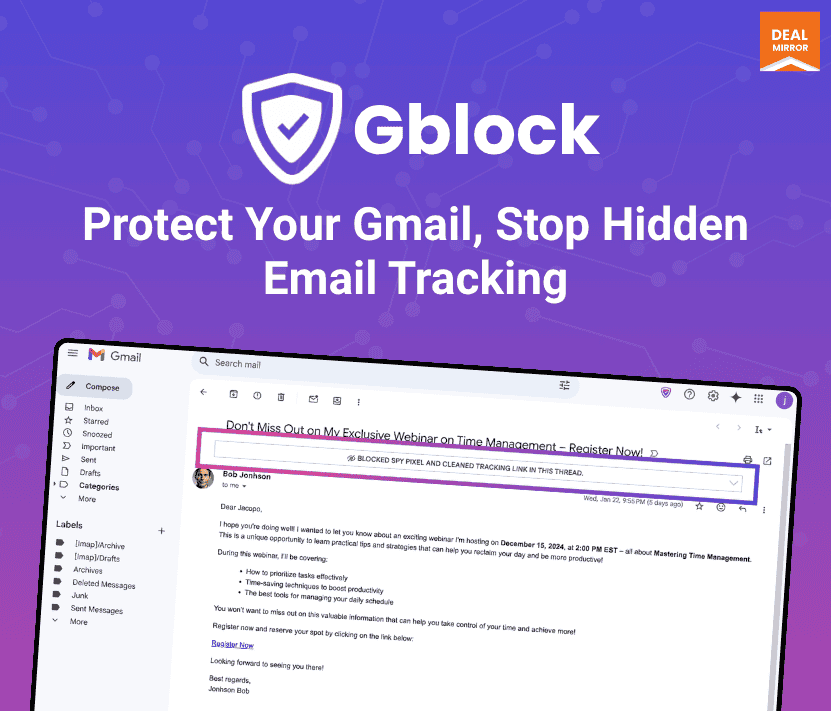
Gblock is a Chrome extension that protects your Gmail from email tracking. It blocks spy pixels, detects trackers automatically, protects against link tracking, and can route content through a privacy-safe proxy so senders cannot see your location or when you read. You can set custom filters to block or allow trackers. Firefox, mobile apps and other mail services are planned, not available.
What Gblock says it does
- Spy pixel protection and automated tracker detection
- Link tracking protection
- Privacy-safe proxy with servers in North America and Europe
- Custom filters to block or allow trackers
Why Gblock
Many senders hide tracking pixels that report when and where you open an email. Gblock blocks them inside Gmail. It works only as a Chrome extension for Gmail today. A Firefox extension, iOS and Android apps, and Outlook.com and Yahoo support are planned.
How does Gblock work?
Redeem the code
Redeem your DealMirror code within 60 days of purchase.
Install the extension
Add Gblock to Chrome and connect it to Gmail.
Open email as usual
It blocks spy pixels and trackers as messages load.
Tune filters
Add custom rules to block or allow specific trackers.
Then it handles:
- Blocking spy pixels in Gmail
- Detecting trackers automatically
- Protecting against link tracking
- Hiding location and open time through a proxy
- Custom block and allow filters
Who is Gblock for?
Built for
- Gmail users who want to stop open tracking
- Chrome users who value email privacy
- Anyone who receives a lot of marketing email
Not for
- People who use Firefox or Safari (Chrome only today)
- Users of Outlook or Yahoo Mail (planned, not available)
- Anyone who needs a mobile app now (planned)
What is included in Gblock?
Tracker protection
- Spy pixel protection
- Automated tracker detection
- Link tracking protection
Privacy controls
- Privacy-safe proxy can be turned off
- Custom filters block or allow trackers
- Software updates
Video review
We have not reviewed Gblock on video yet.
Get notifiedBuyer reviews
No reviews yet. Bought Gblock? Add it to your workspace and share what it replaced.
Add to your workspaceGblock questions
What is Gblock?
A Chrome extension that blocks email tracking in Gmail, including spy pixels and link tracking.
Does it work outside Gmail?
Not yet. The page lists Outlook.com and Yahoo Mail as possible future additions.
Does it work in Firefox or on a phone?
Not yet. A Firefox extension and iOS and Android apps are listed as planned.
What does the proxy do?
It routes content through a privacy-safe proxy, with servers in North America and Europe. You can turn it off.
Are there usage limits?
The page states no caps on accounts, users or usage.
What is the refund policy?
DealMirror lists 30 days for regular buyers and 60 days for Prime members. Redeem within 60 days.
Often compared with
These are other tools in the same space, not deals on GrabLTD.
- Ugly Email
- PixelBlock
- Trocker
- DuckDuckGo Email Protection
- Mailtrack
Sources
Checked . Prices and terms on this page come from: