

AI Tools · Lifetime deal
GetYouTubeTranscript
Get the timestamped transcript of any YouTube video in about a second, on the web, in your browser or through an API.
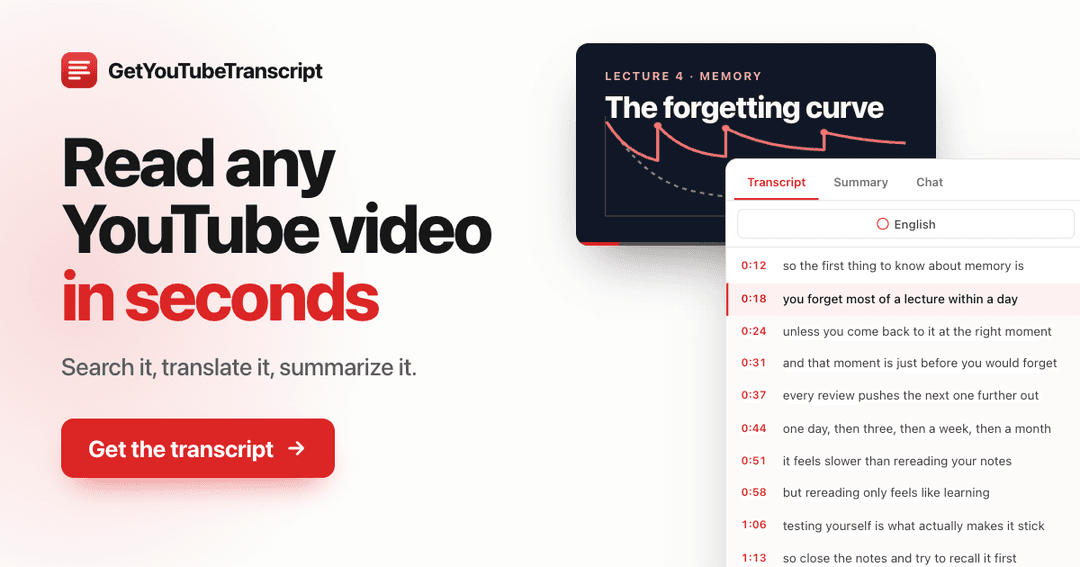
GetYouTubeTranscript at a glance
- Platform
- Web, Chrome, Edge, Firefox, API
- Redeem
- Redeem at getyoutubetranscript.com/redeem with Google or email. One code per account; codes cannot be stacked.
- Upgrades
- Need more in a month? Top-ups cost $1.50 per 1,000 credits.
- Support
- Email issac@getyoutubetranscript.com.
Which GetYouTubeTranscript plan do you need?
Prices in USD, excluding tax.
| Lifetime | |
|---|---|
| One-time price | $149 |
| Credits | 3,000 every month, for life |
| Rate limit | 300 requests per minute |
| Top-ups | $1.50 per 1,000 credits |
Before you buy: GetYouTubeTranscript's terms and extra costs
- Usage cost. 1 credit = 1 transcript or 1 request, on the website, in the extension or through the API. 3,000 credits every month, for life; unused credits do not roll over.
- Redeem. Redeem at getyoutubetranscript.com/redeem with Google or email. One code per account; codes cannot be stacked.
- Upgrades. Need more in a month? Top-ups cost $1.50 per 1,000 credits.
- Support. Email issac@getyoutubetranscript.com.
- Platform. Web app, Chrome, Edge and Firefox extensions, REST API and MCP server.
What is GetYouTubeTranscript?
GetYouTubeTranscript gives you the timestamped transcript of any YouTube video in around 800 ms. Use it on the website, in the browser extension right next to the player (Chrome, Edge and Firefox), or through the REST API and MCP server for AI agents. Summarise a video, ask it questions, or turn it into notes, posts and scripts. It works with every caption language YouTube has.
What GetYouTubeTranscript says it does
- The timestamped transcript of any YouTube video in around 800 ms (GetYouTubeTranscript's figure)
- Works where you are: the website, a Chrome, Edge or Firefox extension next to the player, a REST API and an MCP server
- AI summaries and chat about any video, in the length and format you pick
- Works with every caption language YouTube has
- Batch API: queue a whole channel in one call
- Failed videos are never charged
Why GetYouTubeTranscript
Watching a 40-minute video to find one quote or idea is slow; reading it takes a minute. We built GetYouTubeTranscript so creators, researchers and developers can get the words out of any video straight away, search them, and hand them to AI tools, without copying captions by hand or keeping their own tooling running.
How does GetYouTubeTranscript work?
Redeem your code
Go to getyoutubetranscript.com/redeem, enter your code and sign in with Google or email. 3,000 credits arrive straight away.
Open any YouTube video
Paste a link on the website, or open the video on YouTube and the extension shows the transcript next to the player.
Read, search and copy
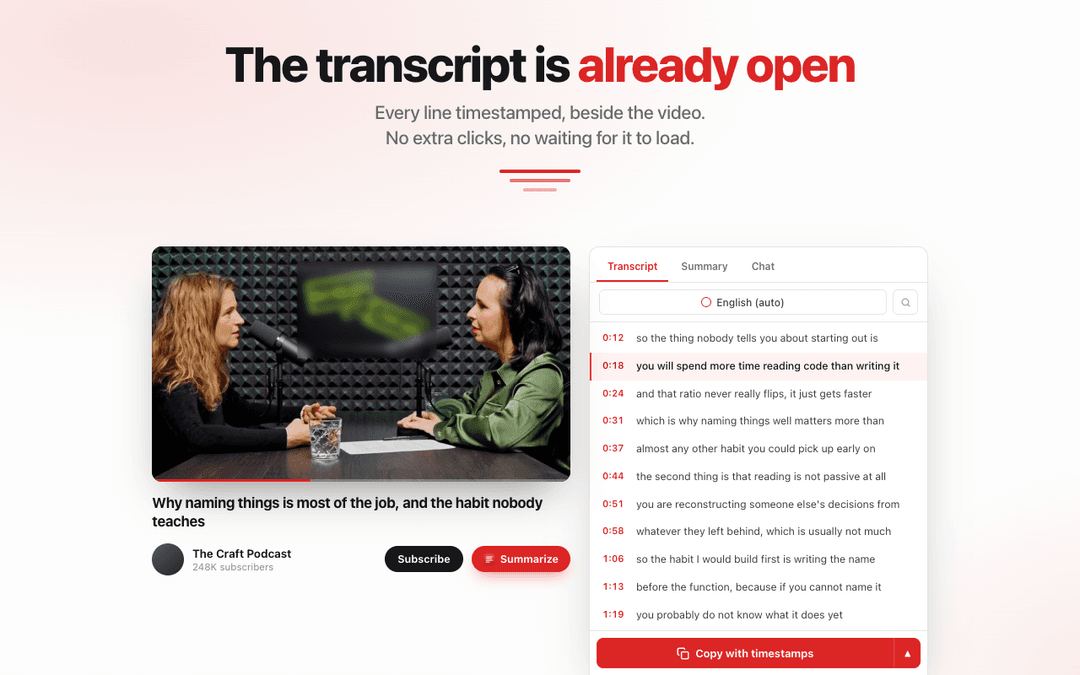
Every line is timestamped. Search inside it, copy it with or without timestamps, or download it.
Summarise or ask questions
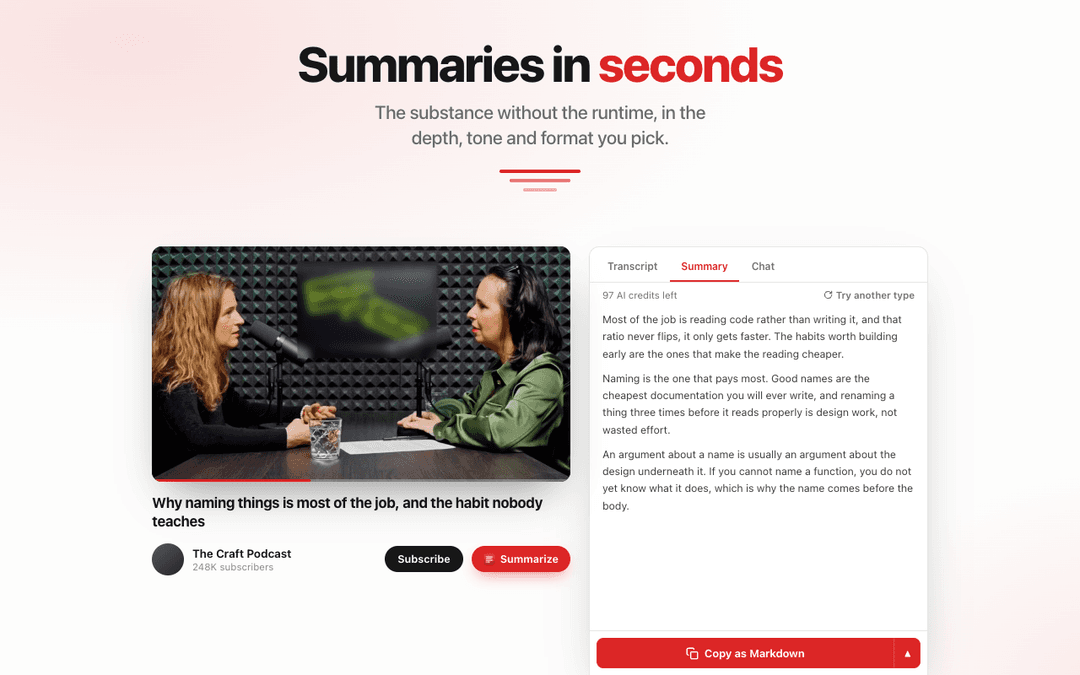
Get an AI summary in the format you pick, or chat with the video to find what you need.
Then it handles:
- Caption language detection, including auto-generated captions
- Fresh credits every month, for life
Who is GetYouTubeTranscript for?
Built for
- Content creators turning videos into posts, scripts and newsletters
- Researchers and students taking notes from lectures and talks
- Marketers and agencies studying competitor and client videos
- Developers building AI agents that need video transcripts
Not for
- Videos that have no captions on YouTube
- Downloading the video or audio itself
What is included in GetYouTubeTranscript?
Browser extension
- Transcript next to the player Opens beside the video on YouTube, every line timestamped.
- Summary and chat tabs Summarise the video or ask it questions without leaving the page.
- Copy with timestamps Copy as plain text or Markdown in one click.
- Chrome, Edge and Firefox
Website
- Paste any YouTube link Get the transcript in about a second.
- Search inside the transcript
- Download the transcript
- Channel and playlist tools Get transcripts for a whole channel or playlist.
API and MCP server
- REST API Transcript, search and channel endpoints, returned in the same request.
- MCP server Use it from Claude, ChatGPT, Cursor and other MCP clients.
- Batch API Queue a whole channel in one call.
- 300 requests per minute The rate limit on the lifetime plan.
Video review
We have not reviewed GetYouTubeTranscript on video yet.
Get notifiedBuyer reviews
No reviews yet. Bought GetYouTubeTranscript? Add it to your workspace and share what it replaced.
Add to your workspaceGetYouTubeTranscript questions
How do I redeem my code?
Go to getyoutubetranscript.com/redeem, enter your code and sign in with Google or email. New accounts are created on the spot, and 3,000 credits arrive straight away.
What does one credit cover?
One transcript or one API request, on the website, in the extension or through the API. Failed videos are never charged.
Can I stack codes?
No. One code per account.
Do unused credits roll over?
No. You get 3,000 fresh credits every month, for life.
Does it work with videos in other languages?
Yes, with every caption language YouTube has.
Can I use it with AI agents?
Yes. Use the REST API, or the MCP server with Claude, ChatGPT, Cursor and other MCP clients.