

Design · Lifetime deal
GitMind
AI workspace that turns PDFs, video, audio and web pages into mind maps, summaries and diagrams.
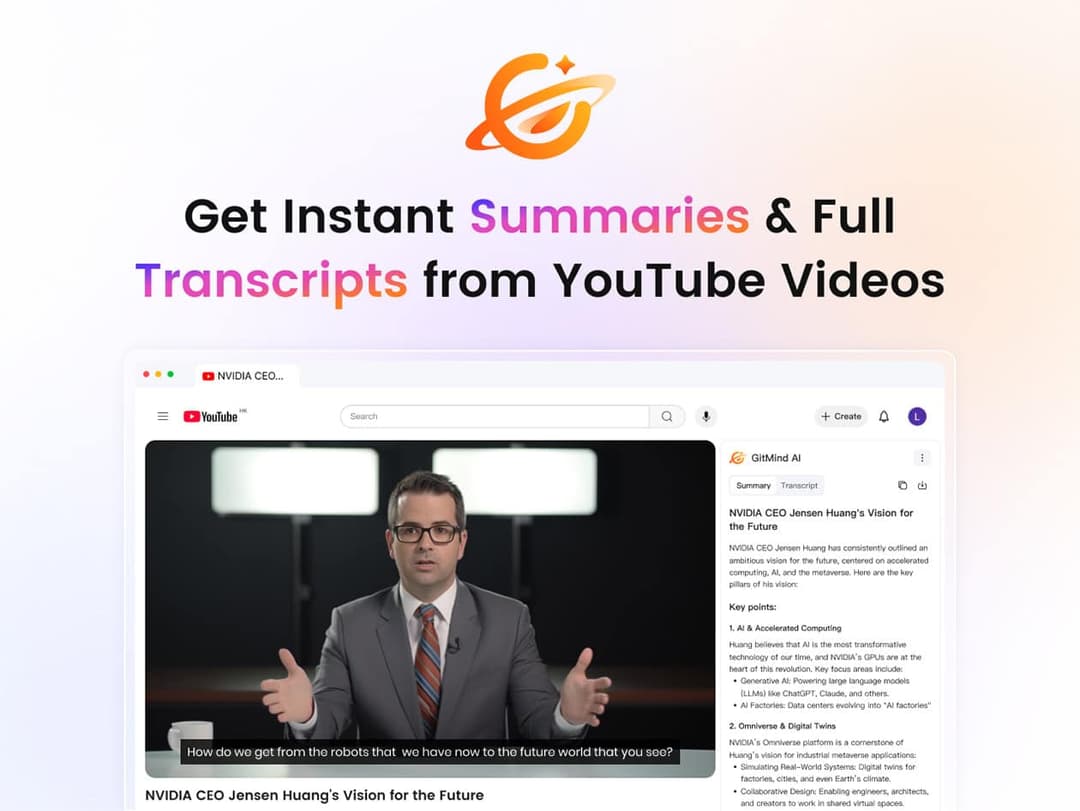
GitMind at a glance
- Platform
- Web, Windows, Mac, iOS, Android
- Refund
- The listing links StackSocial's general return and refund policy for digital license codes. No deal-specific terms are shown.
- Note
- Lifetime subscription to the Basic plan; check StackSocial's terms for how lifetime is defined.
Our take
Is GitMind worth buying?
Based on the StackSocial listing, this is a lifetime Basic plan for an AI mind mapping and summarizing tool. The listing gives no per-plan limits or redemption window, so those are the first things to confirm. Privacy and compliance claims are the vendor's own.
Good fit if
- You turn long PDFs, videos or lectures into structured notes.
- You want mind maps and summaries from one tool.
- You want one payment instead of a mind mapping subscription.
Skip it if
- You need documented storage or export limits before you pay.
- You only want a manual diagram tool without AI features.
Which GitMind plan do you need?
Prices in USD, excluding tax.
| Lifetime | |
|---|---|
| One-time price | $49.99 |
| Regular price (StackSocial) | |
| You save | $119.01 |
Before you buy: StackSocial's terms and extra costs
- Refund. The listing links StackSocial's general return and refund policy for digital license codes. No deal-specific terms are shown.
- Platform. Described as cross-platform; specific systems are not listed on the page.
- Note. Lifetime subscription to the Basic plan; check StackSocial's terms for how lifetime is defined.
What is GitMind?
GitMind is an AI workspace that turns text, PDFs, audio, video, websites and images into mind maps, diagrams and summaries. You upload a file or paste a link, pick the output, then refine and share it. The listing mentions multilingual support, collaboration tools and privacy-focused security standards. This StackSocial deal is the Basic plan with a lifetime subscription.
What GitMind says it does
- Turns text, PDFs, audio, video, websites and images into mind maps and summaries
- Cross-platform, multilingual, with collaboration tools
- User content is not used to train its AI models (GitMind's figure)
- ISO 27001, ISO 27018, ISO 27701 and GDPR compliance (GitMind's figure)
Why GitMind
It replaces building diagrams and summaries by hand from long source material. The listing does not state per-plan limits for storage or exports, so confirm what the Basic plan includes before buying.
How does GitMind work?
Redeem the code
Buy on StackSocial and redeem the license code in GitMind.
Add content
Upload a file, paste a link, or drop in text or audio.
Choose an output
Pick a mind map, diagram or written summary.
Refine and share
Edit the result and work on it with others.
Then it handles:
- Mind maps from documents
- Summaries of long PDFs and videos
- OCR on scanned PDFs
- Transcripts from audio
- Diagrams from raw text
- Asking questions about uploaded files
- Collaborating on maps
Who is GitMind for?
Built for
- Students turning lectures and papers into study material
- Researchers condensing a stack of sources
- Teams keeping meeting notes in one visual place
Not for
- Buyers who need confirmed storage or export limits, which the listing does not state
- People who only need a basic diagram tool and no AI summaries
What is included in GitMind?
AI processing
- Multimodal input text, PDF, audio, video, web, images
- Automatic mind maps and diagrams
- Summaries
- PDF OCR
Collaboration and access
- Real-time collaboration
- AI chat on uploaded files
- Cross-platform apps
- Multiple languages
Video review
We have not reviewed GitMind on video yet.
Get notifiedBuyer reviews
No reviews yet. Bought GitMind? Add it to your workspace and share what it replaced.
Add to your workspaceGitMind questions
What is GitMind?
An AI workspace that converts PDFs, video, audio, websites, images and text into mind maps, diagrams and summaries.
What does the Basic plan lifetime deal include?
The listing describes a lifetime subscription to the Basic plan. It does not state storage or export limits, so check with the seller before buying.
Is my content used to train the AI?
GitMind says user content is not used for AI model training, and lists ISO 27001, 27018, 27701 and GDPR compliance. These are the vendor's statements.
Can I collaborate with others?
The listing mentions collaboration tools, and the vendor describes real-time work on shared maps.
What is the refund policy?
The page links StackSocial's general refund policy for digital vouchers and license codes. Read it for the current terms.
Often compared with
These are other tools in the same space, not deals on GrabLTD.
- MindMeister
- Miro
- Notion AI
- Whimsical
- XMind
Sources
Checked . Prices and terms on this page come from: