

Productivity · Lifetime deal
Headroom
Local app that compresses what Claude Code and Codex send to the model and saves project learnings.
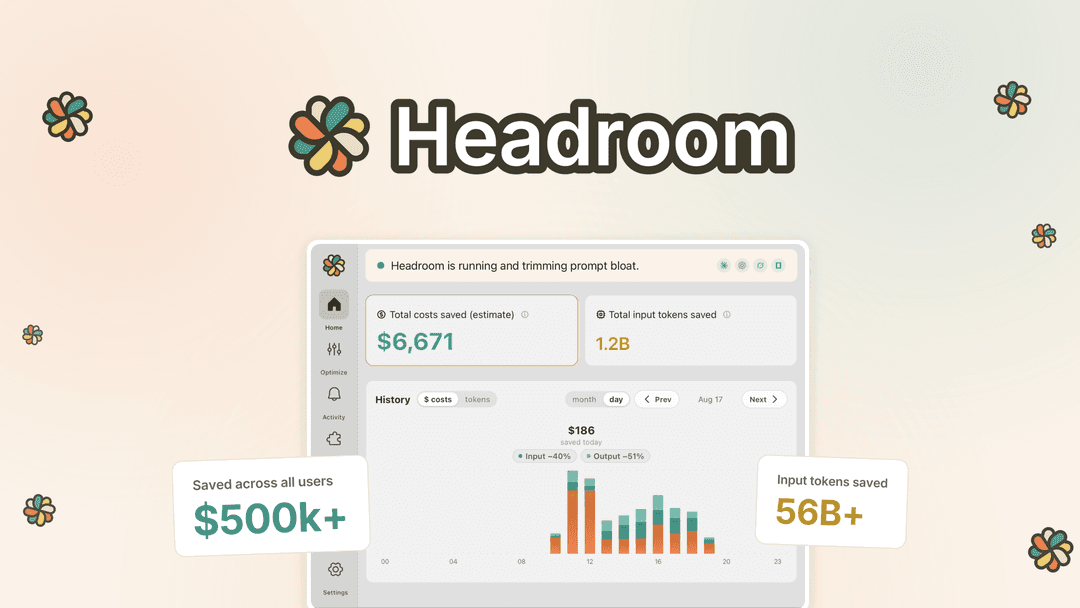
Headroom at a glance
- Platform
- Mac, Windows, Linux
- Upgrades
- Upgrade while the deal is live; downgrade within 60 days. Extra licenses are sold as add-ons, up to 10 units each.
- Support
- The founder is expected to respond within 24 hours.
Our take
Is Headroom worth buying?
Based on the AppSumo listing, Headroom is a new product (founded April 2026 per the page) priced by the AI plan you pay for, with the entry tier at the Pro and Plus level. Savings figures are the vendor's own. Match the tier to your highest AI plan to avoid the usage cap.
Good fit if
- You use Claude Code or Codex every day.
- You want token savings that run locally.
- You want project learnings saved to files your agent reads.
Skip it if
- You already have a Headroom account.
- Your AI plan is larger than the tier you plan to buy.
Which Headroom plan do you need?
Prices in USD, excluding tax.
| Lifetime Tier 1 | Lifetime Tier 2 | Lifetime Tier 3 | |
|---|---|---|---|
| One-time price | $29 | $99 | $199 |
| Regular price (AppSumo) | |||
| You save | $43 | $261 | $520.96 |
| User licenses | 1 | Not stated | Not stated |
| Matched AI plan | Claude Pro, ChatGPT Plus | Not stated | Not stated |
Before you buy: AppSumo's terms and extra costs
- Refund. Refundable up to 60 days, per the AppSumo listing.
- Redeem. Activate your license within 60 days. New Headroom users only.
- Upgrades. Upgrade while the deal is live; downgrade within 60 days. Extra licenses are sold as add-ons, up to 10 units each.
- Support. The founder is expected to respond within 24 hours.
- AI usage cost. Future AI models may be discounted or need an add-on.
- Platform. macOS, Windows, and Linux (.deb or AppImage, glibc 2.39 or newer).
What is Headroom?
Headroom is a desktop app that sits between your AI coding agent and the model. It compresses the input that Claude Code and ChatGPT Codex send on each run, and records what the agent learns about a project in CLAUDE.local.md and AGENTS.md. It runs locally through a proxy and shows savings in a dashboard. The lifetime tiers are matched to the AI plan you already pay for.
What Headroom says it does
- Typical sessions are 25 to 50% lighter, up to about 80% on a good day (Headroom's figure)
- Compression is reversible and optimization runs locally
- Project learnings are written to CLAUDE.local.md and AGENTS.md
- Works with Claude Code and ChatGPT Codex through a local proxy
Why Headroom
It aims to cut the tokens your coding agent spends re-reading the same repo, logs and docs. The tier must match your highest AI plan: if your plan exceeds your license, full optimization lasts 14 days and then a weekly usage cap applies.
How does Headroom work?
Activate the license
Buy on AppSumo and activate within 60 days as a new Headroom user.
Install the app
Install on Mac, Windows or Linux.
Route your agent
Point Claude Code or Codex at the local proxy.
Watch the savings
Use the dashboard and let learnings write to your project files.
Then it handles:
- Compressing agent input
- Tracking token savings
- Per project learnings
- Usage limit warnings
- Codebase memory
- Managing add-on tools
Who is Headroom for?
Built for
- Developers who run Claude Code or Codex daily
- Heavy users of Claude Max or ChatGPT Pro plans
- People who want optimization to stay local
Not for
- Existing Headroom users, since the deal is for new users only
- Developers whose AI plan is higher than the tier they buy, because a weekly cap applies
What is included in Headroom?
Savings
- Reversible compression
- Savings dashboard cost and input savings over time
- Usage limit warnings
Project memory
- Project learnings written to CLAUDE.local.md and AGENTS.md
- Codebase memory
- Add-on manager one-click tools such as Context7
Install
- Signed installer with auto updates
- Local only optimization
Video review
We have not reviewed Headroom on video yet.
Get notifiedBuyer reviews
No reviews yet. Bought Headroom? Add it to your workspace and share what it replaced.
Add to your workspaceHeadroom questions
What is Headroom?
A local desktop app that compresses the input sent by AI coding agents like Claude Code and Codex, and stores project learnings so the agent re-reads less.
Who is it for?
Developers who use Claude Code or ChatGPT Codex heavily and want to lower token use.
How do the tiers work?
Each tier covers one user license and matches an AI plan: Tier 1 for Claude Pro and ChatGPT Plus, higher tiers for Max and Pro plans. Pick the tier that matches your highest plan.
What if my AI plan is bigger than my license?
Full optimization continues for 14 days, then a weekly usage cap applies until you upgrade.
How much will it save?
The vendor says typical sessions are 25 to 50% lighter and up to about 80% on a good day. Results depend on your work.
What is the refund policy?
Refundable up to 60 days. Activate within 60 days of purchase.
Often compared with
These are other tools in the same space, not deals on GrabLTD.
- RTK
- Context7
- Serena
- Repomix
- Aider
Sources
Checked . Prices and terms on this page come from: