

Productivity · Lifetime deal
HighFly
GitHub-first project management that updates tasks from pull requests and syncs with GitHub Issues.
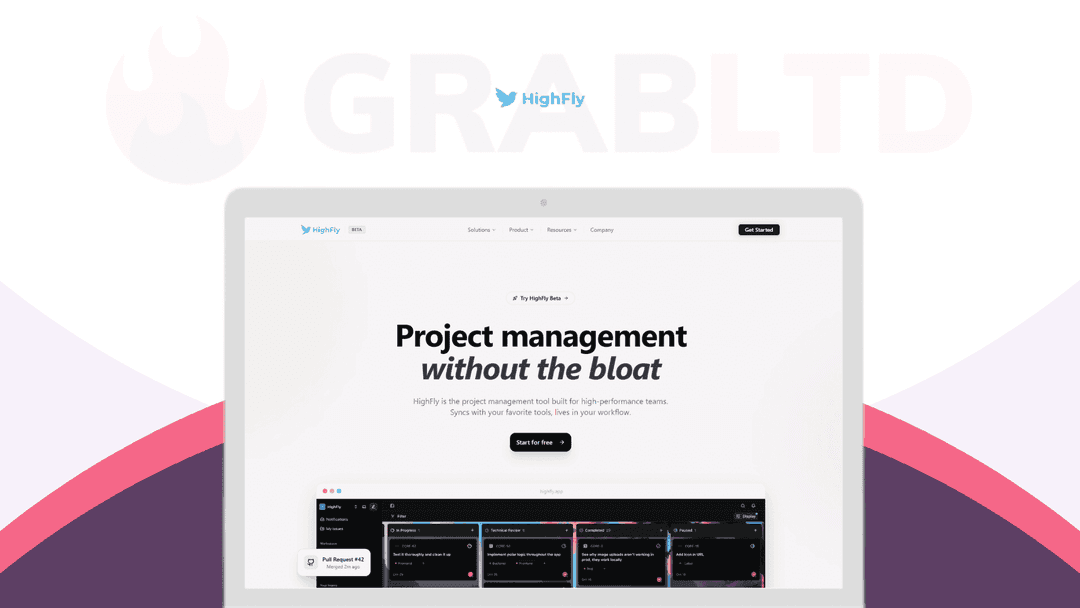
HighFly at a glance
- Platform
- Web, VS Code, Cursor, Windsurf
- Support
- Email support.
Our take
Is HighFly worth buying?
Based on the DealMirror listing, HighFly is a GitHub-centered tracker sold in tiers by users, teams and issue count. The entry tier caps issues at 1,000. It suits GitHub-based teams that want less manual status updating.
Good fit if
- Your team lives in GitHub and wants tasks that follow pull requests.
- You want to turn TODO comments into tasks from the editor.
- You run client projects as a small agency.
Skip it if
- You need heavy enterprise workflows or approval chains.
- You do not use GitHub.
Which HighFly plan do you need?
Prices in USD, excluding tax.
| Starter | Team | Business | Plan D | |
|---|---|---|---|---|
| One-time price | $49 | $109 | $199 | $379 |
| Regular price (DealMirror) | ||||
| You save | $441 | $981 | $1,791 | $3,411 |
| Users | 2 | 5 | 10 | Not stated |
| Teams | 2 | 3 | 5 | Not stated |
| Issues | Up to 1,000 | Unlimited | Unlimited | Not stated |
| File uploads | 50MB | 300MB | 300MB | Not stated |
DealMirror's plan names: Plan A; Plan B; Plan C; Plan D.
Before you buy: DealMirror's terms and extra costs
- Refund. 30-day money-back guarantee for regular users, or 60 days for DealMirror Prime members.
- Redeem. Redeem within 60 days of purchase.
- Support. Email support.
- Platform. Web based, integrated with GitHub, with VS Code, Cursor and Windsurf extensions.
What is HighFly?
HighFly is a GitHub-first project management tool for software teams. It updates tasks automatically when pull requests are opened, reviewed or merged, and syncs with GitHub Issues. Extensions for VS Code, Cursor and Windsurf let you see tasks and turn TODO comments into tracked tasks. You can keep separate projects per client and import from Trello. DealMirror sells it in tiers by users and teams.
What HighFly says it does
- Tasks update automatically when pull requests are opened, reviewed or merged
- Two-way sync with GitHub Issues and import from Trello
- One-click conversion of TODO comments into tasks from the editor
- Unlimited projects on every plan
Why HighFly
It aims to cut the manual status updates that tracking tools need by following your pull requests. It is built for small and mid-sized teams, and the FAQ says to look elsewhere for heavy enterprise workflows, custom fields everywhere or layers of approval.
How does HighFly work?
Redeem the code
Buy on DealMirror and redeem within 60 days.
Connect GitHub
Link your repositories and sync pull requests and issues.
Set up projects
Create projects per team or client, or import from Trello.
Work from your editor
Use the VS Code, Cursor or Windsurf extension for tasks.
Then it handles:
- Task updates from pull requests
- GitHub Issues sync
- TODO comments to tasks
- Separate client projects
- Trello import
- Filters by assignee and status
- Org roles
Who is HighFly for?
Built for
- Small and mid-sized software teams on GitHub
- Software agencies with client projects
- Open-source maintainers
Not for
- Teams that need heavy enterprise workflows or approval layers
- Teams that do not use GitHub
What is included in HighFly?
GitHub sync
- Pull request automation open, review, merge
- GitHub Issues sync two way
- Repo linking code to tasks
Editor and workflow
- Editor extensions VS Code, Cursor, Windsurf
- TODO to task keeps surrounding code
- Notion-like editor
- Filters assignee, status, priority, labels
Teams
- Projects per client
- Trello import
- Owner, Admin, Member roles
Video review
We have not reviewed HighFly on video yet.
Get notifiedBuyer reviews
No reviews yet. Bought HighFly? Add it to your workspace and share what it replaced.
Add to your workspaceHighFly questions
What is HighFly?
A GitHub-first project management tool that updates tasks from pull request activity and syncs with GitHub Issues.
Who is it for?
Small and mid-sized software teams, agencies and open-source maintainers.
What are the limits per plan?
Starter covers 2 users, 2 teams, up to 1,000 issues and 50MB uploads. Team covers 5 users, 3 teams and 300MB uploads. Business covers 10 users and 5 teams. All plans have unlimited projects.
Does it work without GitHub?
It is built around GitHub. The listing describes GitHub PR and Issues sync as core to every plan.
What is the refund policy?
30 days for regular users and 60 days for Prime members. Redeem within 60 days of purchase.
What should I skip it for?
The FAQ on the listing says to look elsewhere for heavy enterprise workflows, custom fields everywhere or layers of approval.
Often compared with
These are other tools in the same space, not deals on GrabLTD.
- Linear
- GitHub Projects
- Jira
- Plane
- Shortcut
Sources
Checked . Prices and terms on this page come from: