

Developer · Lifetime deal
Hoverify
Browser extension that bundles an inspector, eyedropper, asset extractor, SEO audit and screenshots.
Hoverify at a glance
- Platform
- Chrome, Firefox, Edge, Brave
- Upgrades
- One key works in 3 browsers at once. To use a fourth, deactivate one in the dashboard.
- Support
- Email support, plus a dashboard and FAQ.
- Note
- The one-time plan includes all updates for lifetime. The yearly plan is billed yearly with no auto-renew and expires if not renewed.
- Updates
- Lifetime
Our take
Is Hoverify worth buying?
Based on the vendor's own site, Hoverify sells a yearly license and a one-time license for the same nine tools. Only the one-time plan is a lifetime deal. The yearly tier on this page is a yearly license with no auto-renew.
Good fit if
- You inspect and audit websites in the browser every week.
- You want several single-purpose extensions in one.
- You want a one-time license with lifetime updates.
Skip it if
- You want to test it first, since there is no trial.
- You need more than 3 activations per key.
Which Hoverify plan do you need?
Prices in USD, excluding tax.
| Lifetime One-Time Purchase | |
|---|---|
| One-time price | $89 |
| Regular price (Hoverify) | |
| You save | $210 |
| Activations | 3 |
| Updates | Lifetime |
| Renewal | None |
Before you buy: Hoverify's terms and extra costs
- Refund. 14-day refund, no questions asked, per the Hoverify site. There is no trial version.
- Upgrades. One key works in 3 browsers at once. To use a fourth, deactivate one in the dashboard.
- Support. Email support, plus a dashboard and FAQ.
- Note. The one-time plan includes all updates for lifetime. The yearly plan is billed yearly with no auto-renew and expires if not renewed.
- Platform. Chrome, Firefox and Chromium browsers such as Brave and Edge.
What is Hoverify?
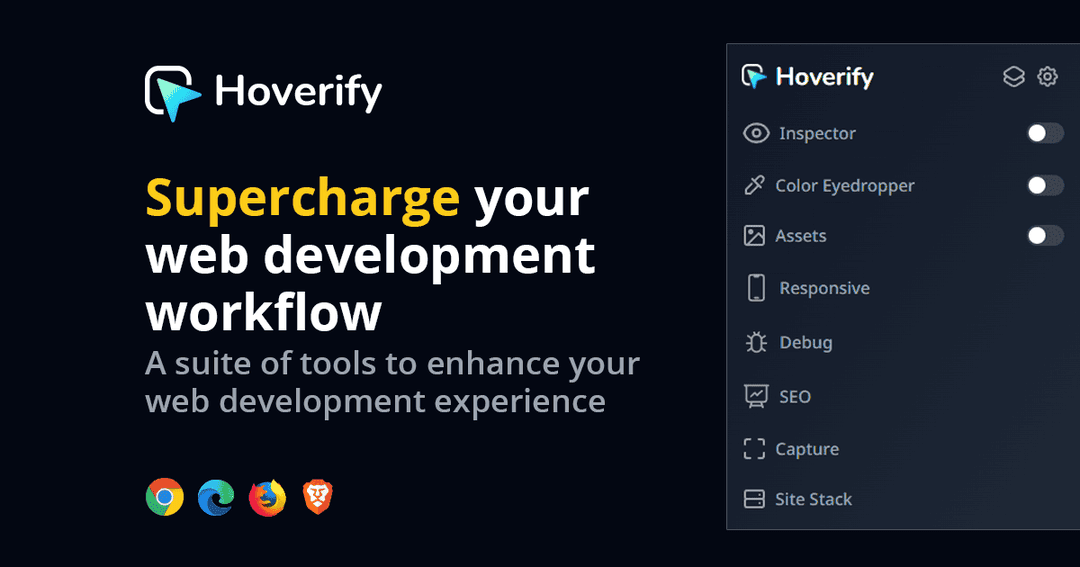
Hoverify is a browser extension that bundles nine web developer tools behind one toolbar icon: an HTML and CSS inspector, color eyedropper, responsive viewer, asset extractor, site stack checker, SEO and AI-search audits, screenshot capture and a debug panel. It runs in Chrome, Firefox and Chromium browsers. Both plans give 3 activations, and the one-time plan includes lifetime updates.
What Hoverify says it does
- Saves 5 to 6 hours a week (Hoverify's figure)
- 26,000+ users and a 4.1 rating from 208 Chrome Web Store reviews (Hoverify's figure)
- Nine tools in one extension, including inspector, assets, SEO and capture
- Runs offline after a single online license check
Why Hoverify
It replaces a set of separate Chrome extensions for inspecting, measuring, capturing and auditing other people's sites. It works inside the browser, so it adds to DevTools rather than replacing a full debugger.
How does Hoverify work?
Buy a license
Choose the one-time plan on the Hoverify site.
Install the extension
Add it to Chrome, Firefox or another supported browser.
Activate
Enter your key; one key works in 3 browsers.
Pick a tool
Open the toolbar and choose Inspector, Assets, SEO or Capture.
Then it handles:
- Inspecting HTML and CSS
- Picking colors
- Testing responsive layouts
- Extracting images and SVGs
- Checking a site's tech stack
- SEO and AI-search audits
- Full-page screenshots
- Injecting custom CSS and JS
Who is Hoverify for?
Built for
- Front-end developers and designers
- Freelancers who inspect client and competitor sites
- SEO specialists who want quick audits in the browser
Not for
- Anyone who needs more than 3 activations on one key
- Buyers who want a free trial, since there is none
What is included in Hoverify?
Inspect and design
- Inspector view and edit HTML and CSS live
- Color eyedropper HEX, RGB, OKLCH
- Responsive viewer 34 device presets
Extract and audit
- Asset extraction images, SVGs, videos, PDFs, Lottie
- Site stack hosting, tech, DNS, SSL
- SEO audit Lighthouse and Core Web Vitals
- GEO audit AI-search readiness
Capture and debug
- Screenshots full page, area or element
- Custom code injection HTML, CSS, JS
- Accessibility audit axe-core WCAG
Video review
We have not reviewed Hoverify on video yet.
Get notifiedBuyer reviews
No reviews yet. Bought Hoverify? Add it to your workspace and share what it replaced.
Add to your workspaceHoverify questions
What is Hoverify?
A browser extension that bundles nine web developer tools, including an inspector, eyedropper, responsive viewer, asset extractor, SEO audit and screenshot capture.
Who is it for?
Web developers, designers, freelancers and SEO specialists who inspect and audit websites.
What is the difference between the plans?
The yearly plan includes one year of updates and expires without auto-renew. The one-time plan is paid once and includes lifetime updates. Both give 3 activations.
Which browsers work?
Chrome, Firefox and Chromium based browsers such as Brave and Edge.
What is the refund policy?
A 14-day refund with no questions asked. There is no trial version.
Does it need an internet connection?
The vendor says it checks the license online once and otherwise runs offline.
Often compared with
These are other tools in the same space, not deals on GrabLTD.
- VisBug
- CSS Peeper
- Wappalyzer
- Page Ruler Redux
- Responsively App
Sources
Checked . Prices and terms on this page come from: