

Productivity · Lifetime deal
Kiwiform
Form builder with unlimited forms and responses, logic, quiz scoring and custom domains.
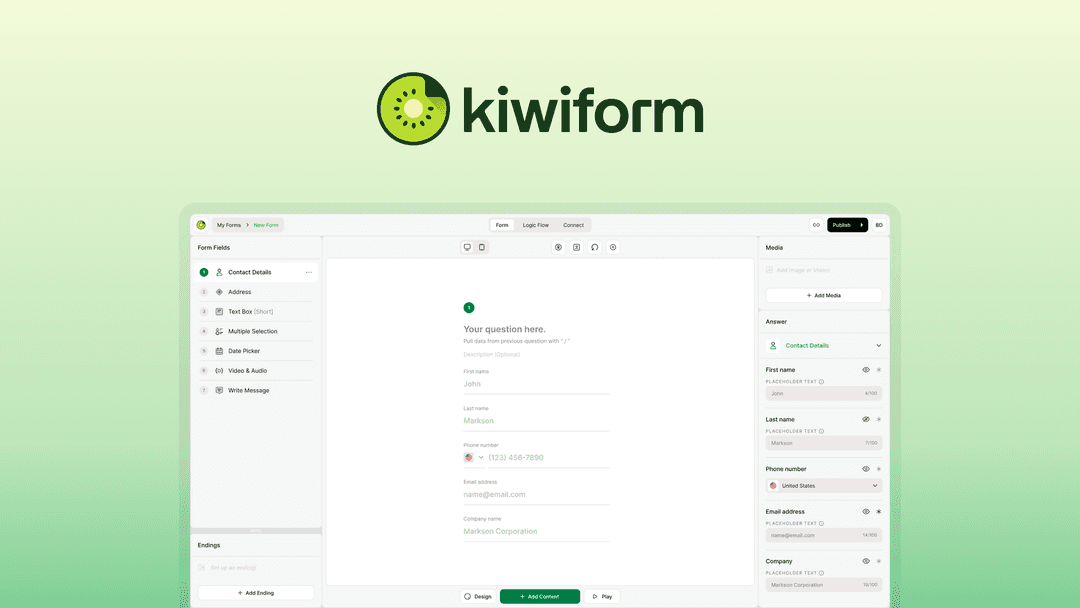
Kiwiform at a glance
- Platform
- Web
- Upgrades
- Up to 3 codes can be stacked. Future AI models may come at a discount or need an add-on.
- Support
- The team is expected to respond within 24 hours.
Our take
Is Kiwiform worth buying?
Based on the AppSumo listing, Kiwiform is a young form builder with unlimited forms and responses and tiers that scale workspaces, seats and storage. Our single tier maps to the entry tier. The vendor was founded in late 2025, and some features are tier restricted, so check before you buy.
Good fit if
- You collect many responses and want no per-response caps.
- You want quiz scoring and conditional logic in one tool.
- You can work within one team member and 3 GB on the entry tier.
Skip it if
- You need several team members on the entry tier.
- You need email verification or blacklisting on the lowest tier.
- You already have a Kiwiform account.
Which Kiwiform plan do you need?
Prices in USD, excluding tax.
| Basic | Pro | Business | |
|---|---|---|---|
| One-time price | $79 | $158 | $237 |
| Regular price (AppSumo) | |||
| You save | $320 | $541 | $762 |
| Forms and responses | Unlimited | Not stated | Not stated |
| Workspaces | 5 | Not stated | Not stated |
| Team members | 1 | Not stated | Not stated |
| Kiwizard AI forms per month | 5 | Not stated | Not stated |
| File upload field size | 20 MB | Not stated | Not stated |
| Total storage | 3 GB | Not stated | Not stated |
Before you buy: AppSumo's terms and extra costs
- Refund. Refundable within 60 days, per the AppSumo listing.
- Redeem. Redeem within 60 days of purchase. New Kiwiform users only; prior accounts, trials or paid plans do not qualify.
- Upgrades. Up to 3 codes can be stacked. Future AI models may come at a discount or need an add-on.
- Support. The team is expected to respond within 24 hours.
- Platform. Not stated; it appears to be a web app.
What is Kiwiform?
Kiwiform is a form builder with unlimited forms and unlimited responses on every tier. It offers conditional logic, answer recall, quiz scoring, custom domains, analytics and 200+ templates, plus a Kiwizard AI form builder. The listing says it connects to 1,000+ apps. The deal is sold through AppSumo as three tiers that differ by workspaces, team members, storage and AI builder use.
What Kiwiform says it does
- Unlimited forms and unlimited responses on every tier
- 200+ templates and 30+ field types
- Custom domain with SSL and branding removal
- 1000+ integrations including Google Sheets, HubSpot, Slack, Stripe and Zapier
Why Kiwiform
It removes the response caps that many form builders put on cheaper tiers. The founder's recent update limits some features, such as email verification and blacklisting, to higher tiers, so check the tier you want.
How does Kiwiform work?
Activate the license
Buy on AppSumo and activate within 60 days.
Start a form
Use a template, build by hand or try the Kiwizard AI builder.
Add logic
Set conditional rules, scoring or multiple endings.
Brand and publish
Set themes, a custom domain and embed or share.
Review responses
Check analytics, partial submissions and exports.
Then it handles:
- Surveys and lead forms
- Quizzes and assessments with scoring
- Conditional and branching forms
- Payments through forms
- Embedding forms on sites
- Sending data to other apps
Who is Kiwiform for?
Built for
- Marketers running high volume campaigns
- Agencies building branded forms for clients
- Teams that want quiz and logic features in one tool
Not for
- Existing Kiwiform users, since the deal is for new users only
- Buyers who need blacklisting or email verification on the lowest tier
- Anyone who cannot activate within 60 days
What is included in Kiwiform?
Building and logic
- 200+ templates 30+ field types
- Conditional logic branching and recall
- Scoring and quizzes multiple endings
- Kiwizard AI builder monthly forms by tier
Sharing and data
- Custom domain with SSL
- Embeds and QR codes
- Analytics includes partial submissions
- Integrations 1000+ apps
Protection
- Spam and duplicate prevention
- GDPR compliance
- Version history
Video review
We have not reviewed Kiwiform on video yet.
Get notifiedBuyer reviews
No reviews yet. Bought Kiwiform? Add it to your workspace and share what it replaced.
Add to your workspaceKiwiform questions
What is Kiwiform?
A form builder with unlimited forms and responses, conditional logic, quiz scoring, custom domains and analytics.
Are responses really unlimited?
The listing says forms and responses are unlimited on every tier.
How do the tiers differ?
By workspaces (5, 10, unlimited), team members (1, 3, 10), Kiwizard AI use, upload size and storage (3, 8, 20 GB).
Can I stack codes?
Yes. The listing says up to 3 codes can be stacked.
What is the refund policy?
Refundable within 60 days. Redeem the code within 60 days of purchase.
Which features depend on the tier?
A September 2026 founder update says email verification is limited to the two upper tiers and blacklisting to the top tier.
Often compared with
These are other tools in the same space, not deals on GrabLTD.
- Typeform
- Tally
- Jotform
- Paperform
- Fillout
Sources
Checked . Prices and terms on this page come from: