

Design · Lifetime deal
KyotoUI
Figma landing page UI kit with Tailwind CSS styles, responsive breakpoints and dark and light modes.
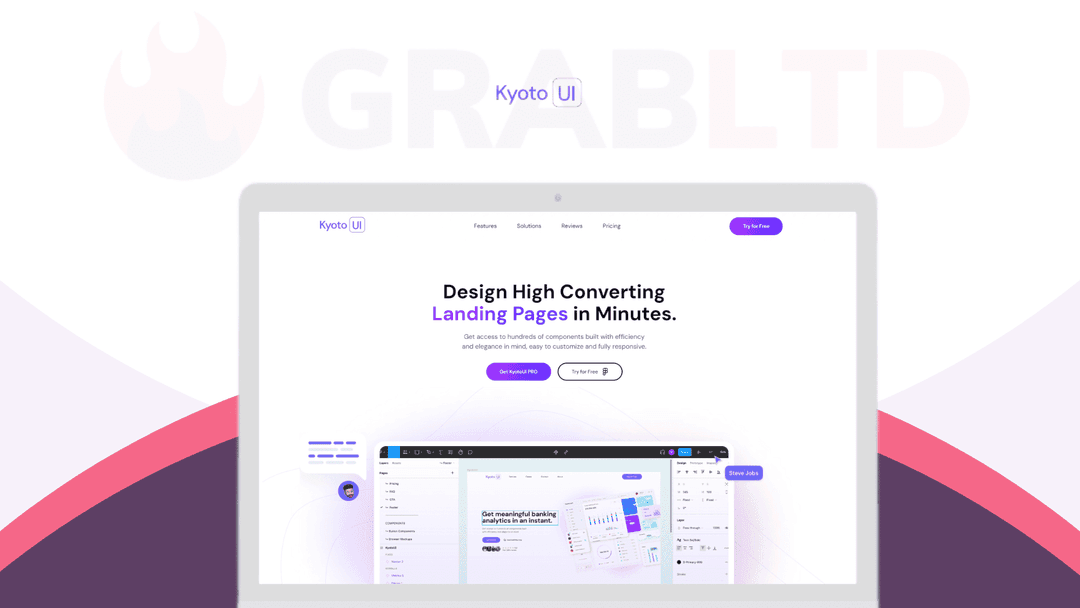
KyotoUI at a glance
- Platform
- Figma
- Support
- Lifetime updates and support by email.
- Note
- Single user license.
Our take
Is KyotoUI worth buying?
Based on the DealMirror listing, KyotoUI is a design asset for Figma rather than a software service, sold as a single-user lifetime license. The plan lists 500+ components while the marketing copy says 1K+ blocks, so check what you receive. The page countdown shows zeros, so confirm the deal is live.
Good fit if
- You design landing pages in Figma.
- You want Tailwind-friendly naming for developer handoff.
- You are a freelancer who reuses components across clients.
- You want one payment instead of a kit subscription.
Skip it if
- You do not use Figma.
- You need a license for several designers.
- You want ready-to-ship code instead of design files.
Which KyotoUI plan do you need?
Prices in USD, excluding tax.
| Plan A | |
|---|---|
| One-time price | $39.99 |
| Regular price (DealMirror) | |
| You save | $30 |
| Components and variants | 500+ |
| Global color and text styles | 250+ |
| License | Single user |
Before you buy: DealMirror's terms and extra costs
- Refund. 30 days for regular buyers, 60 days for DealMirror Prime members.
- Redeem. Redeem your code within 60 days of purchase.
- Support. Lifetime updates and support by email.
- Platform. Requires Figma on Mac or Windows. Desktop only.
- Note. Single user license.
What is KyotoUI?
KyotoUI is a Figma kit for building landing pages. It ships with components and variants, global color and text styles, dark and light modes, and desktop, tablet and mobile breakpoints. Components use Tailwind CSS utility classes and follow Atomic Design. The deal is a single-user license with lifetime updates.
What KyotoUI says it does
- 500+ components and variants and 250+ global color and text styles in the plan (KyotoUI's figure)
- 1,000+ pre-made blocks in the marketing copy (KyotoUI's figure)
- Dark and light modes with desktop, tablet and mobile breakpoints
- Built with Tailwind CSS utility classes, Auto Layout 4.0 and the Atomic Design Methodology
Why KyotoUI
Designing landing pages from scratch repeats the same components for every project. A prebuilt kit saves that work and keeps styles consistent. It only works in Figma on desktop, and the block count in the marketing copy differs from the plan listing.
How does KyotoUI work?
Redeem your code
Buy on DealMirror and redeem the code within 60 days.
Open the kit in Figma
Add the kit to Figma on Mac or Windows.
Assemble blocks
Combine pre-made blocks and variants into a landing page.
Restyle globally
Change global styles to update the whole library.
Then it handles:
- Prototyping landing pages quickly
- Reusing components across projects
- Responsive layouts
- Dark and light mode designs
- Brand restyling with global styles
- Design to code handoff with Tailwind naming
Who is KyotoUI for?
Built for
- Freelance designers who build landing pages
- Agency designers who want a consistent component system
- Beginners who want to assemble ready-made blocks
Not for
- Teams that do not use Figma
- Buyers who need more than a single-user license
- Anyone who needs a working code library rather than design files
What is included in KyotoUI?
Components and styles
- Components and variants 500+ in the plan
- Global color and text styles 250+ in the plan
- Pre-made blocks 1K+ per the marketing copy
- Atomic Design structure
Responsive and dev ready
- Desktop, tablet and mobile breakpoints
- Dark and light modes
- Tailwind CSS utility classes
- Auto Layout 4.0 and variants
Video review
We have not reviewed KyotoUI on video yet.
Get notifiedBuyer reviews
No reviews yet. Bought KyotoUI? Add it to your workspace and share what it replaced.
Add to your workspaceKyotoUI questions
What is KyotoUI?
A Figma kit for landing pages with components, variants, global styles and responsive breakpoints, built on Tailwind CSS naming and Atomic Design.
Who is it for?
Figma designers of any level, from freelancers to agency designers who want a reusable component system.
What does the plan include?
The page lists 500+ components and variants, 250+ global color and text styles, a single user license and lifetime updates and support.
How many blocks does it have?
The marketing copy says 1K+ pre-made blocks, while the plan lists 500+ components and variants. Treat the plan listing as the firmer number.
What do I need to use it?
Figma for Mac or Windows. The page says it works only on desktop devices that support Figma.
What is the refund policy?
DealMirror lists 30 days for regular buyers and 60 days for Prime members. Redeem within 60 days of purchase.
Often compared with
These are other tools in the same space, not deals on GrabLTD.
- Untitled UI
- shadcn/ui Figma kit
- Framer
- Webflow
Sources
Checked . Prices and terms on this page come from: