

Storage & Files · Lifetime deal
LegacyLocked Digital Estate Planning Vault
Keep digital estate records organized, encrypted, and available offline
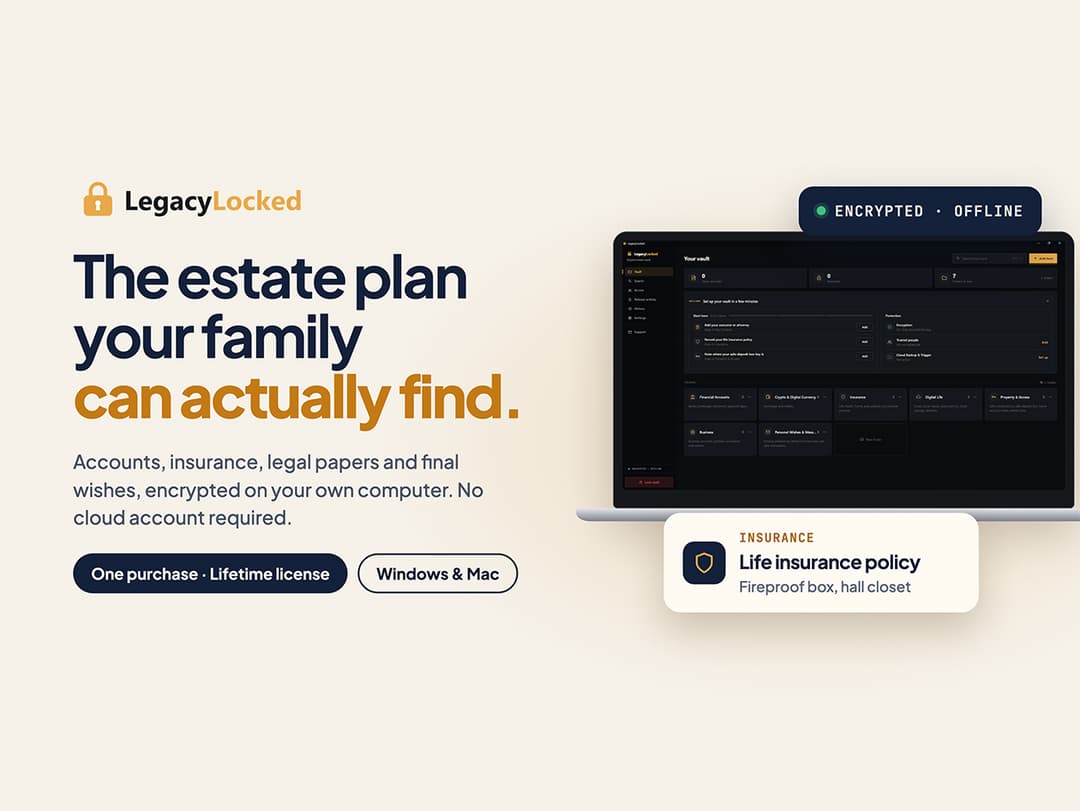
LegacyLocked Digital Estate Planning Vault at a glance
- Platform
- Windows, macOS
- Note
- Access to the Local Vault is for life.
- Note
- Available for both new and existing users.
- Upgrades
- Future software updates for the Local Vault are included.
- Note
- Cloud backup, automated legacy or trustee release, and mobile apps are not included.
Which LegacyLocked Digital Estate Planning Vault plan do you need?
Prices in USD, excluding tax.
| Lifetime | |
|---|---|
| One-time price | $49 |
Before you buy: StackSocial's terms and extra costs
- Redeem. Redeem the code within 30 days of purchase. The offer expires October 09, 2126 at 07:59 PST.
- Note. Access to the Local Vault is for life.
- Note. Available for both new and existing users.
- Platform. Internet is required for download, activation, and updates. The core vault works offline after setup.
- Platform. Access is limited to one desktop device on Windows or macOS.
- Upgrades. Future software updates for the Local Vault are included.
- Note. Cloud backup, automated legacy or trustee release, and mobile apps are not included.
What is LegacyLocked Digital Estate Planning Vault?
LegacyLocked is a desktop vault for organizing digital estate records, including financial accounts, passwords, insurance, legal documents, crypto details, contacts, and final instructions. It encrypts each item on the user's computer, stores the vault locally, and supports private search and offline use after setup.
What LegacyLocked Digital Estate Planning Vault says it does
- Global search finds any item in seconds. (LegacyLocked Digital Estate Planning Vault's figure)
- Searches run privately on the user's own device.
- Every item is encrypted on the computer before storage, so LegacyLocked cannot read it.
- The core vault works fully offline after setup.
- A local action history records every change made inside the vault.
Why LegacyLocked Digital Estate Planning Vault
Important records can become scattered across drawers, inboxes, notes, and spreadsheets. LegacyLocked provides a structured, encrypted local place to organize those records, find them through on-device search, and review changes without a required cloud account.
How does LegacyLocked Digital Estate Planning Vault work?
Install and set up
Download and activate the desktop app on one Windows or Mac computer. Internet is required for these steps.
Organize records
Create folders for financial accounts, insurance, legal records, crypto, contacts, and final instructions.
Add typed records
Use dedicated item types instead of placing every record in a password field.
Encrypt and store locally
Items are encrypted on the computer before being saved in the local vault.
Search and maintain
Use private global search and local action history. The core vault opens and updates offline after setup.
Then it handles:
- Organize financial accounts
- Store insurance and legal documents
- Protect passwords and crypto details
- Record contacts and final instructions
- Search vault records privately
- Review vault change history
- Access the core vault offline
Who is LegacyLocked Digital Estate Planning Vault for?
Built for
- People consolidating financial, insurance, legal, crypto, and contact records
- Windows and Mac desktop users
- People who want encrypted local storage without a required cloud account
- People who need offline core vault access after setup
Not for
- Mobile phone and tablet users
- People who need cloud backup included
- People who need automated legacy or trustee release included
- People who need access on more than one device
What is included in LegacyLocked Digital Estate Planning Vault?
Record organization
- Purpose-built folders Group accounts, insurance, legal records, crypto details, contacts, and instructions.
- Dedicated item types Store each kind of record in a format built for it.
Privacy and storage
- Client-side encryption Encrypt every item on your computer before local storage.
- Local vault Keep the vault on your computer without a required cloud account.
- Offline use Open and update the vault without internet after setup.
- User-controlled access Choose how trusted people reach your device and vault.
Search and history
- Global search Find items through searches that run privately on your device.
- Action history Review a complete local record of vault changes.
Desktop access
- Desktop app Install on one Windows or Mac desktop or laptop.
- Software updates Receive future Local Vault software updates.
Video review
We have not reviewed LegacyLocked Digital Estate Planning Vault on video yet.
Get notifiedBuyer reviews
No reviews yet. Bought LegacyLocked Digital Estate Planning Vault? Add it to your workspace and share what it replaced.
Add to your workspaceLegacyLocked Digital Estate Planning Vault questions
What does LegacyLocked do?
LegacyLocked is an encrypted desktop vault for organizing financial accounts, insurance records, legal documents, crypto details, contacts, passwords, and final instructions. It includes dedicated item types, global search, and a local action history. Data is encrypted on your computer before storage, and the core vault works offline after setup.
Who is the Lifetime plan for?
It is for people who want to keep essential family and financial records in one secure, searchable place on a personal computer. It is available to both new and existing users. Access by family or trusted people is controlled by the device owner rather than through automated trustee release.
Which devices and operating systems are supported?
The Local Vault runs as a desktop app on Windows and Mac computers. A maximum of one device is supported. Phones and tablets are not currently supported. An internet connection is required for download, activation, and updates, but the core vault can be opened and updated offline after setup.
How do I redeem my purchase?
Redeem your code within 30 days of purchase. The Lifetime plan provides lifetime access to the Local Vault with no recurring fee. The license is available for both new and existing users, and future Local Vault software updates are included at no extra cost.
Are there any additional costs?
The Lifetime plan costs $49 as a one-time payment. Cloud backup and automated legacy or trustee release are not included and require a separate paid service. Mobile apps are also not included. Access to the purchased Local Vault is limited to one device.
How are my records protected?
Every item is encrypted on your computer before it is stored, so LegacyLocked cannot read it. The vault remains on your device without requiring a third-party cloud account, and searches run privately on that device. You decide how trusted people access the computer and vault.
Often compared with
These are other tools in the same space, not deals on GrabLTD.
- spreadsheet apps
- notes apps