

Storage & Files · Lifetime deal
LifetimeCloud Secure Storage
Browser-based encrypted cloud storage with a one-time payment, 1TB or 2TB, and family sharing.
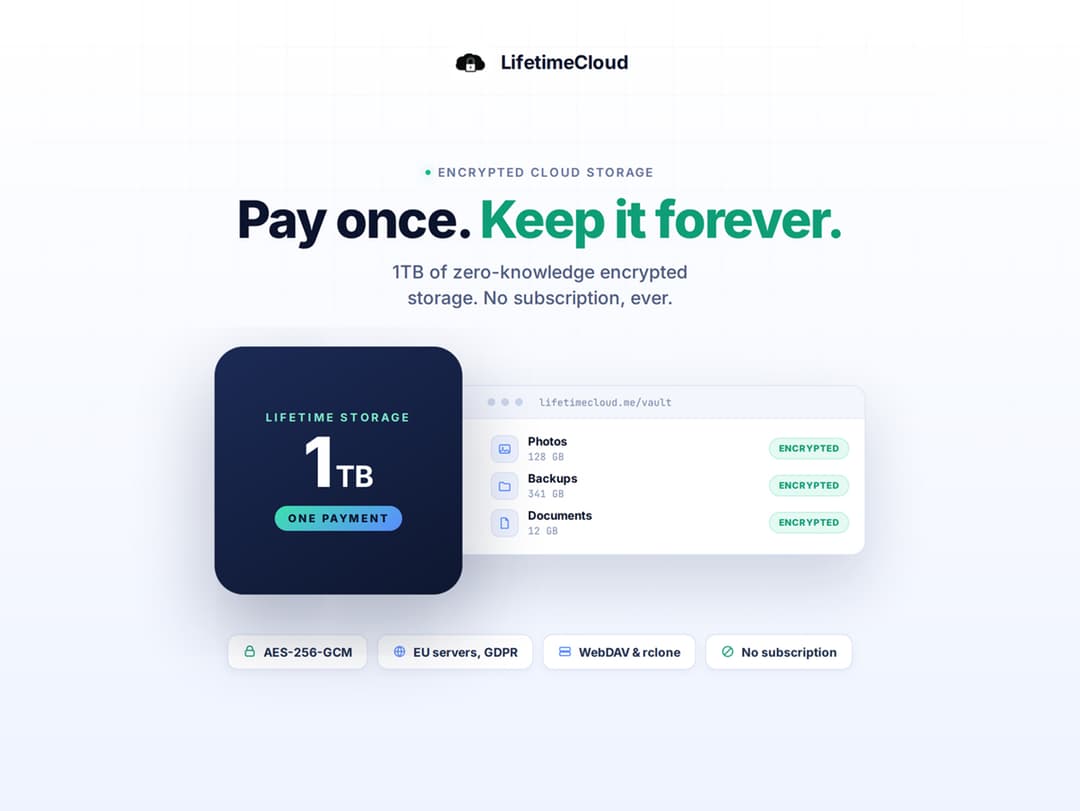
LifetimeCloud Secure Storage at a glance
- Platform
- Web
- Support
- No vendor support details are listed. StackSocial contact pages are linked.
- Note
- Free updates. Per-file limit is 1.5GB.
Our take
Is LifetimeCloud Secure Storage worth buying?
Based on the StackSocial listing, LifetimeCloud sells a terabyte of encrypted browser storage for one payment, with a 2TB option on the page. Refunds are store credit before redemption only, and redemption is limited to 30 days. No vendor website or support is listed.
Good fit if
- You want storage without a monthly bill.
- You value encryption before upload.
- You share space with family.
- You are a new user.
Skip it if
- You store files over 1.5GB.
- You need native desktop sync apps, the page describes browser access.
- You are an existing LifetimeCloud user.
Which LifetimeCloud Secure Storage plan do you need?
Prices in USD, excluding tax.
| 1TB | 2TB | |
|---|---|---|
| One-time price | $39.99 | $74.99 |
| Regular price (StackSocial) | ||
| You save | $159.01 | $323.01 |
| Storage | 1TB | Not stated |
| Max file size | 1.5GB | Not stated |
| Family sharing | Up to 5 members | Not stated |
Before you buy: StackSocial's terms and extra costs
- Refund. Unredeemed licenses can be returned for store credit within 30 days of purchase. Once redeemed, all sales are final.
- Redeem. Redeem within 30 days of purchase. New users only.
- Support. No vendor support details are listed. StackSocial contact pages are linked.
- Platform. Browser-based on desktop, Android or iOS, latest version of a modern browser.
- Note. Free updates. Per-file limit is 1.5GB.
What is LifetimeCloud Secure Storage?
LifetimeCloud is browser-based cloud storage with zero-knowledge encryption, which the page says is applied on your device before upload. Servers are in Italy and the vendor says they are GDPR compliant. Features include file and folder sharing, one year of version history, a built-in editor and family sharing for up to 5 members. Plans are 1TB or 2TB.
What LifetimeCloud Secure Storage says it does
- Zero-knowledge AES-256-GCM encryption applied before files leave your device (LifetimeCloud Secure Storage's figure)
- Unlimited files, each capped at 1.5GB
- Servers in Italy, GDPR compliant (LifetimeCloud Secure Storage's figure)
- One year of version history and family sharing for up to 5 members
Why LifetimeCloud Secure Storage
Free storage runs out and then a monthly bill starts. LifetimeCloud sells space for one payment. File size is capped at 1.5GB, redemption is open to new users only for 30 days, and the page lists no vendor support, so check those first.
How does LifetimeCloud Secure Storage work?
Redeem your code
Redeem on StackSocial within 30 days. New users only.
Sign in from a browser
Open the web app on desktop, Android or iOS.
Upload files
Files are encrypted on your device before they upload.
Share
Share files and folders, or add family members.
Then it handles:
- Storing photos, videos and documents
- Zero-knowledge encrypted storage
- Sharing files and folders
- Version history
- Editing files in the browser
- Family sharing
Who is LifetimeCloud Secure Storage for?
Built for
- People who want to pay once for storage
- Privacy-minded users who want encryption before upload
- Families who want to share one account
Not for
- Anyone who needs files larger than 1.5GB
- Existing LifetimeCloud users, the deal is for new users only
- Buyers who need vendor support details, none are listed
What is included in LifetimeCloud Secure Storage?
Storage and security
- 1TB or 2TB of space by plan
- Zero-knowledge AES-256-GCM encryption
- Servers in Italy
Files and sharing
- Unlimited number of files
- File and folder sharing
- One year of version history
- Built-in file editor
Accounts
- Family sharing up to 5 members
- No limit on devices
Video review
We have not reviewed LifetimeCloud Secure Storage on video yet.
Get notifiedBuyer reviews
No reviews yet. Bought LifetimeCloud Secure Storage? Add it to your workspace and share what it replaced.
Add to your workspaceLifetimeCloud Secure Storage questions
What is LifetimeCloud?
Browser-based encrypted cloud storage sold for a one-time payment.
How much space do I get?
1TB or 2TB depending on the plan. The number of files is unlimited, with each file capped at 1.5GB.
Who can buy this?
New users only, per the page.
How is it encrypted?
The page says zero-knowledge AES-256-GCM encryption is applied before files leave your device.
Can I get a refund?
Unredeemed licenses can be returned for store credit within 30 days. Redeemed licenses are final.
How many devices can I use?
The page says there is no device limit.
Often compared with
These are other tools in the same space, not deals on GrabLTD.
- Sync.com
- pCloud
- Internxt
- Proton Drive
- Google Drive
Sources
Checked . Prices and terms on this page come from: