

Email · Lifetime deal
Mail Backup X
Desktop email backup, archive and conversion for Windows and Mac, with a lifetime Individual license.
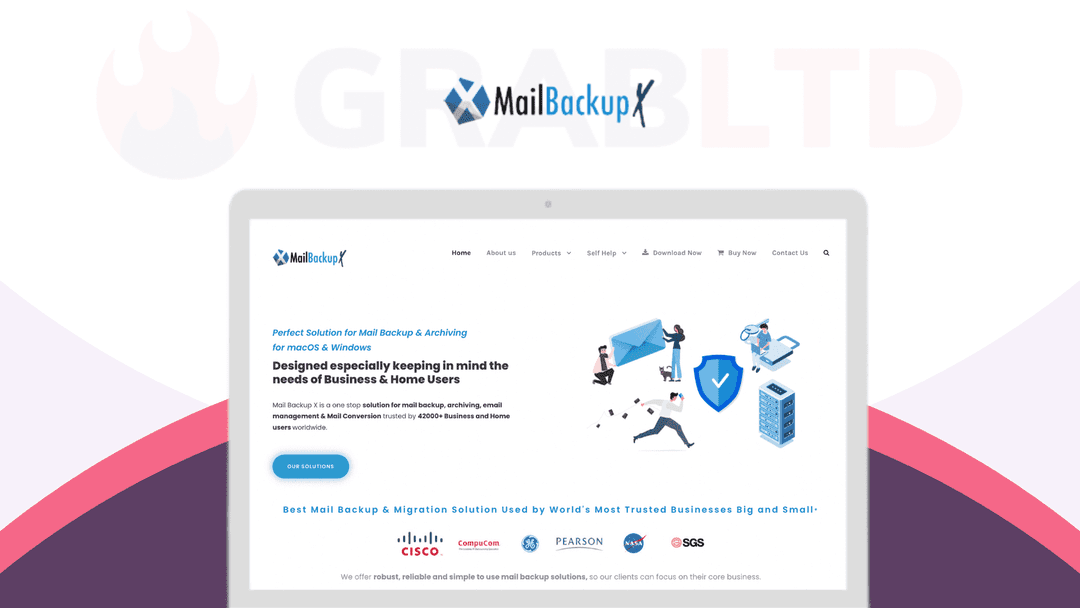
Mail Backup X at a glance
- Platform
- Windows, macOS
- Upgrades
- Version 2 with updates included.
- Support
- The listing promises premium support from experts.
- Updates
- Included
Our take
Is Mail Backup X worth buying?
Based on the StackSocial listing, this is a lifetime Individual Edition for a desktop email backup tool, limited to 2 devices and new users. Refunds are store credit for unredeemed codes only, within 30 days. It suits people who want a local, encrypted mail archive.
Good fit if
- You want a local searchable archive of your email.
- You are moving between mail clients or providers.
- You want encrypted backups with your own key.
Skip it if
- You already hold a Mail Backup X license.
- You need it on more than 2 devices.
Which Mail Backup X plan do you need?
Prices in USD, excluding tax.
| Mail Backup X Individual Edition | |
|---|---|
| One-time price | $49.99 |
| Regular price (StackSocial) | |
| You save | $129.01 |
| Devices | Up to 2 |
| Edition | Individual, version 2 |
| Eligibility | New users only |
| Updates | Included |
Before you buy: StackSocial's terms and extra costs
- Refund. Unredeemed licenses can be returned for store credit within 30 days of purchase. After redemption, all sales are final.
- Redeem. Redeem the code within 30 days of purchase. Available to new users only.
- Upgrades. Version 2 with updates included.
- Support. The listing promises premium support from experts.
- Platform. Desktop only: macOS 10.13 or later and Windows 8 or later. Up to 2 devices.
What is Mail Backup X?
Mail Backup X is desktop software for backing up, archiving, searching and converting email. It backs up mail clients such as Apple Mail, Outlook and Thunderbird, and services such as Gmail and any IMAP account. The StackSocial listing sells a lifetime Individual Edition license for up to 2 devices, for new users only.
What Mail Backup X says it does
- Backs up Apple Mail, Outlook, Office 365, Exchange, Thunderbird and Postbox
- Backs up Gmail, Outlook.com, Yahoo, Gmx.de and any IMAP service
- Compression saves up to 3x storage (Mail Backup X's figure)
- AES 256-bit encryption with your own private key
Why Mail Backup X
Email is often the most important data people keep, and many only back it up after losing it. This license is a one-time way to keep a searchable local archive. It is desktop only and limited to 2 devices.
How does Mail Backup X work?
Redeem the code
Redeem on StackSocial within 30 days of purchase.
Install
Install on macOS 10.13 or later, or Windows 8 or later.
Add mail sources
Connect mail clients or online mail accounts.
Back up and mirror
Run backups and mirror them to cloud, FTP or USB.
Search and restore
Search the archive and restore mail to the original or another account.
Then it handles:
- Backing up email accounts
- Archiving mail locally
- Searching archived mail
- Importing PST, OST, MBOX and EML archives
- Migrating to Office365
- Mirroring backups to cloud or USB
- Encrypting archives
Who is Mail Backup X for?
Built for
- Individuals who want a local email archive
- Users switching mail clients or providers
- People who want encrypted backups under their own key
Not for
- Existing Mail Backup X users, since the offer is for new users only
- Anyone who needs more than 2 devices on one license
What is included in Mail Backup X?
Backup and restore
- Mail client backup Apple Mail, Outlook, Thunderbird and more
- Online mail backup Gmail, Yahoo, IMAP
- Restore original or separate account
- Mirror backups Drive, OneDrive, Dropbox, pCloud, FTP, USB
Archive tools
- Archive viewer with search
- Compression up to 3x
- Archive import PST, OST, MBOX, OLK, EML, RGE
- Migration to Office365
Security
- AES 256-bit encryption own private key
Video review
We have not reviewed Mail Backup X on video yet.
Get notifiedBuyer reviews
No reviews yet. Bought Mail Backup X? Add it to your workspace and share what it replaced.
Add to your workspaceMail Backup X questions
What does Mail Backup X do?
It backs up, archives, searches and converts email from mail clients and online services, and stores it locally with optional encryption.
How many devices?
Up to 2 devices per the listing.
Which systems does it run on?
macOS 10.13 or later and Windows 8 or later.
Can I send backups to the cloud?
The listing says you can mirror backups to Google Drive, OneDrive, Dropbox, pCloud, FTP or USB.
Can existing users buy?
No. The listing says new users only.
What is the refund policy?
Unredeemed licenses can be returned for store credit within 30 days. Redeemed sales are final.
Often compared with
These are other tools in the same space, not deals on GrabLTD.
- MailStore Home
- Emailchemy
- Backupery for Gmail
- Thunderbird with ImportExportTools
Sources
Checked . Prices and terms on this page come from: