

Productivity · Lifetime deal
Mergo
Gmail mail merge add-on that sends personalized campaigns from Sheets and Docs with tracking.
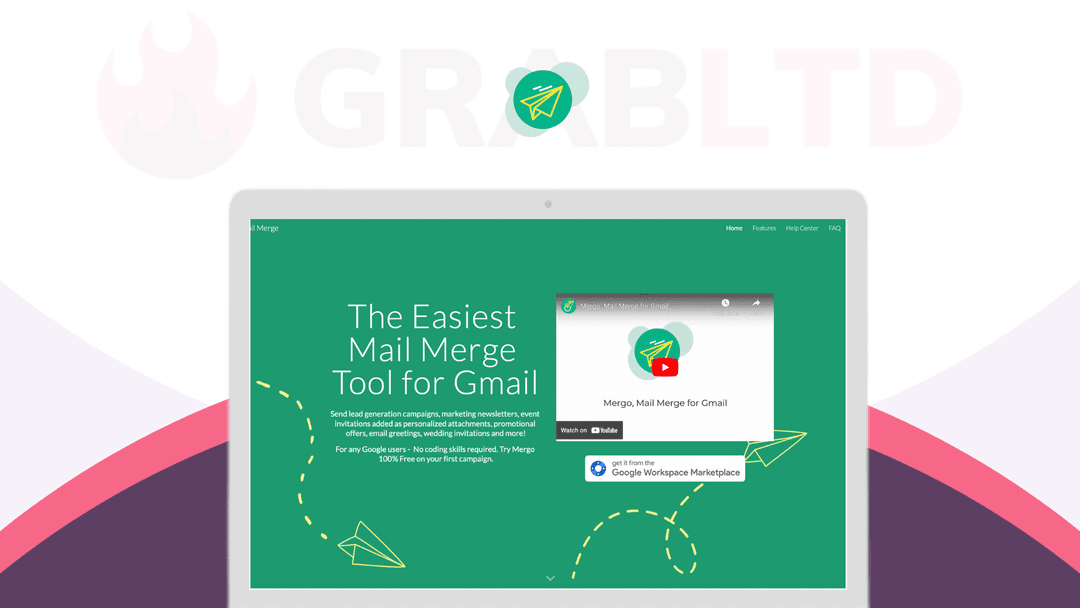
Mergo at a glance
- Platform
- Web, Gmail
- Upgrades
- Updates are included for life of access.
- Updates
- Included
Our take
Is Mergo worth buying?
Based on the StackSocial listing, this is a lifetime Google add-on for mail merges from Gmail, with tracking and follow-ups. A buyer review mentions a daily cap that the listing does not confirm. It suits small senders who live in Google Workspace.
Good fit if
- You send personalized emails from Gmail.
- You keep your lists in Google Sheets.
- You want to avoid a monthly mail merge fee.
Skip it if
- You send very large campaigns that exceed Gmail limits.
- You do not use Google accounts.
Which Mergo plan do you need?
Prices in USD, excluding tax.
| Lifetime access to Mergo | |
|---|---|
| One-time price | $49 |
| Regular price (StackSocial) | |
| You save | $91 |
| Devices | Up to 999 |
| Access | Lifetime |
| Updates | Included |
Before you buy: StackSocial's terms and extra costs
- Refund. Unredeemed licenses can be returned for store credit within 30 days of purchase. Once redeemed, the sale is final.
- Redeem. Redeem your code within 30 days of purchase.
- Upgrades. Updates are included for life of access.
- Platform. Desktop only, as a Google add-on in a modern browser with JavaScript enabled.
What is Mergo?
Mergo is a Google add-on that sends personalized mail merges from Gmail, using Google Sheets and Docs. It handles templates with merge fields, attachments, scheduling, tracking and automated follow-ups. The StackSocial listing sells lifetime access for one plan, with up to 999 devices and updates included.
What Mergo says it does
- Templates with merge fields such as First Name
- Tracks opens, clicks, replies and bounces
- Scheduling, preview and automated follow-ups
- Works with Gmail, Google Sheets, Docs and Contacts
Why Mergo
Mail merges from Gmail normally need a separate sending service or manual copying. Mergo runs inside Google tools you already use. One buyer review mentions a 500 emails per day cap, but the listing does not confirm it, so check Google's own sending limits.
How does Mergo work?
Redeem the code
Redeem within 30 days of purchase.
Install the add-on
Add Mergo to Gmail or Google Sheets.
Prepare your list
Put recipients and fields in a Google Sheet.
Write the template
Use merge fields, attachments and a preview.
Send and track
Send now or schedule, then follow opens, clicks and replies.
Then it handles:
- Personalized mail merges
- Newsletters and invitations
- Attachments
- Open, click, reply and bounce tracking
- Scheduled sending
- Automated follow-ups
- Unsubscribe management
Who is Mergo for?
Built for
- Gmail and Google Workspace users sending campaigns
- Teachers and small teams sending personalized notices
- Marketers doing small outreach campaigns
Not for
- Users without Google accounts
- Anyone who needs a mobile app, since the listing says desktop only
What is included in Mergo?
Sending
- Merge fields and templates
- Attachments
- Scheduling and preview
- CC, BCC, aliases and reply-to
Tracking and follow-up
- Open, click, reply and bounce tracking
- Automated follow-ups
- Unsubscribe management
- List segmentation
Google integration
- Gmail, Sheets and Docs
- Google Contacts
- Form response notifications
Video review
We have not reviewed Mergo on video yet.
Get notifiedBuyer reviews
No reviews yet. Bought Mergo? Add it to your workspace and share what it replaced.
Add to your workspaceMergo questions
What is Mergo?
A Google add-on that sends personalized mail merges from Gmail using Sheets and Docs.
How many devices?
The listing says up to 999 devices.
Is there a daily sending limit?
One buyer review says 500 emails per day. The listing does not confirm it. Google's own limits also apply.
Does it track opens and clicks?
Yes. The listing names opens, clicks, replies and bounces.
What is the refund policy?
Unredeemed licenses can be returned for store credit within 30 days. Redeemed sales are final.
Often compared with
These are other tools in the same space, not deals on GrabLTD.
- Yet Another Mail Merge
- GMass
- Mailmeteor
- Lemlist
- Mailshake
Sources
Checked . Prices and terms on this page come from: