

Video & Audio · Lifetime deal
MiniTool MovieMaker
Beginner-friendly Windows video editor with 1080p, no-watermark export and a 3-PC license.
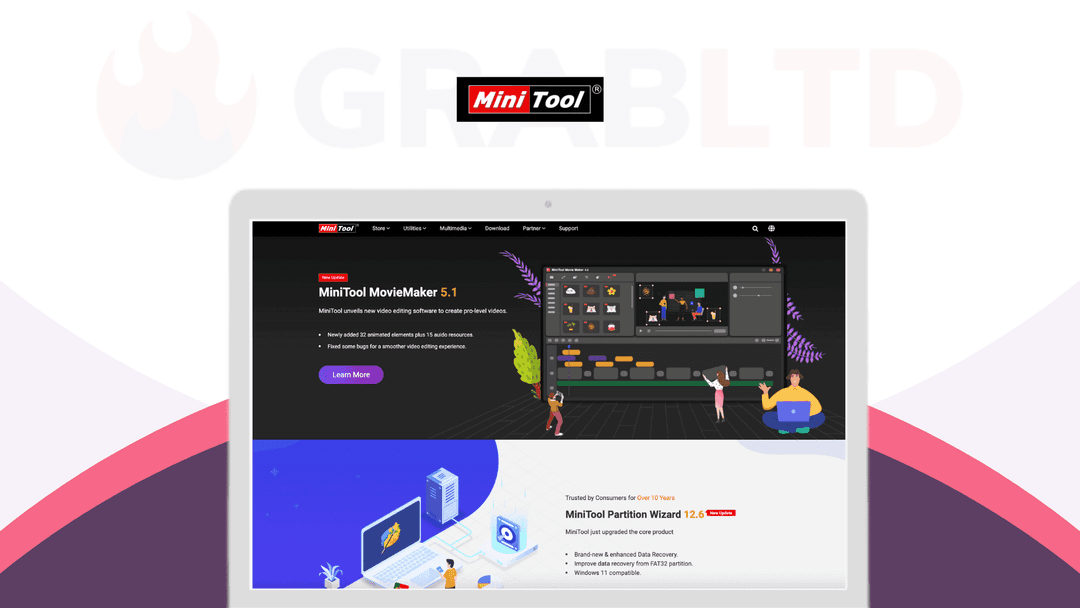
MiniTool MovieMaker at a glance
- Platform
- Windows
- Upgrades
- Lifetime free upgrades and updates are included.
Our take
Is MiniTool MovieMaker worth buying?
Based on the StackSocial listing, this is a perpetual Windows video editor license for up to 3 PCs, with no watermark and 1080p export. Refunds are store credit for unredeemed codes only. It suits beginners who do not need 4K.
Good fit if
- You are a Windows user making simple videos.
- You want no watermark and no length limit.
- You want one license for up to 3 PCs.
Skip it if
- You need 4K export or use a Mac.
- You want advanced professional editing tools.
Which MiniTool MovieMaker plan do you need?
Prices in USD, excluding tax.
| Ultimate Plan | |
|---|---|
| One-time price | $49.99 |
| Regular price (StackSocial) | |
| You save | $50 |
| PCs | Up to 3 |
| Export resolution | Up to 1080p |
| Watermark | None |
| Export length | No limit |
| Upgrades | Lifetime free |
Before you buy: StackSocial's terms and extra costs
- Refund. Unredeemed licenses can be returned for store credit within 30 days of purchase. After redemption, all sales are final.
- Redeem. Redeem the code within 30 days of purchase.
- Upgrades. Lifetime free upgrades and updates are included.
- Platform. Windows 7, 8, 8.1, 10 and 11 desktop only. The listing names an Intel i5 2 GHz CPU, 8 GB RAM and 10 GB disk as requirements.
What is MiniTool MovieMaker?
MiniTool MovieMaker is a Windows video editor aimed at beginners. It covers trimming, splitting, transitions, titles, captions, filters, speed changes and audio, with exports up to 1080p, no watermark and no length limit. The StackSocial listing sells the Ultimate Plan as a perpetual license for up to 3 PCs, with lifetime free upgrades.
What MiniTool MovieMaker says it does
- Exports up to 1080p with no watermark and no length limit
- One license covers up to 3 PCs
- All effects, texts, elements and templates included
- Lifetime free upgrades
Why MiniTool MovieMaker
A simple editor with no watermark covers vlogs and course videos without a subscription. Output stops at 1080p and it runs on Windows only, so it is not a fit for 4K or Mac workflows.
How does MiniTool MovieMaker work?
Redeem the code
Redeem on StackSocial within 30 days of purchase.
Install on Windows
Install on up to 3 PCs.
Import media
Add photos, audio and video clips.
Edit
Trim, split, add transitions, titles and effects.
Export
Save as MP4, AVI, MOV, WMV, MKV or GIF up to 1080p.
Then it handles:
- Trimming and splitting clips
- Transitions and titles
- Captions and credits
- Speed changes and reverse
- Color and LUT adjustments
- Audio fades and volume
- Exporting without a watermark
Who is MiniTool MovieMaker for?
Built for
- Beginners editing vlogs and online course videos
- Windows users who want no watermark or time cap
- Households that want to use one license on several PCs
Not for
- Mac or Linux users
- Editors who need 4K export or advanced multi-track work
What is included in MiniTool MovieMaker?
Editing
- Trim, split, merge
- Transitions, titles, captions
- Speed and reverse
- Templates and effects all included
Color and audio
- Color, brightness and 3D LUT
- Audio fades and volume
- Extra tracks up to 9 additional
Export
- Formats MP4, AVI, MOV, WMV, MKV, GIF, MP3
- 1080p, no watermark
- No length limit
Video review
We have not reviewed MiniTool MovieMaker on video yet.
Get notifiedBuyer reviews
No reviews yet. Bought MiniTool MovieMaker? Add it to your workspace and share what it replaced.
Add to your workspaceMiniTool MovieMaker questions
What is MiniTool MovieMaker?
A beginner-friendly Windows video editor for trimming, effects, titles, audio and export.
How many PCs?
One license covers up to 3 PCs.
What is the export limit?
Up to 1080p, with no watermark and no length limit.
Does it run on Mac?
No. The listing names Windows versions only.
What is the refund policy?
Unredeemed licenses can be returned for store credit within 30 days. Redeemed sales are final.
Often compared with
These are other tools in the same space, not deals on GrabLTD.
- Filmora
- DaVinci Resolve
- Camtasia
- VEGAS Pro
- Kdenlive
Sources
Checked . Prices and terms on this page come from: