

Marketing · Lifetime deal
N8N Facebook Automation Template
Automate Facebook Page tasks inside n8n workflows.
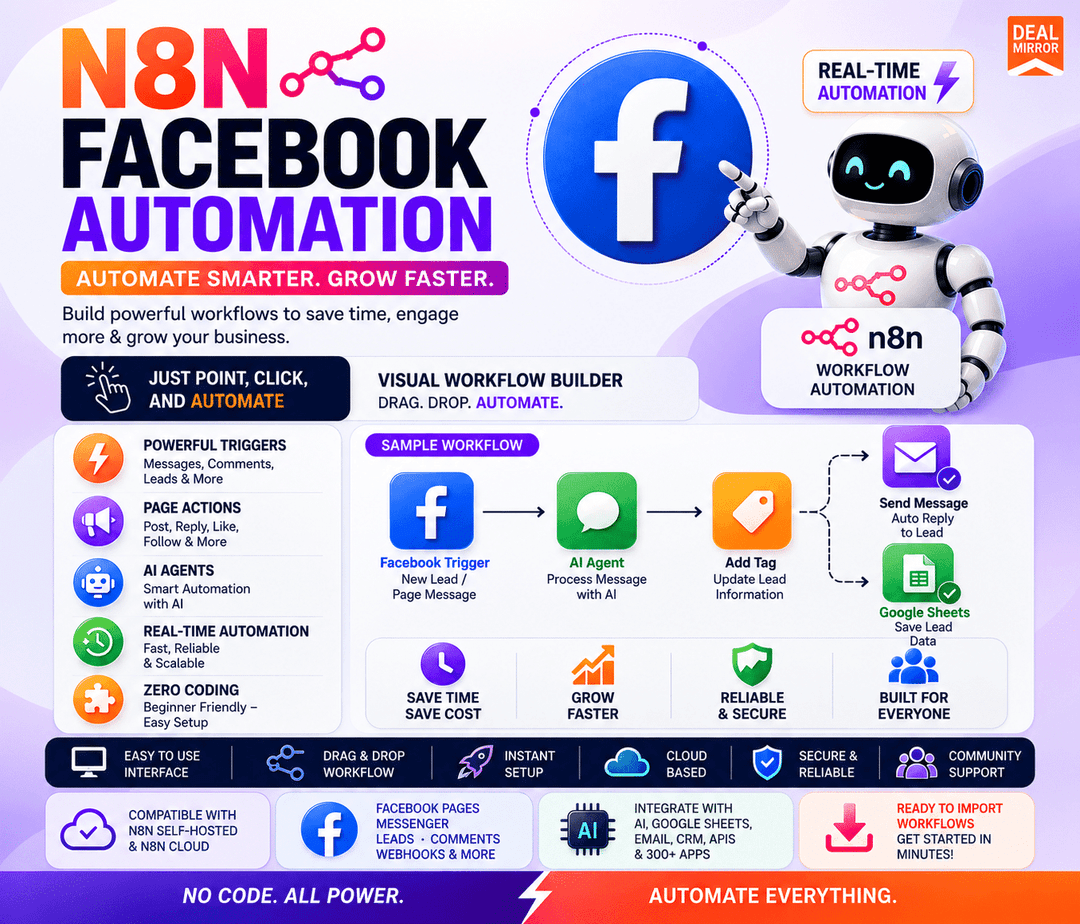
N8N Facebook Automation Template at a glance
- Platform
- Facebook, n8n
Which N8N Facebook Automation Template plan do you need?
Prices in USD, excluding tax.
| Tier 1 | Tier 2 | |
|---|---|---|
| One-time price | $7 | $14 |
| Regular price (DealMirror) | ||
| You save | $63 | $135 |
| Includes | N8N Facebook Graph API integration; Facebook Page Actions; Facebook Comment Actions; Facebook Message Actions; Facebook Triggers; Facebook Lead Ads Trigger; Facebook workflow automation capabilities; OAuth2 authentication; Integration with other n8n-connected applications; License: Personal and Commercial licensing rights | N8N Facebook Graph API integration; Facebook Page Actions; Facebook Comment Actions; Facebook Message Actions; Facebook Triggers; Facebook Lead Ads Trigger; Facebook workflow automation capabilities; OAuth2 authentication; Integration with other n8n-connected applications; License: Reseller Rights |
What is N8N Facebook Automation Template?
An n8n integration that adds Facebook Graph API actions to n8n workflows. It provides ready-made actions for managing Facebook Page posts, comments, messages, and Lead Ads. Users build automation visually with n8n's drag-and-drop workflow builder and connect Facebook data with other apps.
What N8N Facebook Automation Template says it does
- Automate repetitive Facebook activities instead of handling each task manually.
- Start with predefined Facebook actions rather than building every Graph API interaction from scratch.
- Create automation through n8n's drag-and-drop workflow environment.
- Handle posts, comments, messages, and leads from connected n8n workflows.
Why N8N Facebook Automation Template
Running a Facebook Page means repeating the same tasks every day. Publishing posts, checking comments, replying to customers, handling messages, and collecting leads takes time. Working directly with the Facebook Graph API means dealing with authentication, API requests, and endpoints. This integration removes that manual work by providing pre-built Facebook actions inside n8n workflows.
How does N8N Facebook Automation Template work?
Connect Facebook
Set up the Facebook Graph API connection using the available authentication process.
Choose Your Facebook Action
Select the Facebook Page, Comment, Message, or Trigger action you need.
Build Your Workflow
Use n8n's visual workflow builder to connect Facebook with other steps and applications.
Automate the Process
Let your workflow handle repetitive Facebook tasks instead of managing each action manually.
Connect More Tools
Send Facebook data into your CRM, Google Sheets, email platform, or other connected applications.
Then it handles:
- Creates and manages Facebook Page posts
- Handles comment moderation on posts
- Sends and replies to Facebook messages
- Captures leads from Facebook Lead Ads
- Triggers n8n workflows from Facebook activity
- Connects Facebook data with other apps
Who is N8N Facebook Automation Template for?
Built for
- Social Media Managers
- Digital Marketing Agencies
- Customer Support Teams
- Content Creators
- Automation Enthusiasts
Not for
- Users without an n8n workflow environment
- Teams that only need manual Facebook publishing
What is included in N8N Facebook Automation Template?
Facebook Page Actions
- Create link posts with text Publish text-based link posts to a Page.
- Create photo posts Publish image posts to a Page.
- Create video posts Publish video posts to a Page.
- Create scheduled posts Schedule posts for later publication.
- Get Facebook posts Retrieve posts from a Page.
- Get specific posts Pull individual posts by identifier.
- Update posts Edit existing Page posts.
- Delete posts Remove posts from a Page.
Facebook Comment Actions
- Get comments Retrieve comments from posts.
- Create comments Add new comments to posts.
- Create comments with images Post image comments on posts.
- Reply to comments Respond to existing comment threads.
- Update comments Edit existing comments.
- Delete comments Remove comments from posts.
- Hide comments Hide comments from public view.
- Like comments Like comments on posts.
Facebook Message Actions
- Send text messages Send plain text messages to users.
- Automate instant replies Trigger automated responses to incoming messages.
- Connect messages with n8n Route Facebook messages into n8n workflows.
Facebook Lead Automation
- Capture leads via Lead Ads Trigger Pull lead data from Facebook Lead Ads into n8n.
- Connect leads to workflows Send captured leads into existing automations.
Facebook Triggers
- Start workflows from Facebook activity Launch n8n workflows on supported Facebook events.
Authentication & Connections
- OAuth2 authentication Securely connect to the Facebook Graph API.
- Connect with other apps Integrate with other n8n-connected applications.
Video review
We have not reviewed N8N Facebook Automation Template on video yet.
Get notifiedBuyer reviews
No reviews yet. Bought N8N Facebook Automation Template? Add it to your workspace and share what it replaced.
Add to your workspaceN8N Facebook Automation Template questions
What does the N8N Facebook Automation Template do?
It is an N8N Facebook Graph API integration that provides ready-to-use Facebook Page Actions, Comment Actions, Message Actions, and Triggers. It lets you create, schedule, update, and delete posts; manage comments; send messages and instant replies; and capture leads through Facebook Lead Ads, all inside N8N workflows with OAuth2 authentication.
Who is this deal intended for?
It targets Social Media Managers, Digital Marketing Agencies, Customer Support Teams, Content Creators, and Automation Enthusiasts who want to automate repetitive Facebook publishing, commenting, messaging, and lead capture tasks within N8N.
What is the difference between Tier 1 and Tier 2?
Tier 1 is $7 (regular $70) and includes Personal and Commercial licensing rights. Tier 2 is $14 (regular $149) and includes Reseller Rights. Both tiers include the same Facebook Graph API integration, Page, Comment, Message, Trigger, and Lead Ads features.
How long does access last, and is there a refund option?
Access is Lifetime. The deal is non-refundable.
Are there any additional costs beyond the plan price?
The provided plans list no additional fees, subscriptions, or hidden costs. Only the selected tier price applies.