

AI Writing · Lifetime deal
Notepad
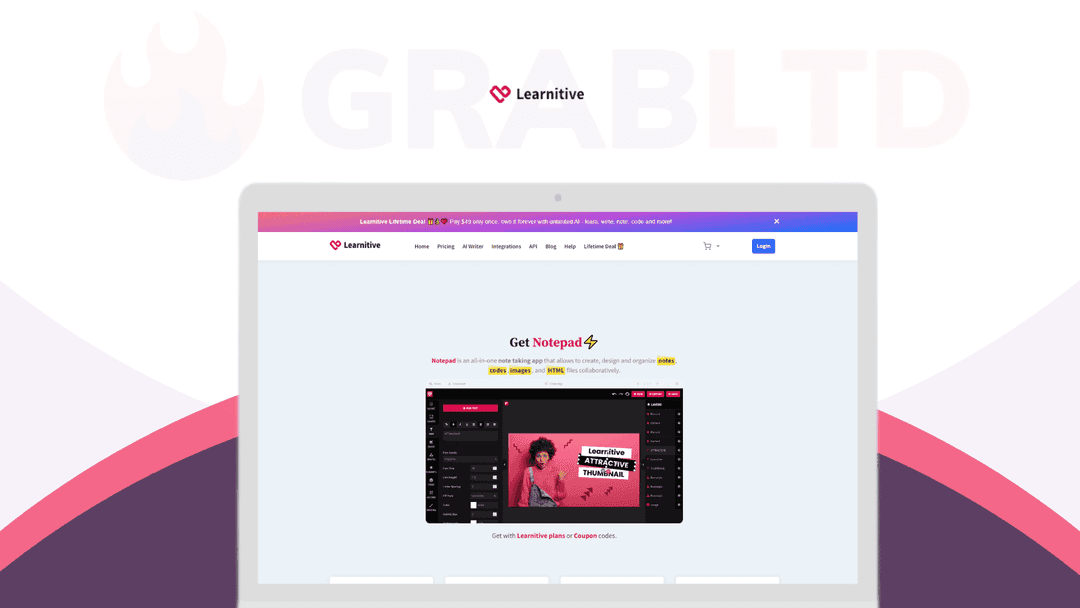
Notepad is your go-to app for all your note-taking and creative needs
Which Notepad plan do you need?
Prices in USD, excluding tax.
| Plan A | Plan B | |
|---|---|---|
| Includes | All features above included; Unlimited notes; Unlimited codes; Unlimited photos; Unlimited webs; Unlimited AI assists; Workspace and Collaboration; 50 GB cloud storage; One click export | All features above included; Unlimited notes; Unlimited codes; Unlimited photos; Unlimited webs; Unlimited AI assists; Workspace and Collaboration; 100 GB cloud storage; One click export |
What is Notepad?
If you’re the type of person who likes to have all your notes, codes, images, and PDFs organized in one place, then Notepad is the perfect tool for you.
Imagine being able to switch seamlessly between writing markdown notes, coding in an IDE, editing photos and editing PDFs all in one place. Notepad is your go-to app for all your note-taking and creative needs. And with the added bonus of AI features, your productivity is sure to skyrocket.
Make your notes more than just text – make them come alive with Notepad!
# Notes
Take notes in Markdown format, with AI assistance.
Notepad Editor is an excellent markdown-based text editor. Its visual markdown syntax allows you to easily format your notes. You can write code snippets with syntax highlighting within your notes. You may also use tags to organize notes and save files to separate locations. You can share your notes and folders.
It includes a real-time preview, simulating a seamless output experience. Notepad also includes a simple highlight search tool, making it quick to search for notes.
If you already have notes in Markdown format, you may easily import them using drag and drop. You may also export all of your notes to Markdown or PDF format.
To begin using Notepad Editor, create a file with extensions such as.md or.txt (or, by default, no extensions). It is powered on the widely used open-source markdown editor TUI Editor.
# Codes
Notepad IDE: Write, save, and execute code in over 50 programming languages.
Notepad IDE allows you to write, save, and execute code in over 50 programming languages. It is based on Judge0, a powerful, scalable, and open-source online code execution system. It’s ideal for anyone who wants to quickly write and run code without having to launch a full-featured IDE on their PC.
Furthermore, it can be used for teaching and learning, as well as simply experimenting with a new language.
To get started, create a file with any known coding extension, such as.cpp,.py, or.sh.
# Photos
Notepad Photo Editor allows you to create, save, and export attractive graphics.
Notepad Photo Editor is an amazing online image editor with so many beautiful features:
- crop, rotate, or resize images in a few clicks, - apply simple image filters to create beautiful effects - ready-to-use photo frames - texts to the canvas customizable using a rich set of text settings - tons of ready-to-use SVG files, templates, elements, frames, and icons.
Paint anything as notes with free sketching brushes. It is based on an open-source tool called FabricJS.
To begin working with Notepad Photo Editor, create a file with an extension such as.png or.jpg.
# Web
Notepad Visual Web Builder lets you create, save, and export landing pages on the fly.
Notepad Visual Web Builder is a sophisticated HTML email and page builder tool that makes it simple and quick to create stunning, mobile-responsive emails or landing pages for your business.
It allows you to generate and export single-page webs in a.zip file that includes all resources.
To launch the Visual Web Builder, create a file with the.html extension.
# HTML Debugger
Notepad HTML Debugger is a Codepen-style tool for testing HTML, CSS, and JavaScript code snippets.
The Notepad HTML Debugger is an effective tool for testing HTML, CSS, and JavaScript code snippets. Create a code snippet (called “pen”) and test it using Codepen! It is useful for both front-end designers and developers. You can create and deploy website codes, test cases for investigation and debugging, and share your work.
To use the Notepad HTML editor, create a file with the extension.htm.
There are numerous other features available, like project workspaces, sharing and collaboration, tagging, favorites, and more tools to come.
Notepad is compatible with Mac computers, Windows PCs, and mobile devices. Notepad can also be installed as a browser-based software on your devices by using the add to Home Screen option.
Video review
We have not reviewed Notepad on video yet.
Get notifiedBuyer reviews
No reviews yet. Bought Notepad? Add it to your workspace and share what it replaced.
Add to your workspaceNotepad questions
Is this Notepad lifetime deal still available?
No. This deal is archived and no longer available for purchase through GrabLTD. Learnitive Notepad is still an active product at notepad.learnitive.com with free and premium subscription tiers.
What is Learnitive Notepad exactly?
Notepad by Learnitive is an all-in-one productivity app combining a Markdown note editor, a code IDE supporting 50+ programming languages, a photo editor, a visual web builder, an HTML debugger, and a PDF editor — all in a single browser-based or desktop application.
Can Notepad run code inside the app?
Yes. The built-in IDE lets you write, save, and execute code in over 50 programming languages without leaving the app. This makes it useful for developers who want a lightweight scratchpad alongside their notes.
Does Notepad work on mobile and desktop?
Yes. Notepad is available for Mac, Windows, and mobile devices, and can also run as a browser-based progressive web app.
What note formats does Notepad support?
Notepad uses Markdown as its primary format, with real-time preview and syntax highlighting. You can import notes in Markdown and export notes to Markdown or PDF.
What are the best alternatives to Learnitive Notepad?
For multi-format note-taking with code support, strong alternatives include Notion (free tier, subscription from $8/month), Obsidian (free local, $8/month sync), Craft, and Bear. For code-focused environments, VS Code with the Foam extension is a popular free option.
Is there still a free version of Notepad available?
Yes. Learnitive Notepad offers a free tier with 1MB storage. A premium subscription unlocks unlimited access and higher AI word limits.
What AI features does Notepad include?
Notepad integrates with the Learnitive AI platform for AI-assisted writing. The lifetime deal included AI writing features, though the specific capabilities evolve with the Learnitive platform's ongoing development.
Often compared with
These are other tools in the same space, not deals on GrabLTD.
- Notion
- Obsidian
- Craft
- Bear
- Capacities