

Productivity · Lifetime deal
OpenWorksheet Entire Library Access
Ready-made Excel templates for business, client, and personal work
OpenWorksheet Entire Library Access at a glance
- Platform
- Web, Windows, macOS, Microsoft Excel 2016 or later, Excel for the web, Google Sheets, Chrome, Edge, Safari, Firefox
Which OpenWorksheet Entire Library Access plan do you need?
Prices in USD, excluding tax.
| Lifetime | |
|---|---|
| One-time price | $39 |
What is OpenWorksheet Entire Library Access?
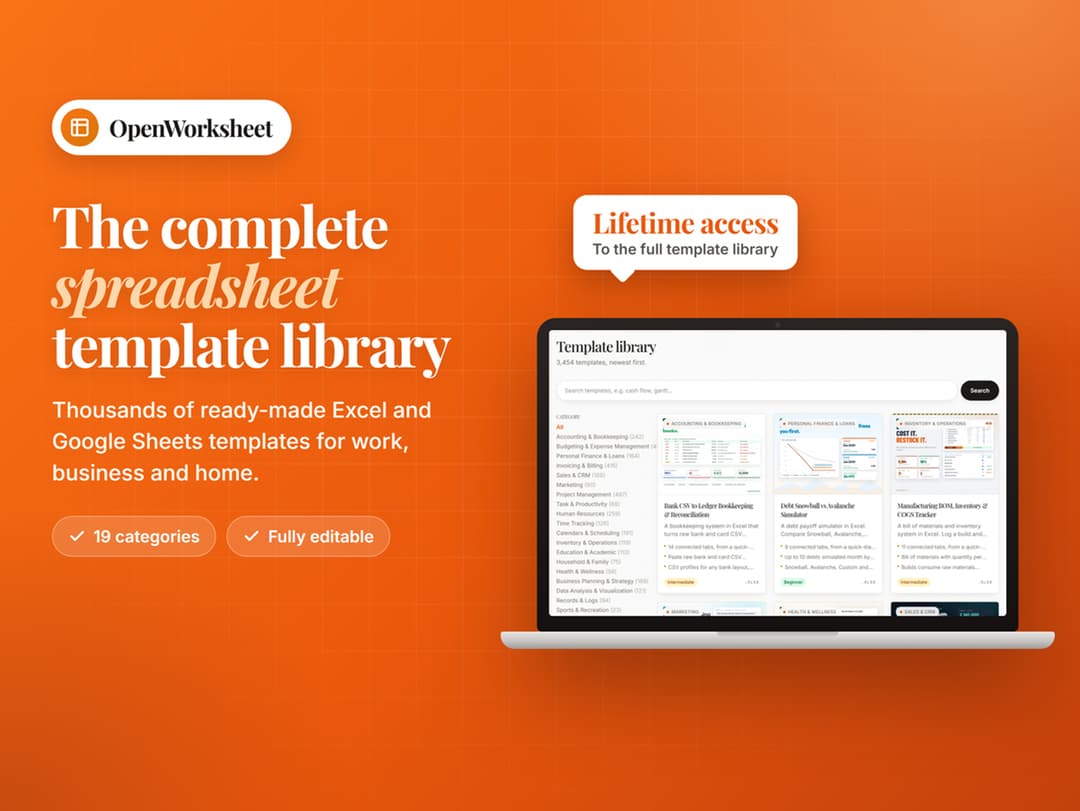
OpenWorksheet provides a browser-based library of ready-made Excel templates for budgets, invoices, project plans, and routine business work. Templates can include dashboards, charts, protected formulas, and business systems. Files download as standard .xlsx documents for Excel or Google Sheets and may be used for personal, business, and client work.
What OpenWorksheet Entire Library Access says it does
- The library includes 3,454 ready-made Excel templates across 19 categories. (OpenWorksheet Entire Library Access's figure)
- Users can download up to 20 templates per calendar month, and the allowance resets on the first. (OpenWorksheet Entire Library Access's figure)
- Redownloading the same file within that month does not count against the allowance again.
- Account access remains active while OpenWorksheet operates, with new templates added over time.
- Every template can be previewed before downloading.
- Premium workbooks include dashboards and charts that summarize data without requiring formulas to be written.
- Formula cells are guarded against accidental edits and can be unprotected without a password.
- Premium files contain no macro code.
- Standard .xlsx files open in Microsoft Excel 2016 or later, Excel for the web, or Google Sheets. (OpenWorksheet Entire Library Access's figure)
- Google Sheets imports do not retain premium workbook sheet protection.
- One account can sign in on unlimited personal devices. (OpenWorksheet Entire Library Access's figure)
- Each account can redeem one code, and each code can be redeemed once. (OpenWorksheet Entire Library Access's figure)
Why OpenWorksheet Entire Library Access
The library helps users avoid starting routine planning and recordkeeping tasks from a blank sheet. It provides formatted files for finance, sales, project, HR, inventory, education, and health tasks, with editable files for personal, business, and client work.
How does OpenWorksheet Entire Library Access work?
Redeem access
Redeem the code with a confirmed email address, then sign in through a supported browser.
Browse and preview
Browse the library and preview any template before using a download.
Download files
Download up to 20 templates per calendar month; the allowance resets on the first.
Open in a spreadsheet app
Open standard .xlsx files in Excel 2016 or later, Excel for the web, or Google Sheets.
Customize and use
Remove protection from premium sheets without a password and adapt files for personal, business, or client work.
Then it handles:
- Build budgets and financial plans
- Prepare invoices and sales trackers
- Manage projects and work plans
- Run HR, payroll, and KPI systems
- Reconcile bank statements and bookkeeping records
- Build dashboards and charts from workbook data
- Model debt payoff plans
Who is OpenWorksheet Entire Library Access for?
Built for
- People who need ready-made Excel files for planning and recordkeeping
- Business users managing sales, HR, payroll, inventory, or accounts
- Professionals who need workbooks for client projects
- Excel and Google Sheets users working across personal devices
Not for
- People seeking unlimited downloads; the limit is 20 templates per calendar month.
- Google Sheets users who depend on premium workbook sheet protection.
- Users who intend to resell, redistribute, or bundle templates.
- Users who require opening files in Excel versions earlier than 2016.
What is included in OpenWorksheet Entire Library Access?
Template coverage
- Library size 3,454 ready-made templates across 19 categories
- Business coverage Budgets, invoices, CRM, payroll, projects, inventory, and more
- Specialized templates Debt payoff simulator and bank reconciliation system included
Downloads and account access
- Monthly allowance 20 templates per calendar month; allowance resets on the first
- Repeat downloads Already-downloaded files can be fetched again without another download
- Account duration Account remains active while OpenWorksheet operates
- Updates New templates are added over time
Workbook features
- Dashboards Built-in dashboards summarize workbook numbers
- Charts Charts provide visual summaries without writing formulas
- Formula protection Cells guard against accidental edits and can be unprotected
- Macro-free files Premium workbooks contain no macro code
File compatibility
- Standard files Every download uses the standard .xlsx format
- Microsoft Excel Opens in Excel 2016 or later on Windows or Mac
- Google Sheets Imports into Google Sheets, without premium sheet protection
- Browser access Library runs in Chrome, Edge, Safari, or Firefox
- Personal devices Sign in on personal computers, phones, and tablets
Previewing and permitted use
- Free previews Every template can be viewed before downloading
- Editable files Downloaded files remain yours to edit and use
- Use cases Personal, business, and client work are covered
- Redistribution Reselling, redistributing, or bundling templates is excluded
Video review
We have not reviewed OpenWorksheet Entire Library Access on video yet.
Get notifiedBuyer reviews
No reviews yet. Bought OpenWorksheet Entire Library Access? Add it to your workspace and share what it replaced.
Add to your workspaceOpenWorksheet Entire Library Access questions
What does OpenWorksheet Entire Library Access include?
It includes 3,454 ready-made Excel templates across 19 categories, including budgets, bookkeeping, invoicing, project management, HR, sales, marketing, inventory, education, and health. Premium workbooks may include dashboards, charts, CRM tools, payroll systems, and protected formulas.
Who can use the templates?
The templates can be used for personal work, business work, and client projects. Reselling, redistributing, or bundling the templates into another template library is not allowed.
What are the download limits?
You can download up to 20 templates per calendar month (UTC). The allowance resets on the 1st, and downloading the same file again during that month does not use another download. Unlimited downloads are not included.
Which software and devices are supported?
Templates are standard .xlsx files for Excel 2016 or later on Windows or Mac, Excel for the web, or Google Sheets. The library works in modern browsers on computers, phones, and tablets, although editing is best on a computer. Google Sheets does not retain premium workbook sheet protection.
How do I redeem the purchase, and what happens afterward?
A confirmed email address is required. Each activation code can be used once, does not expire, and is non-transferable. The account receives lifetime access while OpenWorksheet operates, including updates and new templates. Downloaded files remain yours to edit and use even if the service closes.
What does the Lifetime plan cost, and what if I have a monthly subscription?
The Lifetime plan costs $39. Existing subscribers can redeem immediately, but redeeming does not cancel a monthly subscription; it must be canceled separately from the account page.