

AI Tools · Lifetime deal
PresEngage
Your deck becomes a co-presenter that takes questions during the talk, in 100+ languages, and shows which slide each answer came from. Whatever it cannot answer lands in your inbox instead of being made up on the spot.
Which PresEngage plan do you need?
Prices in USD, excluding tax.
| Lifetime deal | |
|---|---|
| One-time price | $69 |
| Regular price (AppSumo) | |
| You save | $291 |
What is PresEngage?
PresEngage turns your slide deck into an AI co-presenter that answers audience questions while you talk. Upload the presentation as a PDF, and attendees can ask it anything from their own browser, in their own language, with each answer pointing back to the slide it came from.
What PresEngage actually does
It sits next to your live session as a second presenter that has read every slide, including the charts and tables.
- Build an AI co-presenter from a presentation uploaded as a PDF - Read charts, diagrams and pricing tables visually, not only the text - Set the AI's personality and answering style - Run a private Test Q&A before you go live - Let attendees join from any browser by direct link or from the Zoom and Google Meet side panels - Answer questions in 100+ languages - Cite the source slide for every answer
The features that matter
The citation behaviour is the reason to trust it in front of a room. Every answer is backed by the slides it came from, and anything your deck cannot answer is flagged for you in the Messaging Center instead of being improvised. That is the right default. An AI that guesses about your pricing in front of a prospect is worse than no AI at all.
The Test Q&A is the feature most presenters will underuse. You can question your own co-presenter privately before the session and find the gaps while you can still fix the deck. Spend ten minutes there and the live session gets noticeably calmer.
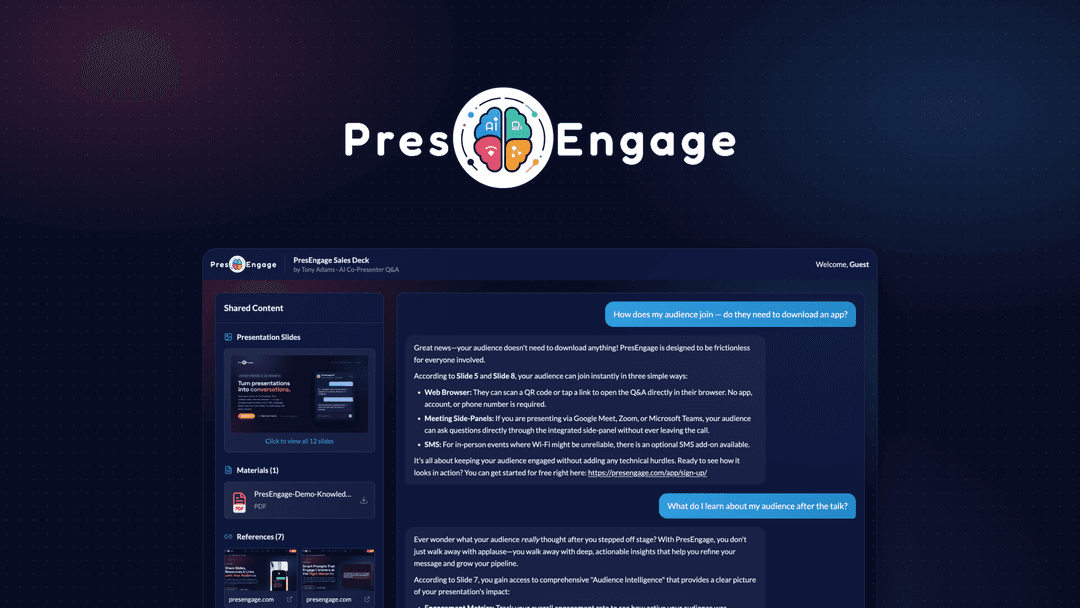
On the audience side, nobody has to install anything or make an account. People join by link or from the Zoom and Google Meet side panels, and they can ask privately, which matters for the attendee who would never raise a hand on a call with eighty people. If a quiet attendee has not engaged after a set time, a custom smart prompt can nudge them toward a first question.
Afterwards you get the part sales teams will care about. Every attendee who joins is collected as a contact, along with a record of what they asked. You can track key themes, top questions and audience sentiment per presentation, add calls to action like booking a demo, and push the results to your CRM, Slack or marketing tools through Zapier or your own API key. You can also put your logo, name and colours on everything the audience sees.
How it fits in your stack
PresEngage does not replace Zoom or Google Meet. It runs alongside them, so you keep the meeting tool you already pay for and add a Q&A layer that knows your material.
Who it's built for
The best fit is anyone who gives the same deck repeatedly: product demos, webinars, sales presentations and onboarding sessions where the same twenty questions come up every time. It is also useful for international audiences, since people can ask in their own language.
For a one-off internal update, it is probably more setup than the meeting deserves.
The deal
License Tier 1 is $69 (was $360). License Tier 2 is $139 (was $600) and adds QR code engagement, a digital wallet and a custom domain. If you present to in-person rooms, the QR code option in Tier 2 is the one to weigh.
Video review
We have not reviewed PresEngage on video yet.
Get notifiedBuyer reviews
No reviews yet. Bought PresEngage? Add it to your workspace and share what it replaced.
Add to your workspace