

Sales & CRM · Lifetime deal
Sheetify CRM
A spreadsheet-based CRM for managing deals, tasks, and Gmail outreach.
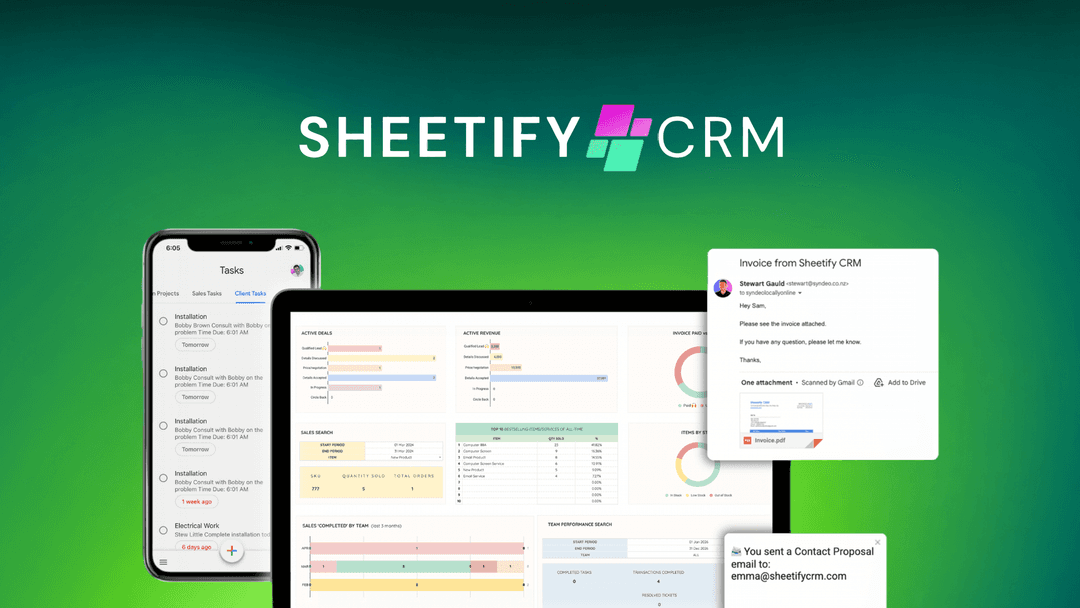
Sheetify CRM at a glance
- Platform
- Google Sheets, Gmail
Which Sheetify CRM plan do you need?
Prices in USD, excluding tax.
| License Tier 1 | License Tier 2 | |
|---|---|---|
| One-time price | $39 | $99 |
| Regular price (AppSumo) | ||
| You save | $61 | $181 |
| Includes | Contact/lead mgmt.; Visual multi-sales pipeline; Built-in Gmail marketing; Task tracking; Inventory management; Email notifications; Performance dashboard; Auto import email contacts; Instant messaging & calls | Contact/lead mgmt.; Visual multi-sales pipeline; Built-in Gmail marketing; Task tracking; Inventory management; Email notifications; Performance dashboard; Auto import email contacts; Instant messaging & calls; Income & expense tracking; Invoice & quote generator; AI receipt scanner app; Automatic tax calculations; 8 financial dashboards; Balance sheet; Profit & loss statement; Accounting task tracker; Automated reporting; Project & task tracking; Gantt, calendarm & kanban views; Team email notifications; Google apps integration; Team interactions; Team email updates |
What is Sheetify CRM?
Sheetify CRM turns Google Sheets into a customer relationship management workspace. It stores contacts and leads, runs deals through a visual pipeline, tracks tasks and inventory, and sends bulk email campaigns from your own Gmail account. All of it lives inside a spreadsheet you already know how to use.
What Sheetify CRM says it does
- Manage contacts, leads, and multiple deals per lead in a visual sales pipeline built right into Google Sheets
- Send personalized bulk email campaigns from your own Gmail account using ready-made templates and merge fields
- Store contacts and leads with type, source, and date added so nobody slips through the cracks
- Move deals through a visual, multi-stage sales pipeline to know which one needs attention next
- Watch key sales metrics refresh on their own in a built-in performance dashboard
- Import contacts straight from Gmail in a few clicks, no manual data entry
Why Sheetify CRM
Most CRMs come with a learning curve and a monthly bill that grows with each new user. Many small teams already keep customer lists in Google Sheets but want more than a static grid. Sheetify CRM adds pipeline tracking, task management, and email campaigns directly to that spreadsheet, so teams can keep using a familiar tool while running their sales process.
How does Sheetify CRM work?
Set up contacts and leads
Store contacts and leads with type, source, and date added inside your Google Sheet.
Move deals through the pipeline
Track deals across a multi-stage visual pipeline to see which one needs attention next.
Log tasks and inventory
Record client tasks with owners, priorities, and due dates, and tie deals to inventory items.
Send Gmail campaigns
Launch personalized bulk emails from your own Gmail account using templates and merge fields.
Review the dashboard
Check total deals, value, won versus lost, and customer lifetime value on a built-in dashboard.
Then it handles:
- Contact and lead management
- Visual multi-stage sales pipeline
- Task and support ticket tracking
- Inventory tied to deals
- Bulk email campaigns from Gmail
- Sales performance reporting
- Built-in calls and instant messaging
Who is Sheetify CRM for?
Built for
- Small teams already using Google Sheets
- Sales teams that want pipeline tracking in a familiar spreadsheet
- Businesses sending bulk Gmail outreach
- Teams that want CRM and task tracking in one place
- Users who prefer a one-time purchase over per-seat CRM fees
Not for
- Teams not using Google Sheets or Google Workspace
- Organizations without a Gmail account for sending campaigns
- Users needing a CRM that runs outside the Google Sheets environment
What is included in Sheetify CRM?
Pipeline and contacts
- Contact and lead storage Type, source, and date added for every record
- Visual multi-stage pipeline Move deals across stages to see priority
- Inventory tied to deals See what each lead is buying
- Built-in calls and messaging Reach contacts without switching apps
Tasks and support
- Task tracker Owners, priorities, and due dates in one place
- Color-coded status Spot overdue tasks at a glance
- Email notifications Automatic alerts on task status changes
- Support tickets Handle requests inside the CRM
Revenue and reporting
- Stage metrics Total deals, value, and average deal size
- Won versus lost comparison Side-by-side view of closed deals
- Customer lifetime value Focus on relationships that pay off
- Performance dashboard Key sales metrics refresh automatically
Gmail campaigns
- Bulk email from Gmail Personalized campaigns from your own account
- Ready-made templates Proposals, follow-ups, discovery calls, invites
- Merge fields Names and companies for one-to-one feel
- Gmail contact import Pull contacts in without manual entry
Video review
We have not reviewed Sheetify CRM on video yet.
Get notifiedBuyer reviews
No reviews yet. Bought Sheetify CRM? Add it to your workspace and share what it replaced.
Add to your workspaceSheetify CRM questions
What does Sheetify CRM do?
Sheetify CRM is a CRM built inside Google Sheets. It manages contacts, leads, multi-stage sales pipelines, inventory-linked deals, calls, instant messaging, tasks, support tickets, performance dashboards, and bulk email campaigns. Campaigns run through the connected Gmail account using ready-made templates and merge fields, and Gmail contacts can be imported automatically.
Who is Sheetify CRM for?
Sheetify CRM is for users who manage customer relationships, sales pipelines, inventory, client work, and email outreach through Google Sheets and Gmail. It suits workflows that need contact and deal tracking, task management, built-in calls and messaging, Gmail marketing, and sales reporting in one spreadsheet-based system.
What is included in each license tier, and what do they cost?
License Tier 1 is $39 (regular $100) and includes contact and lead management, a visual sales pipeline, Gmail marketing, task tracking, inventory management, notifications, a performance dashboard, Gmail contact import, calls, and instant messaging. License Tier 2 is $99 (regular $280) and adds bookkeeping, invoicing, tax, financial reporting, AI receipt scanning, and project-management features.
What happens after purchase?
The purchase includes lifetime access to Sheetify CRM. The license must be activated within 60 days. An upgrade can be made while the deal is live, while a downgrade can only be made within 60 days of purchase. If the linked plan name changes, the license transfers automatically to the new plan with all updates.
Are future updates included, and could there be an extra charge?
Lifetime access includes all future Sheetify CRM (Tier 1), Sheetify CRM, Sheetify Bookkeeping, and Sheetify Project (Tier 2) plan updates. Access to future AI models may be provided at a discounted rate or may require an add-on. No add-on price is specified in the listing.