

Marketing · Lifetime deal
Swiftpasswords
Offline Windows password manager with an AES-256 local vault and no subscription.
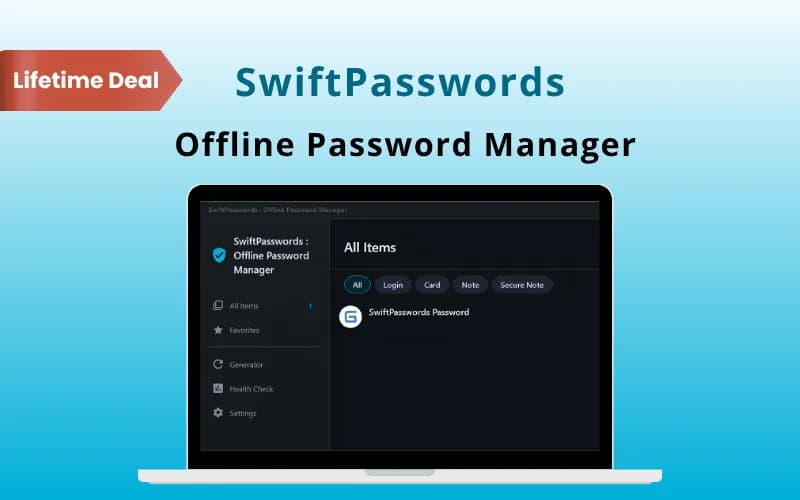
Swiftpasswords at a glance
- Platform
- Windows
- Redeem
- Access comes through a coupon code valid for 30 days.
- Upgrades
- Codes cannot be stacked. One code per user or account, new users only. Free upgrades and updates are listed.
- Support
- Free support by email and chat.
- Updates
- Free upgrades
Our take
Is Swiftpasswords worth buying?
Based on the DealFuel listing, this is an offline Windows password manager on a 2-PC personal license. It suits people who want a local vault and no subscription. There is no sync and no mobile app, and the vendor has no official site on the page.
Good fit if
- You use Windows and want your vault offline.
- You dislike subscriptions for password managers.
- You are fine managing your own backups.
Skip it if
- You need sync across phone and PC.
- You use Mac or Linux.
Which Swiftpasswords plan do you need?
Prices in USD, excluding tax.
| Lifetime deal | |
|---|---|
| One-time price | $17 |
| Regular price (DealFuel) | |
| You save | $52 |
| PCs | 2 (personal license) |
| Platform | Windows 10 and 11 |
| Cloud sync | None, local vault |
| Updates | Free upgrades |
Before you buy: DealFuel's terms and extra costs
- Refund. DealFuel lists a 30-day refund.
- Redeem. Access comes through a coupon code valid for 30 days.
- Upgrades. Codes cannot be stacked. One code per user or account, new users only. Free upgrades and updates are listed.
- Support. Free support by email and chat.
- Platform. Windows 10 and 11 only. Personal license for 2 PCs.
What is Swiftpasswords?
SwiftPasswords is an offline password manager for Windows. The vault stays on your PC with AES-256 encryption, with no account and no cloud sync. It has fuzzy search, global hotkeys, a password and passphrase generator and import from CSV or JSON. The DealFuel deal is a personal license for 2 PCs.
What Swiftpasswords says it does
- Fully offline local vault with no account or subscription
- AES-256 encryption with an optional self-destruct mode (Swiftpasswords's figure)
- Instant fuzzy search and global hotkeys
- Listed as verified malware-free (Swiftpasswords's figure)
Why Swiftpasswords
Cloud password managers charge yearly and store your vault online. SwiftPasswords keeps everything on your machine. The trade-off is no sync between devices, and it runs on Windows only, so you handle your own backups.
How does Swiftpasswords work?
Redeem your code
Buy on DealFuel and use the coupon code within 30 days.
Download and install
Install the app on a Windows 10 or 11 PC.
Import logins
Bring in a CSV or JSON file or add entries by hand.
Search by hotkey
Use the global hotkey to find a login fast.
Generate passwords
Create passwords or passphrases when you sign up.
Then it handles:
- Storing logins locally
- Fuzzy search and hotkey access
- Password and passphrase generation
- Importing from CSV or JSON
- Bulk tag, move and delete
- Clipboard and screenshot protection
Who is Swiftpasswords for?
Built for
- Windows users who want an offline vault
- People who avoid cloud password storage
- Buyers who want no subscription
Not for
- Anyone who needs sync between phone and computer
- Mac, Linux or mobile users
What is included in Swiftpasswords?
Vault and search
- Local encrypted vault AES-256
- Fuzzy search
- Global hotkeys
- Recent and most-used lists
Protection and tools
- Clipboard obfuscation
- Screenshot protection
- Activity timeline and undo
- Password generator passwords and passphrases
Video review
We have not reviewed Swiftpasswords on video yet.
Get notifiedBuyer reviews
No reviews yet. Bought Swiftpasswords? Add it to your workspace and share what it replaced.
Add to your workspaceSwiftpasswords questions
What is SwiftPasswords?
An offline password manager for Windows that keeps an AES-256 encrypted vault on your PC.
Does it sync to the cloud?
No. The vault is local, with no account or cloud sync.
How many PCs can I use it on?
The personal license covers 2 PCs.
Can I stack codes?
No. The page says codes cannot be stacked.
What is the refund policy?
DealFuel lists a 30-day refund.
Does it work on Mac?
No. The page lists Windows desktops and laptops only.
Often compared with
These are other tools in the same space, not deals on GrabLTD.
- KeePass
- Bitwarden
- 1Password
- RoboForm
- NordPass
Sources
Checked . Prices and terms on this page come from: