

Productivity · Lifetime deal
Taskeniya
Manage projects, tasks, and team work in one place
Which Taskeniya plan do you need?
Prices in USD, excluding tax.
| Tier 1 | |
|---|---|
| One-time price | $57 |
| Regular price (DealMirror) | |
| You save | $90 |
| Includes | 50 Members; 50 Projects; 500 MB Storage; Calendar View; Timeline / Gantt View; Workload View; Sprints & Backlog; Epics; WIP Limits; Time Tracking; Task Dependencies; Recurring Tasks; Task Templates; Project Docs; Discussions; Project Activity Log; Advanced Permissions; Custom Statuses & Attributes; Custom Workflow Transitions; Saved Filters; Reports & Analytics; Data Export (CSV) |
What is Taskeniya?
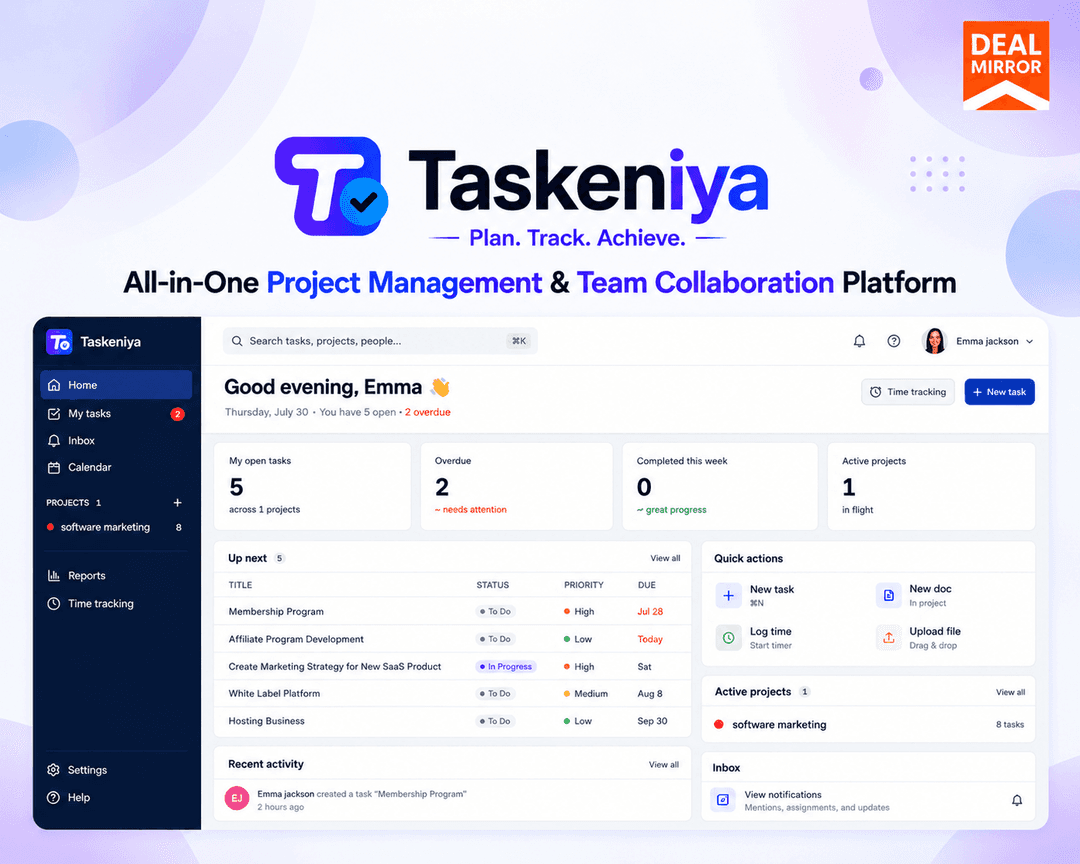
Taskeniya is a project and task management workspace for teams. It brings task organization, sprint planning, time tracking, and team collaboration into one place. Teams can choose from five project views, set custom workflows, and track work progress without switching between multiple tools.
What Taskeniya says it does
- Brings project and task management into one workspace.
- Includes five built-in project views: Kanban, Table, Calendar, Timeline/Gantt, and Workload.
- Built-in time tracking compares estimated and actual time on tasks.
- Offers global search, a command palette, and 30+ keyboard shortcuts. (Taskeniya's figure)
Why Taskeniya
Tasks often get scattered across different tools, deadlines slip, and team members lose sight of what needs attention next. When planning, communication, and time tracking happen in separate places, even straightforward projects become harder to manage. Taskeniya keeps projects, tasks, time, and team discussion in one shared workspace.
How does Taskeniya work?
Set up your workspace
Create your workspace and invite the team members who need access.
Create a project
Name your project, configure settings, and choose statuses and priorities that fit your workflow.
Add and organize tasks
Create tasks, assign owners, set deadlines, add subtasks, and connect dependencies where needed.
Choose your preferred view
Use Kanban, table, calendar, timeline, or workload view to understand your team's work.
Collaborate and review progress
Share updates, discuss tasks, attach files, log time, and review progress with project reports and sprint charts.
Then it handles:
- Project and task management
- Agile sprint planning
- Time tracking and timesheets
- Custom workflows and permissions
- Team collaboration and discussions
- Reporting and project analytics
- Recurring tasks and reusable templates
Who is Taskeniya for?
Built for
- Software development and agile teams
- Marketing and content planning teams
- Agencies managing client projects
- Startups and product management teams
- Freelancers and consultants
Not for
- Teams needing more than 50 members in a workspace
- Teams needing more than 50 projects
- Teams needing more than 500 MB of storage
What is included in Taskeniya?
Project Views
- Kanban Board Visualize tasks across columns and track progress.
- Table View Sort and manage tasks in a structured list.
- Calendar View See tasks and deadlines on a calendar layout.
- Timeline / Gantt View Plan schedules and understand task dependencies.
- Workload View Review task assignments and team capacity.
Agile Planning
- Sprints & Backlog Organize backlogs and plan upcoming sprints.
- Epics Group related tasks under larger initiatives.
- Story Points Estimate effort and track sprint progress.
- WIP Limits Limit work in progress to keep teams focused.
Time Tracking & Reporting
- Time Tracking Log hours and compare estimates to actual time.
- Sprint Reports Monitor sprint performance and completion trends.
- Project Analytics Track overdue work, workloads, and progress.
- CSV Export Export task data for spreadsheet analysis.
Workflow & Customization
- Custom Workflows Configure statuses, transitions, and permissions.
- Task Dependencies Connect tasks and track blockers.
- Reusable Templates Save templates with subtasks and custom fields.
- Recurring Tasks Automate routine activities on a schedule.
- Custom Permissions Manage workspace roles and project access.
Collaboration
- Threaded Comments Discuss tasks with comments and @mentions.
- File Attachments Keep documents and files alongside tasks.
- Project Discussions Talk through project topics in one place.
- Notifications Stay updated on task and project changes.
Video review
We have not reviewed Taskeniya on video yet.
Get notifiedBuyer reviews
No reviews yet. Bought Taskeniya? Add it to your workspace and share what it replaced.
Add to your workspaceTaskeniya questions
What is Taskeniya and what does it do?
Taskeniya is a project and task management workspace for organizing work, assigning responsibilities, tracking progress, and logging time. It provides Kanban, Table, Calendar, Timeline/Gantt, and Workload views, along with sprint planning, dependencies, subtasks, custom workflows, collaboration, reports, search, project documents, and CSV export.
Who is Taskeniya designed for?
It is designed for software development and agile teams, marketing and content teams, agencies, startups, freelancers, consultants, and internal operations teams. Typical uses include managing product backlogs, campaigns, client deliverables, product launches, recurring business work, deadlines, team workloads, and project time reporting.
What does the Tier 1 plan include?
Tier 1 costs 57 USD, with a regular price of 147 USD. It includes 50 members, 50 projects, and 500 MB storage. Features include Calendar, Timeline/Gantt, and Workload views, Sprints & Backlog, Epics, WIP Limits, time tracking, dependencies, recurring tasks, templates, project docs, discussions, advanced permissions, custom statuses and attributes, custom workflow transitions, and saved filters.
How long does access last, and when must I redeem?
Access lasts for the lifetime of the deal. The redemption deadline is 60 days from purchase, so the deal must be redeemed within that period.
What money-back guarantee applies?
Regular users and non-Prime members receive a 30-Day Money-Back Guarantee. DealMirror Prime members receive a 60-Day Money-Back Guarantee.