

AI Tools · Lifetime deal
Tweetback
AI reply and post drafting, monitoring and scheduling for X, using your own AI key.
Tweetback at a glance
- Platform
- Chrome, Edge, Firefox, Web
- Note
- Some automations need the browser open and logged in to X. Updates are included.
Our take
Is Tweetback worth buying?
Based on the StackSocial listing, the Starter plan is a lifetime license for one active device of an X workflow extension. You pay your own AI provider on top. It suits solo users who want drafting, monitoring and scheduling in one tool and will review every draft.
Good fit if
- You work on X for business and want drafting and monitoring in one place.
- You already have an OpenAI, Claude or Gemini key.
- You want to review and approve every AI draft.
Skip it if
- You do not want to pay a separate AI provider.
- You need more than 1 device on a single license.
Which Tweetback plan do you need?
Prices in USD, excluding tax.
| Starter | Pro | Team | |
|---|---|---|---|
| One-time price | $49.99 | $89.99 | $179.99 |
| Regular price (StackSocial) | Not stated | Not stated | |
| You save | $39.01 | ||
| Active devices | 1 | Not stated | Not stated |
| AI provider | Your own API key | Not stated | Not stated |
| Updates | Included | Not stated | Not stated |
Before you buy: StackSocial's terms and extra costs
- Refund. Unredeemed licenses can be returned for store credit within 30 days of purchase through StackSocial. Once redeemed, all sales are final.
- Redeem. Redeem within 30 days of purchase.
- AI usage cost. AI features use your own API key. Your AI provider bills usage separately.
- Platform. Browser extension and web dashboard on desktop. Chrome, Edge or Firefox, and an X account are required.
- Note. Some automations need the browser open and logged in to X. Updates are included.
What is Tweetback?
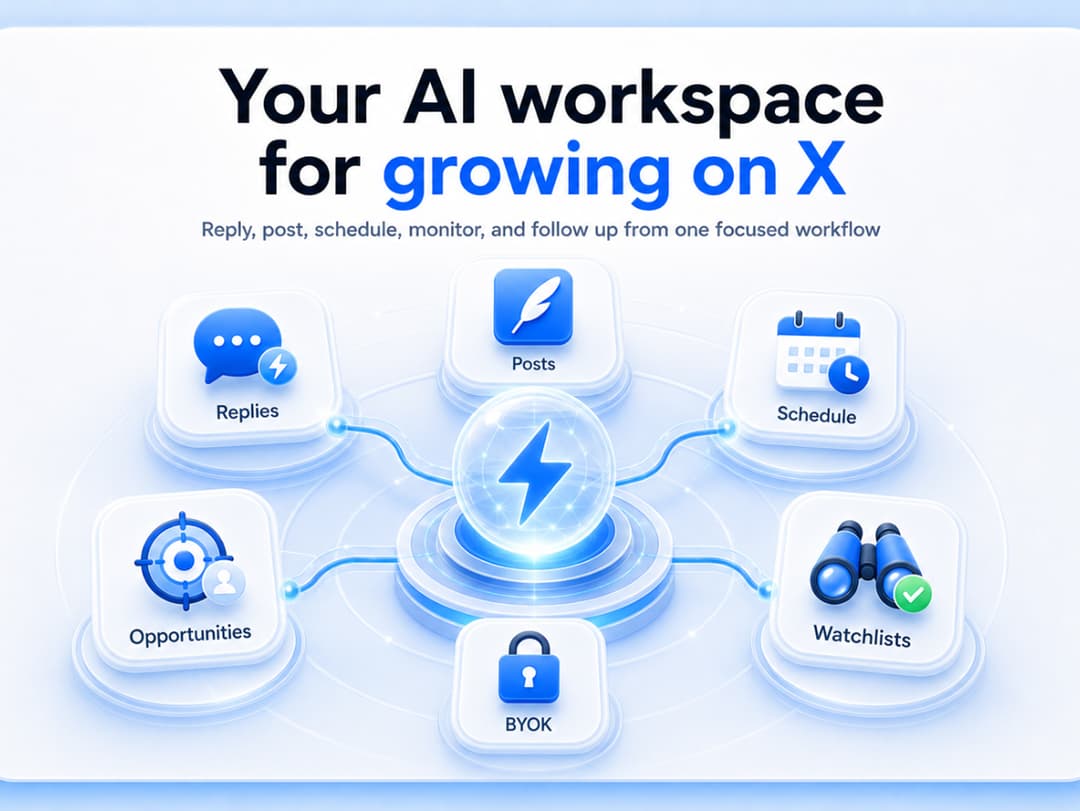
Tweetback is a browser extension and web dashboard that puts an X workflow in one place. It drafts AI replies and posts inside X, watches accounts and keywords, saves prospects to an opportunities workspace, and schedules posts from the browser. You approve every draft before it goes out. AI runs on your own API key, so provider costs are separate. This listing is the Starter plan.
What Tweetback says it does
- AI reply and post drafts inside X, with tone controls and custom writing directions
- Review-first workflow: you approve drafts before publishing
- Watchlists, keyword monitoring and an opportunities workspace for outreach
- Works with your own key from OpenAI, Claude, Gemini and other providers
Why Tweetback
People who must be active on X for business juggle a chat assistant, a spreadsheet and a scheduler. Tweetback combines drafting, monitoring and outreach next to the timeline. It needs your own AI key, so usage costs are extra, and some automations need the browser open and logged in to X.
How does Tweetback work?
Redeem the license
Buy on StackSocial and redeem within 30 days.
Install the extension
Add Tweetback to Chrome, Edge or Firefox and sign in to X.
Add your AI key
Connect your own OpenAI, Claude, Gemini or other provider key.
Draft and review
Generate replies and posts, then edit and approve each one.
Monitor and schedule
Track accounts and keywords and schedule posts from the browser.
Then it handles:
- Drafting replies inside X
- Writing original posts from ideas or links
- Watching creators, competitors and prospects
- Tracking keywords
- Saving accounts and threads for outreach
- Drafting DMs and outreach messages
- Scheduling posts from the browser
Who is Tweetback for?
Built for
- Founders finding customers through replies on X
- Agency owners posting for a few client accounts
- Creators who want drafts they can review and edit
Not for
- Mobile-only users, as it is a desktop browser tool
- Anyone who does not want to supply and pay for an AI key
- Teams of more than 1 device on the Starter plan
What is included in Tweetback?
Writing
- AI reply drafts inside X with tone presets
- Original post drafts
- Custom writing styles trained on public profiles or your samples
- Visual replies
Monitoring and outreach
- Watchlists creators, competitors and prospects
- Keyword monitoring
- Opportunities workspace
- DM and outreach drafting
Scheduling and control
- Local post scheduling from the browser
- Draft review and approval
- Content dashboard
Video review
We have not reviewed Tweetback on video yet.
Get notifiedBuyer reviews
No reviews yet. Bought Tweetback? Add it to your workspace and share what it replaced.
Add to your workspaceTweetback questions
What is Tweetback?
A browser extension and web dashboard that brings AI drafting, account and keyword monitoring, outreach and scheduling for X into one workspace.
Is AI usage included?
No. Tweetback uses your own API key from a provider such as OpenAI, Claude or Gemini, and the provider bills you separately.
Does it post for me automatically?
The listing describes a review-first workflow where you edit and approve each AI draft before it is published.
How many devices does Starter cover?
The Starter plan lists 1 active device. The StackSocial page also shows Pro and Team plans with more devices.
What is the refund policy?
Unredeemed licenses can be returned for store credit within 30 days. Once a license is redeemed, all sales are final.
Are there limits to know about?
It needs your own AI key, a desktop browser and an X account. Some automations need the browser open and logged in to X.
Often compared with
These are other tools in the same space, not deals on GrabLTD.
- Typefully
- Hypefury
- Buffer
- Tweet Hunter
- Postwise
Sources
Checked . Prices and terms on this page come from: