

Productivity · Lifetime deal
UPDF
PDF editor with OCR, conversion and annotation on Windows, Mac, iOS and Android.
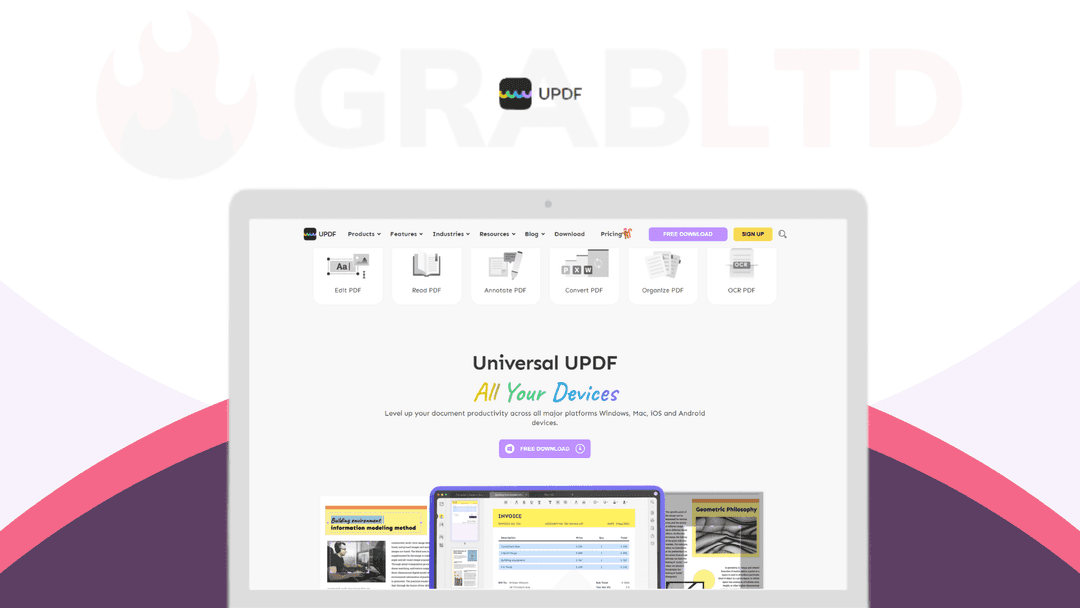
UPDF at a glance
- Platform
- Windows, Mac, iOS, Android
- Note
- AI features may need a separate plan or credits. Check the lifetime terms on the deal page.
Our take
Is UPDF worth buying?
Based on the vendor site and the stored listing, UPDF is a full PDF editor on desktop and mobile sold here as a lifetime license. The RocketHub page blocked fetching, so the device count and AI terms of this deal were not confirmed. Check those before buying.
Good fit if
- You edit, convert or annotate PDFs often.
- You want one editor across desktop and mobile.
- You need OCR for scanned documents.
Skip it if
- You only view PDFs.
- You need confirmed AI credits or device counts in the lifetime terms.
Which UPDF plan do you need?
Prices in USD, excluding tax.
| UPDF | |
|---|---|
| One-time price | $59.99 |
| Regular price (Dealify) | |
| You save | $50 |
| Includes | Edit text in PDF; Edit image in PDF; Edit or add links in PDF; Convert PDF to Word, Excel, PowerPoint, Images, HTML, XML, PDF/A, Text , CSV with OCR Technology; Annotate PDF with highlights, underline, strikethought, stamps, stickers, text boxes, draw on PDF; Organize PDF Pages such as delete, rearrange, rotate, extract, and replace pages; Protect PDF by adding open password or permission password; Share PDF via a link or through email; View PDF across all devices with dark mode. Support changing the background color of PDF; Each code = redeem UPDF on 4 devices (1 windows + 1 macOS + 1 iOS + 1 Android); 30-day Money Back Guarantee; You must redeem your code(s) within 60 days of purchase |
Before you buy: Dealify's terms and extra costs
- Platform. Windows, Mac, iOS and Android, per the vendor site.
- Refund. The vendor site mentions a 30-day money-back guarantee. The RocketHub terms were not verified.
- Note. AI features may need a separate plan or credits. Check the lifetime terms on the deal page.
What is UPDF?
UPDF is a PDF editor for Windows, Mac, iOS and Android. You can edit text, images and links, annotate with highlights, shapes and stamps, convert PDFs to Word, Excel, PowerPoint and images with OCR, and organize pages by deleting, reordering, rotating or extracting them. Newer versions add an AI assistant that summarizes, translates and chats with documents.
What UPDF says it does
- Edit text, images and links directly in a PDF
- Convert PDFs to Word, Excel, PowerPoint, images and more, with OCR
- OCR on scanned documents in up to 38 languages (UPDF's figure)
- One license covers desktop and mobile platforms
Why UPDF
A full PDF editor is usually a monthly subscription. UPDF offers editing, conversion, OCR and annotation in one app on several platforms. The listing here is the deal as stored, so check how many devices and which AI features the lifetime license covers.
How does UPDF work?
Redeem the license
Buy on RocketHub and follow the redemption instructions.
Install UPDF
Download the app for your platform and activate it.
Open a PDF
Edit text and images, or annotate the document.
Convert or organize
Convert to Office formats, run OCR or rearrange pages.
Then it handles:
- Editing text and images in PDFs
- Annotating with highlights and shapes
- Converting PDFs to Word, Excel and PowerPoint
- OCR on scanned documents
- Organizing and merging pages
- Compressing and protecting files
- Summarizing documents with AI
Who is UPDF for?
Built for
- Individuals and small teams who edit PDFs regularly
- People replacing a monthly PDF editor subscription
- Users who work across desktop and mobile
Not for
- Users who only need to view PDFs
- Anyone who needs clear lifetime AI terms, which the deal page could not confirm
- Linux users, as no Linux app is listed
What is included in UPDF?
Editing and annotation
- Edit text, images and links
- Annotations highlights, stamps, stickers, text boxes
- Page organization delete, rearrange, rotate, extract, replace
Conversion and OCR
- PDF conversion Word, Excel, PowerPoint, images, HTML, text
- OCR scanned documents
Protection and AI
- Passwords, redaction and signing
- AI assistant summarize, translate, chat with documents
- Compression and batch processing
Video review
We have not reviewed UPDF on video yet.
Get notifiedBuyer reviews
No reviews yet. Bought UPDF? Add it to your workspace and share what it replaced.
Add to your workspaceUPDF questions
What is UPDF?
A PDF editor for editing, annotating, converting, organizing, protecting and signing PDFs on Windows, Mac, iOS and Android.
Does it include OCR?
Yes. The stored FAQ says OCR runs on scanned documents in up to 38 languages.
Does it have AI features?
UPDF 2.0 and later include an AI assistant that can summarize, translate, explain and chat with documents. Whether it is part of this lifetime deal was not confirmed.
Which platforms does it run on?
Windows, Mac, iOS and Android, per the vendor site. AI is also available on the web.
What are the lifetime terms?
The vendor site says one payment covers 4 devices across platforms, but does not describe the lifetime license. Check the RocketHub page for the terms of this deal.
Often compared with
These are other tools in the same space, not deals on GrabLTD.
- Adobe Acrobat
- Foxit PDF Editor
- PDF Expert
- Nitro PDF
- PDFelement
Sources
Checked . Prices and terms on this page come from: