

SEO · Lifetime deal
UpDowntime
Website, server and API uptime monitoring with email alerts, status pages and webhooks.
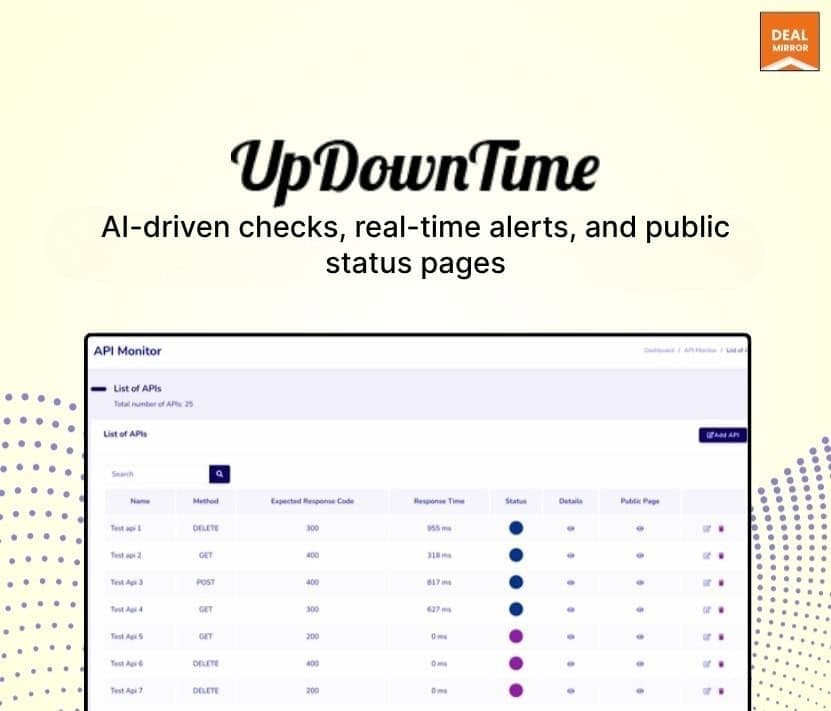
UpDowntime at a glance
- Platform
- Web
- Support
- Live chat and email, per the listing.
Our take
Is UpDowntime worth buying?
Based on the DealMirror listing, UpDownTime offers four lifetime tiers of uptime monitoring with status pages and alerts. The page mixes an unlimited monitors claim with fixed caps, and gives no retention units. Pick a tier by the monitor counts and confirm retention before buying.
Good fit if
- You want outage alerts and a public status page for your sites.
- You monitor a known number of sites, servers and APIs.
- You want Slack or PagerDuty webhooks.
Skip it if
- You need clearly stated retention periods.
- You need uptime checks from a documented set of locations, which the listing does not give.
Which UpDowntime plan do you need?
Prices in USD, excluding tax.
| License Tier 1 | License Tier 2 | License Tier 3 | License Tier 4 | |
|---|---|---|---|---|
| One-time price | $49 | $99 | $149 | $999 |
| Regular price (DealMirror) | ||||
| You save | $150 | $400 | $850 | $2,000 |
| Servers | 10 | 80 | 120 | Unlimited |
| Webpages | 10 | 80 | 120 | Unlimited |
| APIs | 10 | 80 | 120 | Unlimited |
| Data retention | 15 (unit not stated) | 30 (unit not stated) | 60 (unit not stated) | Unlimited |
Before you buy: DealMirror's terms and extra costs
- Refund. 30-day money-back guarantee for regular buyers, 60 days for DealMirror Prime members.
- Redeem. Redeem within 60 days of purchase.
- Support. Live chat and email, per the listing.
- Platform. Web based dashboard.
What is UpDowntime?
UpDownTime monitors websites, servers and API endpoints around the clock and emails you when one stops responding. It also publishes public status pages, tracks response times, and keeps incident reports and history. Slack and PagerDuty webhooks are listed. The lifetime tiers differ by how many servers, webpages and APIs you can monitor, and by data retention.
What UpDowntime says it does
- 24/7 monitoring of websites, servers and APIs
- Instant email alerts when something goes down
- Public status pages for customers
- Slack and PagerDuty webhooks
Why UpDowntime
Finding out about an outage from a customer is costly. UpDownTime watches your sites and APIs and alerts you first, and shows status publicly. The deal page says unlimited monitors in one place but lists per-tier caps elsewhere, so use the tier table.
How does UpDowntime work?
Redeem the code
Buy on DealMirror and redeem within 60 days.
Add monitors
Add the websites, servers and APIs to watch.
Set alerts
Choose email alerts and Slack or PagerDuty webhooks.
Share status
Publish a status page and review incident history.
Then it handles:
- Website uptime monitoring
- Server monitoring
- API endpoint monitoring
- Email alerts
- Public status pages
- Response-time tracking
- Incident history
Who is UpDowntime for?
Built for
- Site owners and small teams who need outage alerts
- Agencies monitoring several client sites
- Developers who want status pages and webhooks
Not for
- Teams that need clear retention units, as the page gives none
- Buyers who need the 80 or 120 monitor tiers but expect unlimited
- Anyone who cannot redeem within 60 days
What is included in UpDowntime?
Monitoring
- Website, server and API checks
- Response-time tracking real time
- Incident reports and history
Alerts and sharing
- Instant email alerts
- Public status pages
- Slack and PagerDuty webhooks
Video review
We have not reviewed UpDowntime on video yet.
Get notifiedBuyer reviews
No reviews yet. Bought UpDowntime? Add it to your workspace and share what it replaced.
Add to your workspaceUpDowntime questions
What is UpDownTime?
A monitoring service for websites, servers and API endpoints with email alerts, public status pages and response-time tracking.
How do the tiers differ?
They differ by the number of servers, webpages and APIs you can monitor and by data retention. Tier 1 lists 10 of each, Tier 2 80, Tier 3 120, and Tier 4 unlimited.
Is monitoring really unlimited?
The page says unlimited monitors in one place, but Tiers 1 to 3 list fixed caps. Only Tier 4 is listed as unlimited in the stored data.
Does it integrate with Slack?
The listing names Slack and PagerDuty webhooks.
What is the refund policy?
DealMirror lists 30 days for regular buyers and 60 days for Prime members. Redeem within 60 days.
Often compared with
These are other tools in the same space, not deals on GrabLTD.
- UptimeRobot
- Better Uptime
- Freshping
- StatusCake
- Pingdom
Sources
Checked . Prices and terms on this page come from: