

Design · Lifetime deal
VectoSolve
Convert photos and logos into files your machines can read
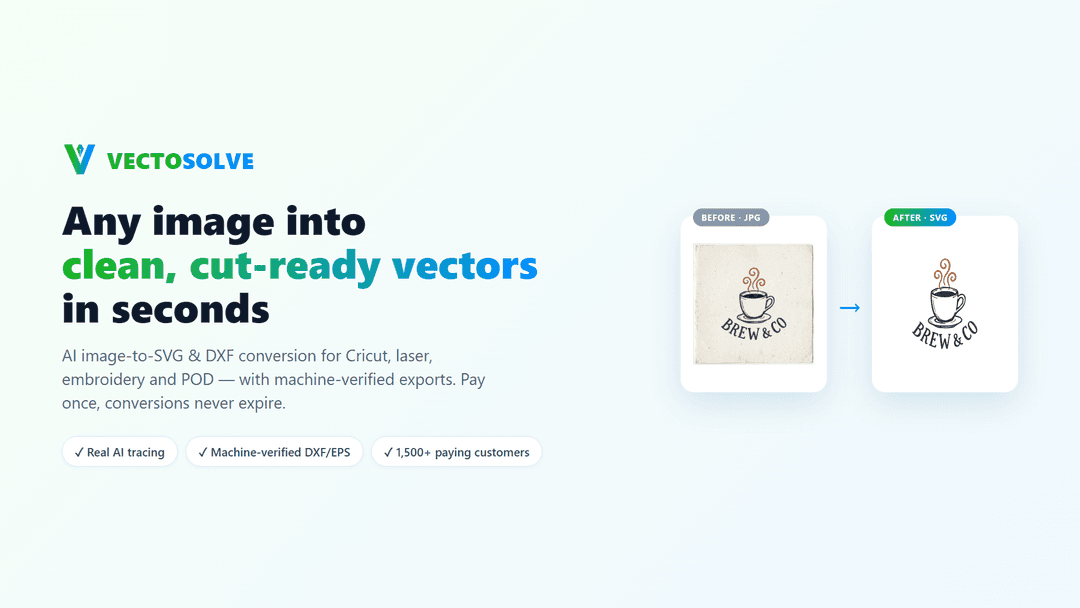
VectoSolve at a glance
- Platform
- Web, Rhino 8, Fusion 360, Inkscape, Bambu Studio, OrcaSlicer
- Note
- Lifetime access to VectoSolve.
- Upgrades
- All future plan updates are included.
- Note
- Stack up to 5 codes.
Which VectoSolve plan do you need?
Prices in USD, excluding tax.
| 1 Code | 2 Codes | 3 Codes | 4 Codes | 5 Codes | |
|---|---|---|---|---|---|
| One-time price | $29 | $58 | $87 | $116 | $145 |
| Regular price (AppSumo) | |||||
| You save | $54 | $108 | $162 | $216 | $270 |
| Includes | 300 Conversions, never expire | 600 Conversions, never expire | 900 Conversions, never expire | 1,200 Conversions, never expire | 1,500 Conversions, never expire |
Before you buy: AppSumo's terms and extra costs
- Note. Lifetime access to VectoSolve.
- Redeem. You must redeem your code(s) within 60 days of purchase.
- Upgrades. All future plan updates are included.
- Note. Stack up to 5 codes.
What is VectoSolve?
VectoSolve converts photos and logos into files for Cricut and vinyl cutters, laser and CNC machines, embroidery machines, and 3D printers. It provides machine-specific formats, previews and checks, and access through a web app, design plugins, a REST API, and an MCP server.
What VectoSolve says it does
- Turn any photo or logo into a file your Cricut, laser, CNC, embroidery machine or 3D printer reads.
- Laser and CNC output includes DXF checked against CAM import rules, G-code with V-carve depth and single-line centerline paths for engraving. (VectoSolve's figure)
- Embroidery output includes DST, PES and JEF stitch files sized to the hoop, with threads matched to Brother and Janome colors.
- Cricut output is cut-ready SVG with welded shapes and a hard color cap, with one color per vinyl sheet. (VectoSolve's figure)
- 3D output includes multicolor 3MF with one part per color and an STL per color. (VectoSolve's figure)
- Multicolor 3MF is prepared for Bambu Studio and OrcaSlicer.
- Real AI tracing, not autotrace, creates closed paths by construction so nothing leaks when cutting or filling.
- Checked DXF opens in Rhino 8 and CAM tools, and embroidery stays inside the hoop. (VectoSolve's figure)
- A preview includes background removal and upscaling for low-resolution photos.
- Plugins for Rhino 8, Fusion 360 and Inkscape draw from the same balance as the web app. (VectoSolve's figure)
- Batch conversion, a REST API and an MCP server support your own workflows.
- JPG, PNG, PDF and TIFF uploads include a commercial-use license on every file.
Why VectoSolve
It addresses the need to prepare photos and logos for different fabrication machines. VectoSolve provides machine-specific formats, closed paths from tracing, DXF import checks, embroidery hoop sizing, and background removal and upscaling for low-resolution photos.
How does VectoSolve work?
Upload a source file
Upload a JPG, PNG, PDF or TIFF photo or logo.
Preview and prepare the image
Use the preview to remove backgrounds and upscale low-resolution photos.
Choose the machine format
Create SVG, DXF, G-code, DST, PES, JEF, 3MF or STL files.
Check the output
Tracing creates closed paths; DXF is checked against import rules before download, and embroidery stays inside the hoop.
Download or automate
Download files, use plugins, convert batches, or connect a REST API or MCP server.
Then it handles:
- Convert photos and logos into machine-specific files
- Create cut-ready SVG files for Cricut and vinyl cutters
- Prepare DXF and G-code for laser and CNC machines
- Create DST, PES and JEF embroidery files
- Build multicolor 3MF and per-color STL files
- Remove backgrounds and upscale low-resolution photos
- Check paths, imports and hoop sizing before download
- Convert whole jobs in batches
Who is VectoSolve for?
Built for
- People using Cricut and vinyl cutters
- People using laser and CNC machines
- People using embroidery machines
- People using 3D printers
- Designers using Rhino 8, Fusion 360, Inkscape, or the web app
Not for
- People needing multiple colors on one vinyl sheet
- Users needing design plugins beyond Rhino 8, Fusion 360 and Inkscape
- Buyers unable to redeem a code within 60 days of purchase
What is included in VectoSolve?
Machine outputs
- Cricut and vinyl cutters Cut-ready SVG with welded shapes and a hard color cap.
- Vinyl sheet limit One color per vinyl sheet.
- Laser and CNC CAM-checked DXF, router V-carve G-code and single-line engraving paths.
- Embroidery DST, PES and JEF stitch files sized to your hoop.
- Embroidery thread colors Threads matched to Brother and Janome colors.
- 3D printing Multicolor 3MF with one part per color, plus an STL per color.
- Bambu Studio and OrcaSlicer Multicolor 3MF is prepared for Bambu Studio and OrcaSlicer.
Tracing and checks
- AI tracing Real AI tracing creates closed paths by construction for cutting or filling.
- DXF compatibility Checked DXF files open in Rhino 8 and CAM tools.
- Embroidery hoop sizing Stitch files stay inside the hoop.
- Preview and cleanup Preview conversions with background removal and upscaling for low-resolution photos.
Workflow access
- Design plugins Rhino 8, Fusion 360 and Inkscape plugins use the web app balance.
- Batch conversion Convert whole jobs in batches.
- REST API Use a REST API for your own workflows.
- MCP server Use an MCP server for your own workflows.
Uploads and licensing
- Upload formats Upload JPG, PNG, PDF and TIFF photos or logos.
- Commercial-use license Every file includes a commercial-use license.
Video review
We have not reviewed VectoSolve on video yet.
Get notifiedBuyer reviews
No reviews yet. Bought VectoSolve? Add it to your workspace and share what it replaced.
Add to your workspaceVectoSolve questions
What does VectoSolve do?
It converts photos and logos into machine-ready design files for cutting, engraving, embroidery, routing, and 3D printing. Output formats include SVG, DXF, G-code, DST, PES, JEF, multicolor 3MF, and STL.
Who is VectoSolve for?
It is for makers and designers using Cricut or vinyl cutters, laser or CNC machines, embroidery machines, and 3D printers. It also supports production workflows through batch conversion, a REST API, and an MCP server.
What files can I upload and preview?
You can upload JPG, PNG, PDF, and TIFF files. A free preview is available before payment, with background removal and upscaling for low-resolution photos. VectoSolve uses AI tracing rather than autotrace to create closed paths, and checks files before download.
Does VectoSolve work with my existing design software?
Yes. Plugins are available for Rhino 8, Fusion 360, and Inkscape, all using the same balance as the web app. Every converted file includes a commercial-use license.
What are the machine-specific limits?
For Cricut and vinyl cutters, each SVG uses one color per vinyl sheet. Embroidery files are sized to the selected hoop and matched to Brother and Janome thread colors. DXF files are checked against CAM import rules, while engraving uses single-line centerline paths.
What do I receive after purchase?
Choose 1 code for $29 (300 conversions), 2 for $58 (600), 3 for $87 (900), 4 for $116 (1,200), or 5 for $145 (1,500). Conversions never expire. Redeem codes within 60 days of purchase. The purchase includes lifetime access and all future plan updates; up to 5 codes can be stacked.
Often compared with
These are other tools in the same space, not deals on GrabLTD.
- autotrace