

Video & Audio · Lifetime deal
VidJuice UniTube
Desktop downloader for video, audio and playlists from 10,000+ sites, up to 8K.
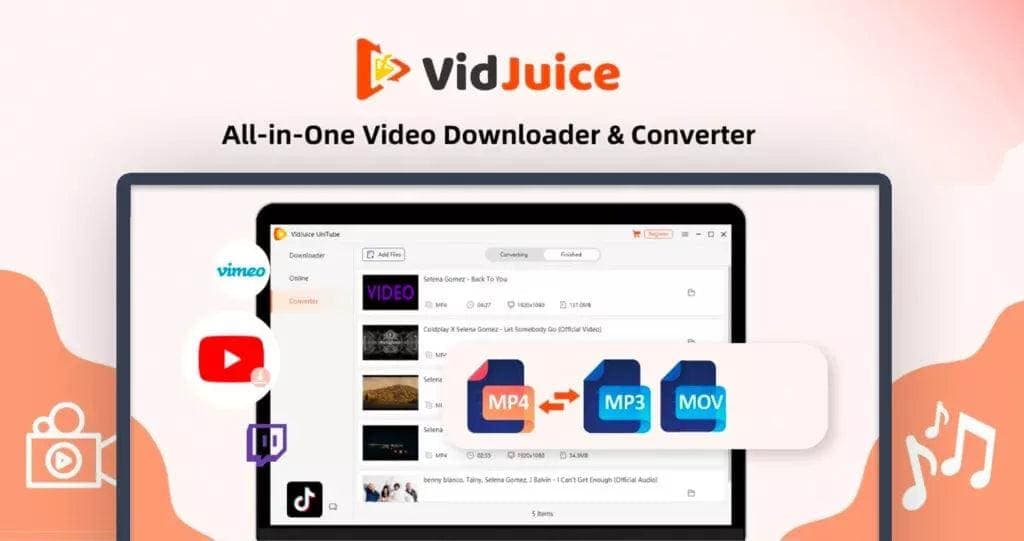
VidJuice UniTube at a glance
- Platform
- Windows, Mac, Android
- Note
- Each key can be active on one device at a time. Moving to another device needs a license reset or a transfer request to the vendor.
- Support
- Dealify mentions general support. License transfers go through the vendor by email.
Our take
Is VidJuice UniTube worth buying?
Based on the Dealify listing, this is a lifetime downloader license in a one device and a three device plan, with a 60 day redemption window. The device rule is unclear, since keys are also described as active on one device at a time. Check that and the refund wording before buying.
Good fit if
- You download playlists or channels in bulk.
- You want offline copies in several formats.
- You prefer a one-time payment over a subscription.
- You work on Windows, Mac or Android.
Skip it if
- You need Linux support today.
- You need several devices active on one key at once.
- You are unsure you have the right to save the content.
Which VidJuice UniTube plan do you need?
Prices in USD, excluding tax.
| UniTube 1 PC/Mac/Android – Lifetime Subscription | UniTube 3 PC/Mac/Android – Lifetime Subscription | |
|---|---|---|
| One-time price | $19 | $29 |
| Regular price (Dealify) | ||
| You save | $50.95 | $70 |
| Devices | 1 | 3 |
| Platforms | Windows, Mac, Android | Windows, Mac, Android |
| Redeem within | 60 days | 60 days |
| Refund window | 30 days | 30 days |
Before you buy: Dealify's terms and extra costs
- Refund. The product page lists a 30-day money-back guarantee through Dealify, while its FAQ calls it a credit back guarantee. Check which applies before buying.
- Redeem. Redeem your code within 60 days of purchase.
- Note. Each key can be active on one device at a time. Moving to another device needs a license reset or a transfer request to the vendor.
- Platform. Windows, Mac and Android. A Linux version is listed as coming soon.
- Support. Dealify mentions general support. License transfers go through the vendor by email.
What is VidJuice UniTube?
VidJuice UniTube is a desktop downloader that saves video, audio, playlists and whole channels from many sites, with resolutions up to 8K. It converts to common formats and can run bulk jobs. The lifetime listing covers one or three devices, depending on the plan, for a single payment.
What VidJuice UniTube says it does
- Downloads from 10,000+ websites including YouTube, Facebook, Instagram, Vimeo and SoundCloud (VidJuice UniTube's figure)
- Resolutions up to 8K, 4K, 2K and 1080p, including 60fps (VidJuice UniTube's figure)
- Up to 10x faster downloading and conversion (VidJuice UniTube's figure)
- Saves full playlists and channels with subtitle support
Why VidJuice UniTube
Browser based downloaders often struggle with playlists, cap resolution or break when a site changes. A desktop app aimed at bulk jobs replaces that with one tool and no monthly fee. One catch: the listing says each key is active on one device at a time, so switching machines needs a license reset.
How does VidJuice UniTube work?
Buy and redeem
Redeem the code you receive by email within 60 days of purchase.
Install the app
Install UniTube on Windows, Mac or Android and enter the key.
Paste links
Copy and paste video, playlist or channel URLs into the app.
Choose format
Pick the resolution and format, such as MP4 or MP3.
Download in bulk
Queue many files at once and watch them offline.
Then it handles:
- Downloading video and audio from many sites
- Saving whole playlists and channels
- Converting to MP4, MP3, MKV and other formats
- Extracting audio as MP3 or M4A
- Recording live streams
- Cutting video segments
Who is VidJuice UniTube for?
Built for
- Creators and researchers who need offline video
- Educators saving reference material
- Anyone downloading playlists in bulk
Not for
- Linux users, since that version is listed as coming soon
- Anyone who needs one key active on several devices at once
- Users who do not have the right to save the content
What is included in VidJuice UniTube?
Downloading
- 10,000+ supported sites vendor figure
- Playlists and channels with subtitle support
- Bulk downloads
- Live stream recording
Quality and formats
- Up to 8K video including 60fps
- Output formats MP4, MP3, MKV, FLV, AVI, MOV, M4A
- Audio extraction MP3 or M4A
- Watermark-free TikTok downloads
Extras
- Video cutting
- Private mode
- Serial number titles for playlist files
Video review
We have not reviewed VidJuice UniTube on video yet.
Get notifiedBuyer reviews
No reviews yet. Bought VidJuice UniTube? Add it to your workspace and share what it replaced.
Add to your workspaceVidJuice UniTube questions
What is VidJuice UniTube?
A downloader for video, audio, playlists and channels from many websites, with resolutions up to 8K. It runs on Windows, Mac and Android.
Who is it for?
Creators, researchers, educators and anyone who wants offline copies of online media without relying on browser based converters.
What is the difference between the two plans?
The listing names one device and three device plans. Both keys are also described as active on one device at a time, so it is unclear whether the larger plan means three separate keys. Ask the seller if this matters.
Is there a refund?
The page lists a 30-day money-back guarantee, but its FAQ calls it a credit back guarantee. Confirm which one applies at checkout.
Can I switch computers?
A license reset is needed to move a key to another device. The listing also points to the vendor by email for transfers.
Does it work on Linux?
Not yet. The listing says an Ubuntu and Linux version is coming soon.
Often compared with
These are other tools in the same space, not deals on GrabLTD.
- 4K Video Downloader
- YTD Video Downloader
- SnapDownloader
- Allavsoft
- ClipGrab
Sources
Checked . Prices and terms on this page come from: