

Video & Audio · Lifetime deal
VidPilot AI
Desktop AI tool that makes faceless short videos with voice, captions and music.
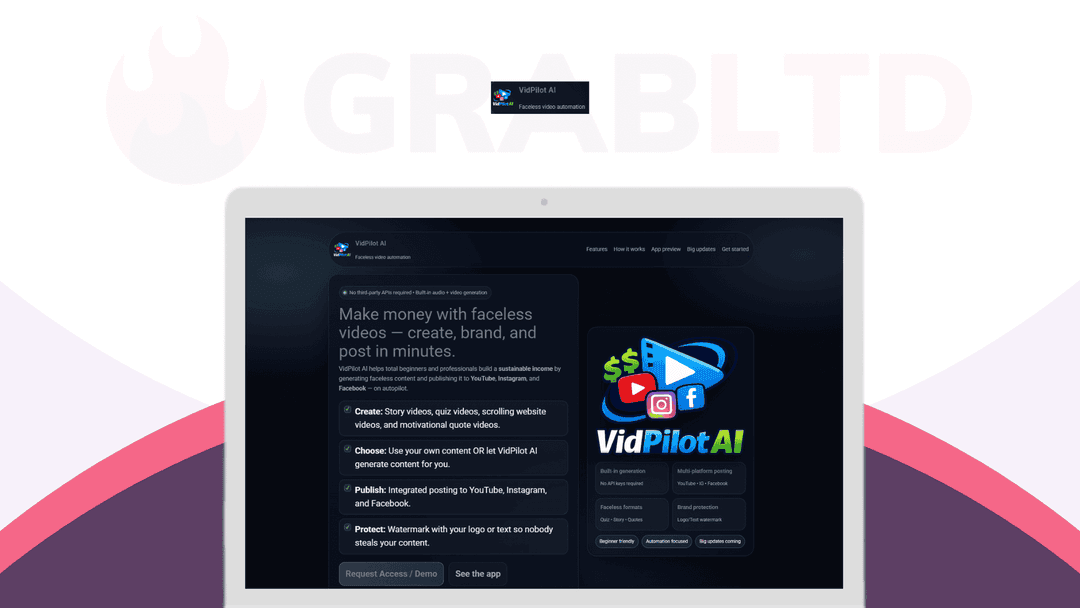
VidPilot AI at a glance
- Platform
- Windows
- Support
- Email support from the vendor.
- Updates
- Free, future
Our take
Is VidPilot AI worth buying?
Based on the DealMirror listing, this is a single lifetime plan for a desktop faceless video maker, with no watermark and unlimited video creation. The page does not name supported operating systems and offers no free trial, so confirm compatibility first. The refund window is the safety net.
Good fit if
- You make faceless short videos for YouTube or social.
- You want to avoid a monthly video tool bill.
- You prefer software that runs locally.
Skip it if
- You need a Mac app today.
- You want a free trial before paying.
- You need team access from several devices.
Which VidPilot AI plan do you need?
Prices in USD, excluding tax.
| Plan A | |
|---|---|
| One-time price | $147 |
| Regular price (DealMirror) | |
| You save | $350 |
| Video creation | Unlimited |
| Watermark | None |
| Updates | Free, future |
| Refund window | 30 days (60 for Prime) |
Before you buy: DealMirror's terms and extra costs
- Refund. 30-day money-back guarantee for regular buyers, 60 days for DealMirror Prime members. The page says there is no free trial.
- Redeem. Redeem your code within 60 days of purchase.
- Platform. Desktop software. The page does not state supported operating systems, and a Mac version is on the roadmap.
- Support. Email support from the vendor.
- AI usage cost. Core features run locally. Internet is needed only for optional AI services.
What is VidPilot AI?
VidPilot AI is desktop software that turns ideas, scripts or links into faceless short videos. It adds visuals, voiceover, captions and music, and supports story, quiz, quote and scrolling website formats. The lifetime listing is one plan with unlimited video creation and no watermark, per the page.
What VidPilot AI says it does
- Unlimited video creation on the lifetime plan
- No watermark on exported videos
- Core features run locally, with third-party APIs optional (VidPilot AI's figure)
- Free future updates are included
Why VidPilot AI
Making faceless short videos by hand means juggling script, voice, stock footage and captions. This app puts those steps in one place with no recurring fee. The page does not state which operating systems are supported, and a Mac version is only on the roadmap.
How does VidPilot AI work?
Redeem the code
Redeem your DealMirror code within 60 days of purchase.
Install the app
Install the desktop software on your computer.
Enter an idea
Type an idea, paste a script or add a link.
Let it build
The app picks visuals, adds voice, captions and music.
Export
Render the short video in a vertical format.
Then it handles:
- Story and quiz videos
- Motivational quote videos
- Scrolling website videos
- Text to voice narration
- Automatic captions
- Adding music and effects
Who is VidPilot AI for?
Built for
- Creators building faceless YouTube or social channels
- Marketers who want fast short videos
- Anyone avoiding monthly video tool fees
Not for
- Mac users, since a Mac version is only planned
- Teams that need cloud access from many devices
- Buyers who want a free trial before paying
What is included in VidPilot AI?
Video creation
- AI video creation from ideas, scripts or links
- Auto visuals and scenes
- Faceless videos
- Short video formats TikTok, Reels, Shorts
Audio and text
- Text to voice
- Auto captions
- Music and effects copyright-free or your own
Output
- Fast rendering
- No watermark
- Free future updates
Video review
We have not reviewed VidPilot AI on video yet.
Get notifiedBuyer reviews
No reviews yet. Bought VidPilot AI? Add it to your workspace and share what it replaced.
Add to your workspaceVidPilot AI questions
What is VidPilot AI?
Desktop software that creates faceless short videos with built-in visuals, voiceover, captions and music, from an idea, script or link.
Who is it for?
Creators, marketers and online entrepreneurs who want to publish faceless videos without editing skills.
Does it need other AI subscriptions?
The page says core features run locally and third-party APIs are optional. Internet is needed only for optional AI services.
Which systems does it run on?
The page does not list them. It is desktop software and a Mac version is on the roadmap, so Windows is the likely target. Confirm with the vendor.
Is there a refund?
Yes, 30 days for regular buyers and 60 days for DealMirror Prime members. There is no free trial.
What is on the roadmap?
The page lists advanced motion animations, product comparison videos, local business videos, scheduling and a Mac version. Roadmap items are not guaranteed.
Often compared with
These are other tools in the same space, not deals on GrabLTD.
- Pictory
- InVideo
- Synthesia
- Vadoo AI
- Steve.ai
Sources
Checked . Prices and terms on this page come from: