

Video & Audio · Lifetime deal
VidTechy
Find keywords, optimize videos, and manage YouTube ad campaigns
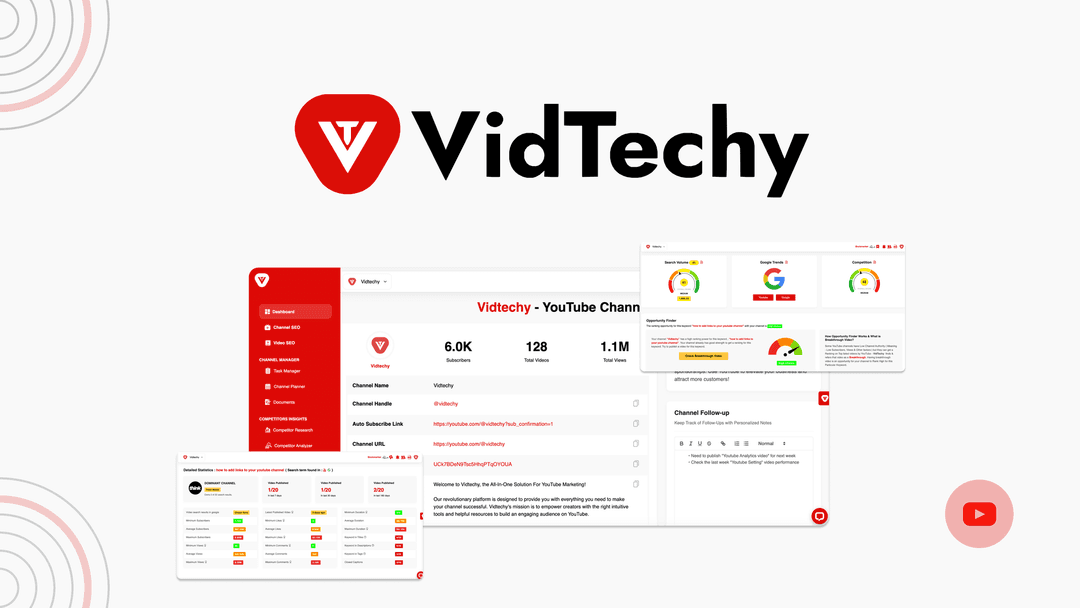
VidTechy at a glance
- Platform
- YouTube, Google
- Note
- Lifetime access to VidTechy.
- Upgrades
- All future Starter (Tier 1), Pro (Tier 2), or Agency (Tiers 3-5) plan updates are included.
- Note
- If a plan name changes, the deal maps to the new name with all accompanying updates.
- Note
- No codes or stacking; choose the plan that fits your needs.
- Upgrades
- Upgrade between the 5 license tiers while the deal is available.
- Upgrades
- Downgrade between the 5 license tiers within 60 days of purchase.
- Upgrades
- Previous AppSumo customers can upgrade their license to increase feature limits.
- Note
- Previous AppSumo customers are grandfathered into new features and feature limits.
Which VidTechy plan do you need?
Prices in USD, excluding tax.
| License Tier 1 | License Tier 2 | License Tier 3 | License Tier 4 | License Tier 5 | |
|---|---|---|---|---|---|
| One-time price | $49 | $109 | $239 | $379 | $759 |
| Regular price (AppSumo) | |||||
| You save | $95 | $323 | $337 | $773 | $1,545 |
| Includes | 1 Channels | 3 Channels | 5 Channels; ADS module; Team collaboration; Advanced AI tools | 10 Channels; ADS module; Team collaboration; Advanced AI tools | 20 Channels; ADS module; Team collaboration; Advanced AI tools |
Before you buy: AppSumo's terms and extra costs
- Note. Lifetime access to VidTechy.
- Upgrades. All future Starter (Tier 1), Pro (Tier 2), or Agency (Tiers 3-5) plan updates are included.
- Note. If a plan name changes, the deal maps to the new name with all accompanying updates.
- Note. No codes or stacking; choose the plan that fits your needs.
- Redeem. Activate the license within 60 days of purchase.
- Upgrades. Upgrade between the 5 license tiers while the deal is available.
- Upgrades. Downgrade between the 5 license tiers within 60 days of purchase.
- Upgrades. Previous AppSumo customers can upgrade their license to increase feature limits.
- Note. Previous AppSumo customers are grandfathered into new features and feature limits.
What is VidTechy?
VidTechy is a YouTube growth platform for creators and businesses. It combines AI keyword research, SEO optimization, competitor analysis, channel metrics, topic planning, and YouTube ad management.
What VidTechy says it does
- AI tools are designed to improve YouTube rankings and views.
- AI-driven research identifies keywords that rank in a niche and gaps in competitors’ strategies.
- Generates optimized titles, descriptions, tags, and hashtags for individual videos and entire channels in a few clicks.
- Shows what is working for the top 10 channels in a category. (VidTechy's figure)
- Pulls real-time data from YouTube’s API for YouTube-specific research insights.
- Finds YouTube ad placements aligned with goals and budget.
- Tracks clicks with a first-party ad tracker and supports blacklisting suspicious IPs.
- Provides a library of tested YouTube ad formats that convert.
- Supports swipe files of bookmarked, high-performing competitor campaigns.
- Uses data-backed channel and video targeting to optimize ad spend.
Why VidTechy
Finding keywords that can improve YouTube rankings can feel like guesswork, and optimizing videos, studying competitors, and managing ads can require manual research. VidTechy brings these tasks together with channel-specific keyword suggestions, content optimization, competitor intelligence, and ad tracking.
How does VidTechy work?
Research the niche
Use AI research to find keyword suggestions for Google and YouTube search, then compare them with successful channels in the category.
Map topics and competitors
Generate keyword mind maps, identify trending content, and see which keywords drive traffic for competitors.
Optimize channel content
Generate titles, descriptions, tags, and hashtags, then review content against SEO guidance before publishing.
Review channel performance
Review subscriber, view, and video counts alongside a complete channel optimization checklist.
Manage YouTube ads
Find placements, track clicks, blacklist suspicious IPs, access tested formats, and bookmark competitor ads.
Then it handles:
- Find rankable keywords
- Identify competitor strategy gaps
- Generate optimized video metadata
- Brainstorm topics with keyword mind maps
- Review channel metrics and checklists
- Identify trending niche content
- Monitor YouTube ad clicks
- Build competitor ad swipe files
Who is VidTechy for?
Built for
- Creators improving YouTube search visibility
- Businesses growing channels through YouTube
- Channel managers researching competitors and trends
- Marketers managing YouTube ad campaigns
- Agencies and teams collaborating on channel optimization
Not for
- People who need advertising management outside YouTube
- Users seeking general SEO management instead of YouTube-focused optimization
What is included in VidTechy?
Keyword research
- Search keyword suggestions Suggestions for terms ranking on Google and YouTube search.
- Competitor gap analysis Identify gaps in competitors’ keyword strategies.
- Keyword comparison Compare keywords with successful channels in the same category.
- Keyword mind maps Brainstorm topics with auto-generated keyword mind maps.
- Trend and traffic insights Identify trending content and competitor traffic-driving keywords.
Content optimization
- Metadata generation Generate titles, descriptions, tags, and hashtags for videos and channels.
- SEO review Review content against SEO best practices before publishing.
- Channel-wide optimization Optimize individual videos or an entire channel in a few clicks.
Competitor intelligence
- Channel metrics View subscriber, view, and video counts for category channels.
- Top-channel analysis See what is working for the top 10 channels in a category.
- Optimization checklist Use a complete channel optimization checklist.
- Traffic keyword analysis Find which keywords drive traffic for competing channels.
YouTube ads
- Ad placement discovery Find ad placements by keyword, goals, and budget.
- First-party click tracking Detect multiple clicks and blacklist suspicious IP addresses.
- Ad format library Access a library of tested YouTube ad formats.
- Competitor swipe file Bookmark competitor ads and organize high-performing campaigns.
Research data
- YouTube API data Pull real-time data through YouTube’s API.
- YouTube research insights Access YouTube-specific SEO research insights.
- Ad targeting data Track channel and video performance for ad targeting.
Video review
We have not reviewed VidTechy on video yet.
Get notifiedBuyer reviews
No reviews yet. Bought VidTechy? Add it to your workspace and share what it replaced.
Add to your workspaceVidTechy questions
What is VidTechy and what does it do?
VidTechy is an AI-powered YouTube growth platform. It provides keyword research for Google and YouTube search, generates optimized titles, descriptions, tags, and hashtags, analyzes competitors and top channels, identifies trends, and creates keyword mind maps for topic ideas. Tiers 3–5 also add YouTube ad research, performance tracking, ad formats, and competitor-ad bookmarking.
Who is VidTechy for?
VidTechy is designed for YouTube creators and businesses seeking to improve search rankings, optimize videos and channels, and research competitors. Tiers 1–2 support individual channel use, while Tiers 3–5 list team collaboration alongside advanced AI and advertising tools.
What are the plan prices and channel limits?
License Tier 1 — $49: 1 channel. License Tier 2 — $109: 3 channels. License Tier 3 — $239: 5 channels. License Tier 4 — $379: 10 channels. License Tier 5 — $759: 20 channels. Tiers 3–5 include the ADS module, team collaboration, and advanced AI tools. These features are not listed for Tiers 1–2.
What happens after purchase, and can I change tiers?
Every purchase includes lifetime access to VidTechy and applicable future plan updates. You must activate the license within 60 days of purchase. No codes are required, and plans cannot be stacked. Upgrades between the five tiers are available while the deal is available; downgrades are allowed within 60 days. If a plan is renamed, the deal maps to the new name with its accompanying updates.