

AI Tools · Lifetime deal
ViralClippr
Offline Windows app that turns long videos into captioned vertical shorts.
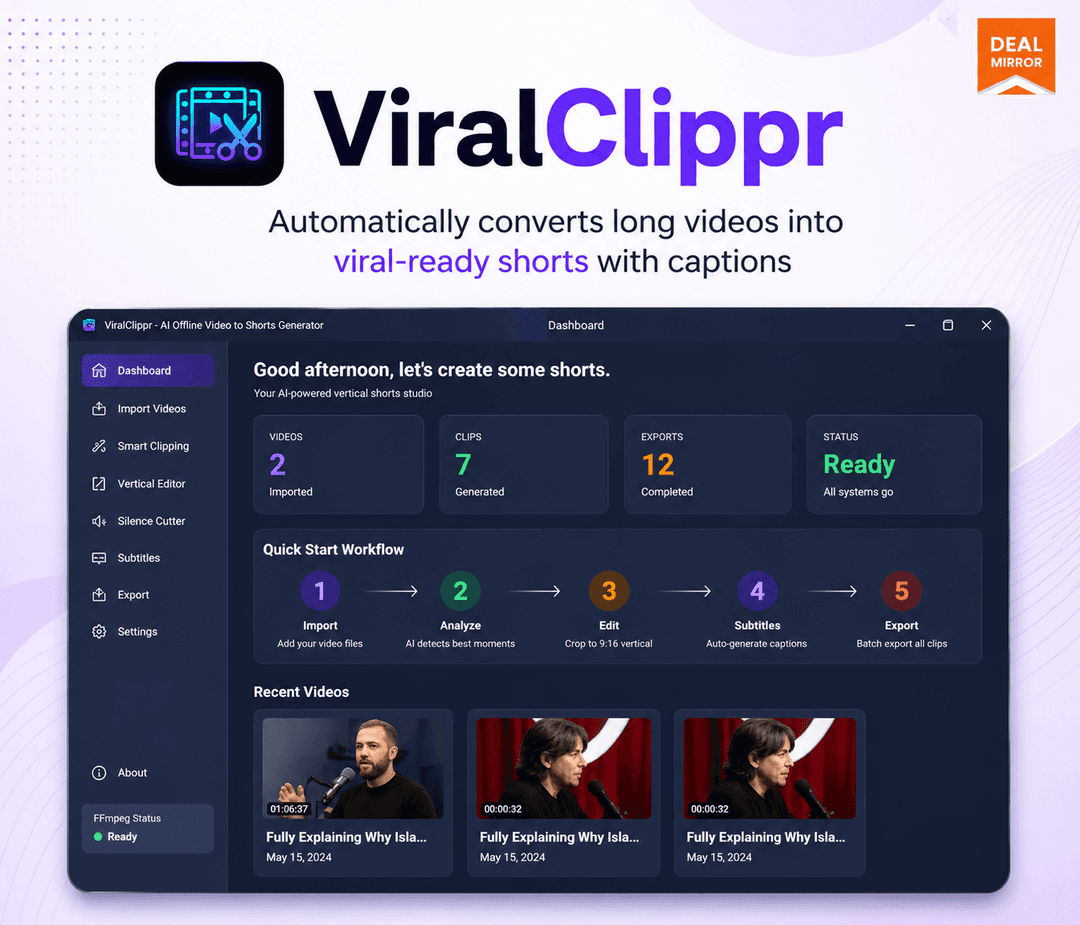
ViralClippr at a glance
- Platform
- Windows
- Support
- Free email and chat support, per the listing.
- Upgrades
- The listing shows a separate reseller tier with 10 reseller accounts. Stacking is not mentioned.
Our take
Is ViralClippr worth buying?
Based on the DealMirror listing, this is a local Windows clipper with a personal license for two PCs and commercial use rights on the first tier. The page also shows a reseller tier that is missing from our plans. Several features are still roadmap items, so buy for what exists today.
Good fit if
- You repurpose podcasts or webinars into shorts.
- You want local processing and no cloud upload.
- You use Windows 10 or 11.
Skip it if
- You need Mac or browser access.
- You need built-in social publishing today.
Which ViralClippr plan do you need?
Prices in USD, excluding tax.
| Tier 1 | Tier 2 Reseller | |
|---|---|---|
| One-time price | $37 | $48 |
| Regular price (DealMirror) | ||
| You save | $160 | $451 |
| Licenses | Personal, 2 PCs | Not stated |
| Commercial use | Included | Not stated |
| Platform | Windows 10/11 | Not stated |
| Updates | Free | Not stated |
Before you buy: DealMirror's terms and extra costs
- Refund. 30-day money-back guarantee for regular buyers, 60 days for DealMirror Prime members.
- Redeem. Redeem your code within 60 days of purchase.
- Platform. Windows 10 or 11 desktop app.
- Support. Free email and chat support, per the listing.
- Upgrades. The listing shows a separate reseller tier with 10 reseller accounts. Stacking is not mentioned.
What is ViralClippr?
ViralClippr is a Windows desktop app that turns long videos, such as podcasts, webinars and tutorials, into vertical 9:16 shorts. It flags promising moments, adds captions and processes files in batches. Processing runs locally, so footage stays on your machine. The lifetime listing has a personal tier and a reseller tier.
What ViralClippr says it does
- AI detection of engaging moments in long videos (ViralClippr's figure)
- Fully offline, local processing on Windows 10 or 11 (ViralClippr's figure)
- Burned-in AI subtitles and captions
- Batch processing of multiple source files
Why ViralClippr
Cloud clipping tools usually charge monthly and upload your footage. This app runs on your own machine with a one-time payment. It is Windows only, and several features such as auto titles and hashtags are still roadmap items.
How does ViralClippr work?
Redeem the code
Redeem your DealMirror code within 60 days of purchase.
Install on Windows
Install the app on your Windows 10 or 11 PC.
Add long videos
Load MP4, MOV, AVI or MKV files.
Let the AI pick clips
The app flags moments and cuts vertical shorts.
Export with captions
Export 9:16 clips with captions burned in.
Then it handles:
- Finding highlight moments in long videos
- Cutting vertical 9:16 shorts
- Adding burned-in captions
- Batch processing source files
- Working offline
- Preparing clips for TikTok, Reels and Shorts
Who is ViralClippr for?
Built for
- Podcasters and webinar hosts repurposing recordings
- Creators who prefer local software over cloud tools
- Freelancers who want reseller rights on the top tier
Not for
- Mac or mobile users
- People who need social publishing built in, since it is roadmap only
- Teams that need cloud collaboration
What is included in ViralClippr?
Clipping
- Moment detection AI flags engaging passages
- Auto short clips
- 9:16 vertical format
- Batch processing
Captions and files
- AI subtitles can be burned into video
- Input formats MP4, MOV, AVI, MKV
- Offline processing
Video review
We have not reviewed ViralClippr on video yet.
Get notifiedBuyer reviews
No reviews yet. Bought ViralClippr? Add it to your workspace and share what it replaced.
Add to your workspaceViralClippr questions
What is ViralClippr?
A Windows desktop app that turns long videos into vertical short clips with captions, processing everything locally.
Does it upload my files?
The vendor says processing is fully offline and local, so footage stays on your computer.
Which file types does it accept?
MP4, MOV, AVI and MKV, per the listing.
Is there a Mac version?
No. The listing names Windows 10 and 11 only.
What is on the roadmap?
More caption styles, auto titles and hashtags, speaker tracking, social publishing and GPU improvements. Roadmap items are not guaranteed.
What is the refund policy?
30 days for regular buyers and 60 days for DealMirror Prime members.
Often compared with
These are other tools in the same space, not deals on GrabLTD.
- Opus Clip
- Klap
- Captions
- Vizard
- Descript
Sources
Checked . Prices and terms on this page come from: