

AI Tools · Lifetime deal
Voixto
Windows text-to-speech app that runs offline, with batch audio and commercial rights.
Voixto at a glance
- Platform
- Windows
- Support
- Free email and chat support, per the listing.
- Note
- Personal license for 2 PCs, with commercial use rights.
- Updates
- Free
Our take
Is Voixto worth buying?
Based on the DealMirror listing, this is an offline Windows text-to-speech app with a two PC personal license and commercial rights. The page states no usage caps. Batch processing is listed both as a feature and a future item, and the countdown reads zero, so check both before buying.
Good fit if
- You use Windows and make narration regularly.
- You want scripts kept on your own computer.
- You want to avoid a monthly voice subscription.
Skip it if
- You need Mac or mobile support.
- You need SSML or a pronunciation dictionary now.
- You need a confirmed active deal.
Which Voixto plan do you need?
Prices in USD, excluding tax.
| Lifetime deal | |
|---|---|
| One-time price | $19 |
| Regular price (DealMirror) | |
| You save | $48 |
| PCs | 2 |
| Platform | Windows 10/11 |
| Commercial use | Included |
| Updates | Free |
Before you buy: DealMirror's terms and extra costs
- Refund. 30 days for regular buyers, 60 days for DealMirror Prime members.
- Redeem. Redeem your code within 60 days of purchase.
- Platform. Windows 10 and 11 only.
- Support. Free email and chat support, per the listing.
- Note. Personal license for 2 PCs, with commercial use rights.
What is Voixto?
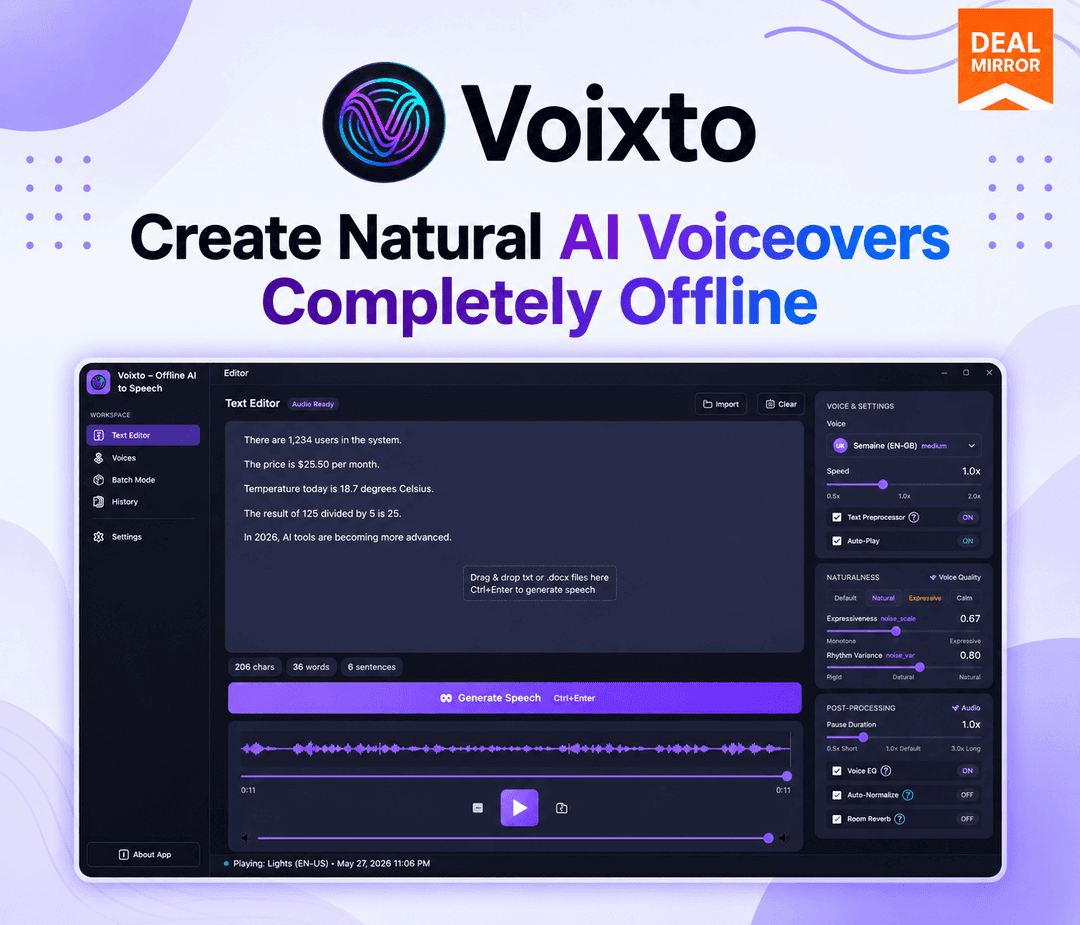
Voixto is a Windows desktop text-to-speech app that works offline after installation, so scripts stay on your computer. You load text, pick a voice and style, adjust speed, tone and expression, preview, and export audio. The lifetime listing is a personal license for two PCs with commercial use rights.
What Voixto says it does
- Works offline after installation (Voixto's figure)
- Commercial use rights included
- Personal license for 2 PCs
- Free updates and upgrades
Why Voixto
Cloud text-to-speech tools charge monthly and send scripts to a server. A local app removes the recurring fee and keeps text on your machine. It is Windows only, and batch processing is also listed as a roadmap item, so it may not be complete.
How does Voixto work?
Redeem the code
Redeem your DealMirror code within 60 days of purchase.
Install on Windows
Install the app on a Windows 10 or 11 PC.
Load your text
Add the script you want narrated.
Pick and tune a voice
Choose a voice and adjust speed, tone and expression.
Preview and export
Play it back in the app, then export the audio.
Then it handles:
- Voiceovers from text
- Choosing voices and styles
- Adjusting speed, tone and expression
- Previewing audio before export
- Batch audio generation
- Offline narration
Who is Voixto for?
Built for
- Creators who make narration regularly
- People who want text kept offline
- Windows users avoiding monthly voice fees
Not for
- Mac or mobile users
- Anyone who needs SSML or a pronunciation dictionary today, which are roadmap items
- Buyers who need a confirmed active deal
What is included in Voixto?
Voices
- Human-like AI voices
- Multiple voices and styles
- Speed, tone and expression controls
Workflow
- Offline processing after installation
- Real-time preview
- Batch audio generation also on the roadmap
Video review
We have not reviewed Voixto on video yet.
Get notifiedBuyer reviews
No reviews yet. Bought Voixto? Add it to your workspace and share what it replaced.
Add to your workspaceVoixto questions
What is Voixto?
A Windows desktop app that turns written text into spoken audio, working offline once installed.
Does it need an internet connection?
The vendor says it works offline after installation.
Which systems does it run on?
Windows 10 and 11 only. The FAQ says it is exclusively for Windows.
How many computers can I use?
The license covers 2 PCs.
Are there usage limits?
The page states no caps on characters, minutes or voices.
What is on the roadmap?
SSML support, a pronunciation dictionary, more voices and languages and more export options. Batch processing appears both as a feature and a Q4 2026 item, so check it first.
Often compared with
These are other tools in the same space, not deals on GrabLTD.
- NaturalReader
- Balabolka
- Speechify
- ElevenLabs
- Murf
Sources
Checked . Prices and terms on this page come from: