

Video & Audio · Lifetime deal
WhiteboardMaker
Create narrated whiteboard videos locally on your Windows computer
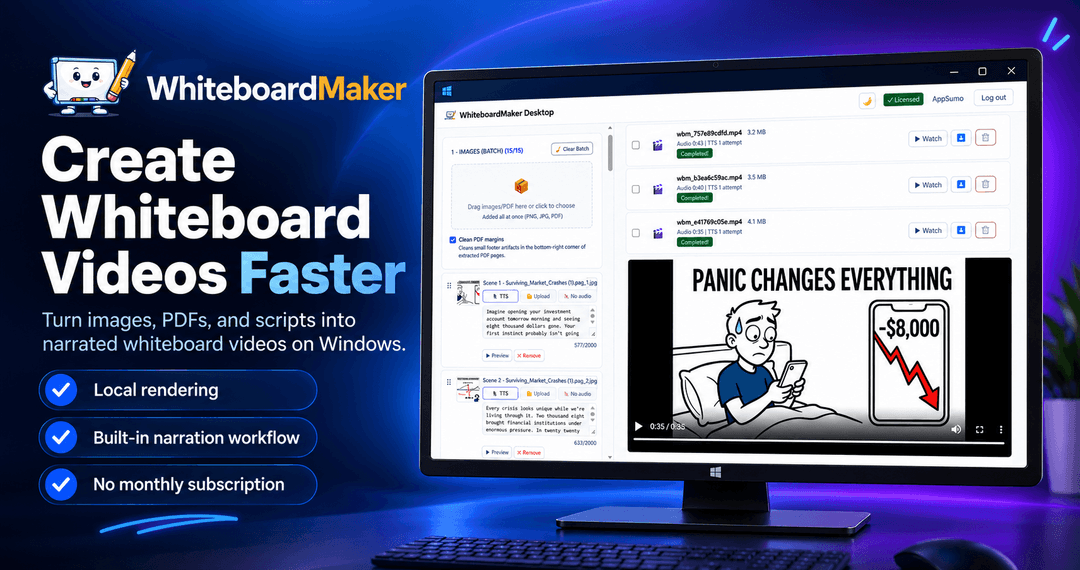
WhiteboardMaker at a glance
- Platform
- Windows
Which WhiteboardMaker plan do you need?
Prices in USD, excluding tax.
| Personal – Lifetime Access | Creator – Lifetime Access | Agency – Lifetime Access | |
|---|---|---|---|
| One-time price | $59 | $89 | $119 |
| Regular price (Dealify) | |||
| You save | $38 | $58 | $78 |
| Includes | 1 activated device; Lifetime license; Unlimited local video generation; AI narration or your own audio; PDF, TXT/DOCX and batch production; Video merging, updates and support; 30-day Money Back Guarantee; You must redeem your code(s) within 60 days of purchase | Up to 3 activated devices; Lifetime license; Unlimited local video generation; AI narration or your own audio; PDF, TXT/DOCX and batch production; Work across multiple computers; Video merging, updates and support; 30-day Money Back Guarantee; You must redeem your code(s) within 60 days of purchase | Up to 5 activated devices; Lifetime license; Unlimited local video generation; AI narration or your own audio; PDF, TXT/DOCX and batch production; Work across multiple computers; Video merging, updates and support; 30-day Money Back Guarantee; You must redeem your code(s) within 60 days of purchase |
What is WhiteboardMaker?
WhiteboardMaker is a Windows desktop app for turning images, PDF pages, and scripts into narrated whiteboard videos. It supports AI voiceovers or custom audio, captions, animation controls, batch scene production, local rendering, and final MP4 export for YouTube, TikTok, Instagram Reels, and other video projects.
What WhiteboardMaker says it does
- Narration blocks of up to 2,000 characters can be handled without unnecessarily splitting scripts. (WhiteboardMaker's figure)
- Local rendering supports unlimited video generation without per-video rendering credits. (WhiteboardMaker's figure)
- The standard workflow does not require mandatory paid AI API subscriptions.
- The unified workflow can reduce repetitive scene setup and production complexity.
- Batch production helps create more videos in less time.
- Keeping rendering local helps keep production costs predictable.
- AI narration is available in multiple languages.
- Failed jobs can be retried without rebuilding scenes.
- Truncated Edge TTS narration is detected and retried automatically.
- Short-form and long-form videos can be produced in one workflow.
Why WhiteboardMaker
WhiteboardMaker brings imports, scene setup, narration, animation, rendering, and video merging into one workflow. It reduces repeated production work, avoids per-video rendering credits, and does not require mandatory paid AI API subscriptions for the standard workflow. Local rendering also gives creators more control over production.
How does WhiteboardMaker work?
Import content
Import images or PDF pages. Load narration from TXT or DOCX files.
Arrange scenes
Organize slides, assign narration, and adjust drawing, art, camera, and animation settings.
Add narration and captions
Generate supported-language voiceovers or upload audio, then add captions to typed narration.
Animate and render
Render individual scenes or batches with object-by-object drawing and per-object colorization.
Review and export
Preview scenes, retry failed jobs, and merge completed videos into a final MP4.
Then it handles:
- Convert images and PDFs into whiteboard videos
- Turn scripts into narrated scenes
- Generate multilingual AI voiceovers
- Add uploaded narration, captions, and music
- Build and merge batched scenes
- Customize drawing and camera animations
- Render videos locally on Windows
- Retry failed renders and truncated narration
Who is WhiteboardMaker for?
Built for
- YouTube and faceless channel creators
- Short-form creators for TikTok, Instagram Reels, and YouTube Shorts
- Educators and online instructors
- Coaches and trainers
- Freelancers, small agencies, marketers, and businesses
Not for
- People who need macOS or Linux support
- People who need captions for uploaded or recorded narration
What is included in WhiteboardMaker?
Content and scene setup
- Image and PDF import Transform imported visuals into whiteboard-style animated scenes.
- Script import Load narration from TXT or DOCX documents.
- Automatic text distribution Spread narration across slides or scenes automatically.
- Long narration blocks Handle up to 2,000-character blocks without unnecessary script splitting.
- Cleaner PDF imports Remove PDF margins to reduce unwanted artifacts on imported pages.
- Scene organization Arrange content and assign narration to individual scenes.
Narration and audio
- AI text-to-speech Generate voiceovers using supported voice options and languages.
- Custom audio Upload narration or other audio for individual scenes.
- Video captions Add captions to videos created with typed narration.
- Background music Control whether music plays across scenes or the merged video.
- Automatic narration recovery Detect truncated Edge TTS audio and retry generation automatically.
Whiteboard animation
- Whiteboard-style animation Transform images and PDF pages with hand-drawn visual effects.
- Smarter drawing order Complete each object before moving to the next one.
- Per-object colorization Reveal outlines and colors together for a coherent drawing effect.
- Custom animation controls Adjust drawing hands, filters, camera behavior, stroke duration, and frame rate.
Production and reliability
- Batch scene production Generate scenes in batches and combine them into one final MP4.
- Failed job retry Re-run failed jobs with the same image and settings.
- Local video rendering Render on a Windows computer without per-video rendering credits.
- Video merging Combine completed scene videos into a single MP4.
Video review
We have not reviewed WhiteboardMaker on video yet.
Get notifiedBuyer reviews
No reviews yet. Bought WhiteboardMaker? Add it to your workspace and share what it replaced.
Add to your workspaceWhiteboardMaker questions
What does WhiteboardMaker do?
WhiteboardMaker is a Windows desktop app for turning images, PDF pages, and scripts into narrated whiteboard-style videos. It supports importing content, organizing scenes, adding AI or custom audio, customizing drawing hands, art styles, camera behavior, stroke duration and frame rate, rendering scenes or batches, and merging them into a final MP4 for platforms such as YouTube, TikTok, and Reels.
Who is WhiteboardMaker designed for?
It is designed for YouTube and faceless-channel creators, short-form video creators, educators and online instructors, coaches and trainers, freelancers and small agencies, marketers and businesses, and multilingual content creators. Typical uses include storytelling, explainers, lessons, tutorials, training materials, and product or institutional videos.
Which license plan should I choose?
Personal – Lifetime Access is $59 and includes 1 activated device. Creator – Lifetime Access is $89 and includes up to 3 activated devices across multiple computers. Agency – Lifetime Access is $119 and includes up to 5 activated devices across multiple computers. Every plan includes a lifetime license, unlimited local video generation, AI narration or your own audio, PDF, TXT/DOCX and batch production, video merging, updates, and support.
What happens after purchase?
After purchase, the code(s) must be redeemed within 60 days. The selected plan allows activation on 1 device for Personal, up to 3 for Creator, or up to 5 for Agency. Every plan includes a 30-day Money Back Guarantee, lifetime access, updates, and support.
Are there ongoing rendering or subscription costs?
There is no recurring WhiteboardMaker subscription, no per-video rendering credits, and no mandatory paid AI API subscription for the standard workflow. Rendering runs locally on your Windows computer with unlimited local video generation. The plan price is a one-time purchase, and additional rendering credits are not required.
What are the narration and import limits?
Narration documents can be imported from TXT or DOCX, with text automatically distributed across scenes. Narration blocks can contain up to 2,000 characters. AI narration is available in supported languages and voices, or you can upload your own audio for individual scenes. Captions can be added to videos created with typed narration.