

AI Tools · Lifetime deal
Yoya
Know your guest before the call
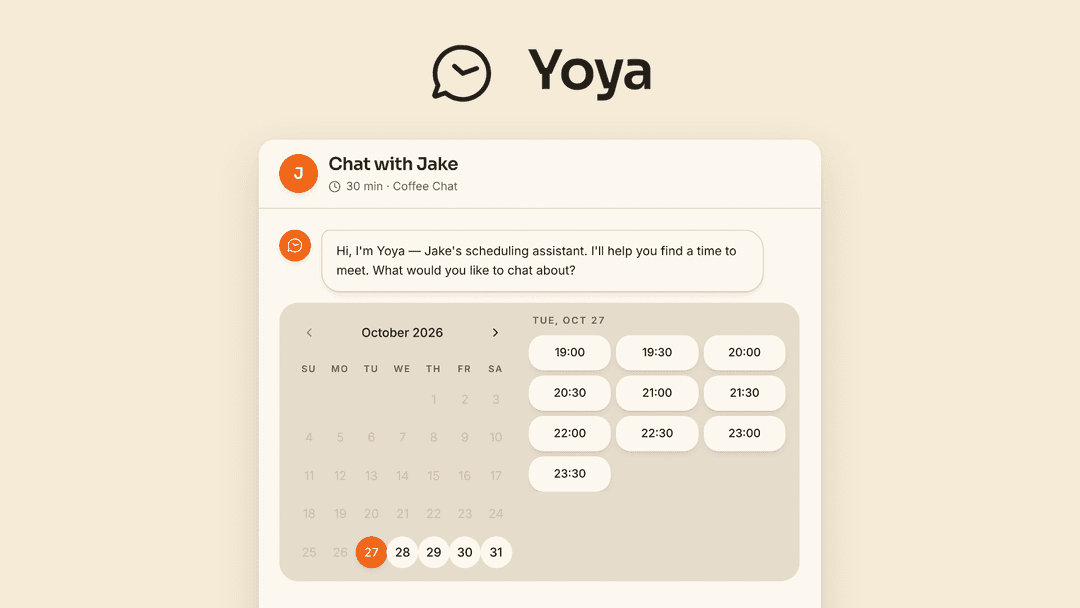
Yoya at a glance
- Platform
- Google Calendar, Google Meet, Zoom, LinkedIn, Claude Code, Cursor, MCP
- Note
- Lifetime access to Yoya.
- Note
- All future plan updates are included.
- Note
- Licenses cannot be stacked.
- Upgrades
- You can upgrade or downgrade between three license tiers.
Which Yoya plan do you need?
Prices in USD, excluding tax.
| Tier 1 | Tier 2 | Tier 3 | |
|---|---|---|---|
| One-time price | $39 | $119 | $239 |
| Regular price (AppSumo) | |||
| You save | $549 | $1,429 | $2,749 |
| Includes | 5 Booking links; 100 Bookings per month; 60 Voice minutes per month; 30 days Transcript history | 10 Booking links; 500 Bookings per month; 180 Voice minutes per month; Unlimited Transcript history; Google Meet + Zoom on same link; LinkedIn profile summary; Join Meet without admission; Yoya branding removed | Unlimited Booking links; Unlimited Bookings per month; 400 Voice minutes per month; Unlimited Transcript history; Google Meet + Zoom on same link; LinkedIn profile summary; Join Meet without admission; Yoya branding removed |
Before you buy: AppSumo's terms and extra costs
- Note. Lifetime access to Yoya.
- Note. All future plan updates are included.
- Redeem. Activate your license within 60 days of purchase.
- Redeem. No codes are required.
- Note. Licenses cannot be stacked.
- Upgrades. You can upgrade or downgrade between three license tiers.
What is Yoya?
Yoya turns booking links into chat or voice conversations that capture each guest's needs. It schedules calls, checks calendar conflicts, sends confirmations and reminders, and turns the booking conversation into a brief for the host. Guests can also book through an MCP-compatible AI assistant.
What Yoya says it does
- Yoya helps hosts understand what a guest needs before the call begins.
- Guests can book by chat or voice while Yoya collects context for the call.
- Guests can confirm booking details without creating an account.
- The booking conversation becomes a meeting brief for the host.
- Yoya provides less scheduling back-and-forth and more context for first conversations.
- AI assistants can look up a booking page, check availability, and book through the public MCP connection.
- Hosts can manage meeting types, availability, and bookings through an authenticated assistant connection.
Why Yoya
Scheduling can involve repeated messages and calls that do not explain what the guest wants. Yoya collects context before the meeting, reduces scheduling back-and-forth, and gives hosts a brief covering the guest's purpose, background, and questions.
How does Yoya work?
Start a booking conversation
Guests open a shared booking link and choose chat or voice. They explain what they need.
Choose and confirm a time
Yoya shows availability in the guest's time zone and confirms their details without an account.
Check and schedule
Connected Google Calendar is checked for conflicts. Invites, reminders, and self-service links are sent.
Prepare the host
The booking conversation becomes a brief with the guest's purpose, background, and questions.
Enable AI booking
Compatible assistants can use the public MCP connection. Hosts can manage schedules through an authenticated connection.
Then it handles:
- Books calls by chat or voice
- Captures guest context before meetings
- Builds pre-call guest briefs
- Checks Google Calendar conflicts
- Displays times in guest time zones
- Sends invites, reminders, and self-service links
- Creates Google Meet or Zoom links
- Manages schedules through MCP-compatible assistants
Who is Yoya for?
Built for
- Consultants holding discovery calls
- Coaches taking introductory calls
- Sales hosts preparing for conversations
Not for
- Guests who require account creation before booking
- Tier 1 users who need LinkedIn summaries, unlimited transcript history, combined Meet and Zoom links, admission-free Meet joins, or removed branding
What is included in Yoya?
Conversational booking
- Chat booking Guests explain their needs, choose an available time, and confirm details.
- Voice booking Guests can book by voice, with monthly minutes based on the tier.
- Account-free confirmation Guests confirm their details without creating an account.
- Pre-call context Collects context for consulting discovery, coaching introductions, and sales conversations.
Pre-call preparation
- Guest brief Shows the guest's purpose, background, and questions from the booking conversation.
- LinkedIn summaries Adds guest profile summaries when shared; available in Tier 2 and above.
- Transcript history Saves past conversations; unlimited history is available in Tier 2 and above.
Scheduling logistics
- Google Calendar conflicts Checks connected Google Calendar for conflicts before scheduling.
- Meeting types Sets separate hours and durations for different meeting types.
- Weekly availability Sets weekly hours for when booking is available.
- Guest time zones Shows available times in each guest's time zone.
- Invites and reminders Sends calendar invites, reminders, reschedule links, and cancellation links.
- Meeting formats Supports Google Meet, Zoom, and in-person meetings.
Meeting links and branding
- Connected meeting links Creates Google Meet or Zoom links through connected accounts.
- Combined meeting links One-page Google Meet and Zoom links require Tier 2 and above.
- Meet without admission Allows Meet joins without admission in Tier 2 and above.
- Branding removal Removes Yoya branding in Tier 2 and above.
AI scheduling
- Public MCP booking AI assistants can look up pages, check availability, and book meetings.
- Assistant connections Connects MCP-compatible assistants such as Claude Code or Cursor.
- Host scheduling Manages meeting types, availability, and bookings through an authenticated connection.
Video review
We have not reviewed Yoya on video yet.
Get notifiedBuyer reviews
No reviews yet. Bought Yoya? Add it to your workspace and share what it replaced.
Add to your workspaceYoya questions
What does Yoya do?
Yoya replaces booking forms with a shared booking page where guests can chat or speak, choose an available time, and confirm their details without creating an account. It turns the conversation into a brief covering the guest’s purpose, background, and questions. It also supports AI-assistant booking and host scheduling through MCP.
Who is Yoya designed for?
Yoya is designed for consultants, coaches, and sales hosts who run discovery calls, coaching introductions, sales conversations, or similar meetings and want context before the call begins.
Does Yoya manage calendars, time zones, and meeting links?
Connect Google Calendar to check conflicts. Yoya shows availability in the guest’s time zone and sends invitations, reminders, and reschedule or cancel links. It supports Google Meet, Zoom, and in-person meetings. Tier 2 and above can put Meet and Zoom on one page, join Meet without admission, and remove Yoya branding.
What do the plans cost and what are their limits?
Tier 1 ($39): 5 booking links, 100 bookings per month, 60 voice minutes per month, and 30 days transcript history. Tier 2 ($119): 10 booking links, 500 bookings per month, 180 voice minutes per month, unlimited transcript history, Meet and Zoom on one link, LinkedIn summary, joining Meet without admission, and Yoya branding removed. Tier 3 ($239): unlimited booking links, unlimited bookings per month, 400 voice minutes per month, unlimited transcript history, and the same listed features.
Can guests book through an AI assistant?
Share a booking page through Yoya’s public MCP connection. An MCP-compatible assistant such as Claude Code or Cursor can look up the page, check availability, and book, subject to the tier’s booking limits. Through Yoya’s authenticated host connection, assistants can manage meeting types, availability, and bookings.
What happens after purchase, and can I change plans?
The license includes lifetime access to Yoya and all future plan updates. It must be activated within 60 days of purchase. Buyers can upgrade or downgrade between the three license tiers. There are no codes to enter, and licenses cannot be stacked.