

Productivity · Lifetime deal
zcal
Create branded booking pages and coordinate team availability
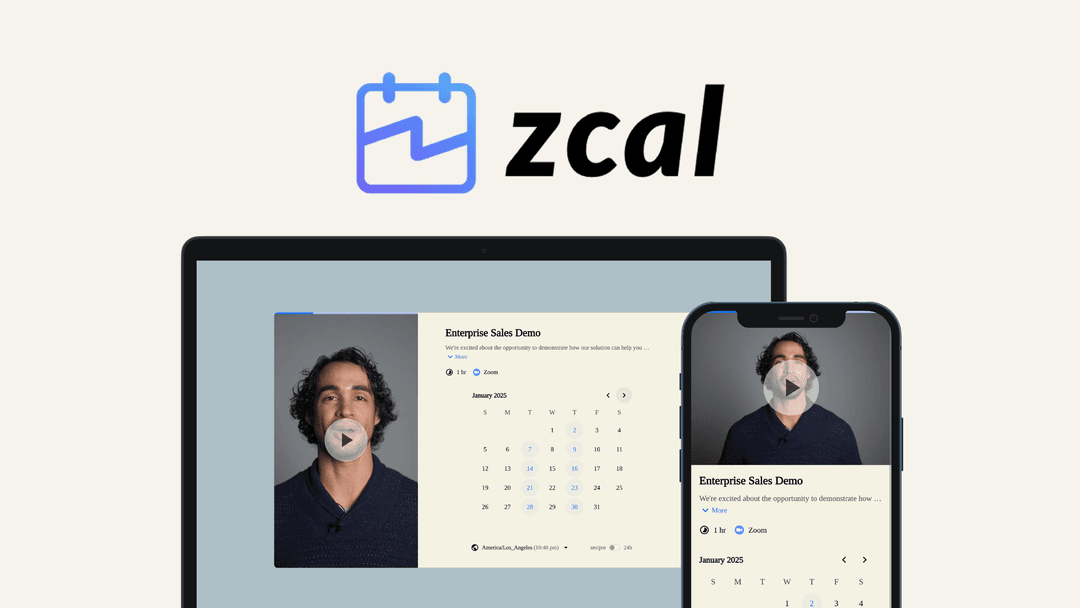
zcal at a glance
- Note
- Lifetime access to zcal.
- Note
- Includes future updates for the purchased license.
- Note
- If the named license changes, the deal maps to the new name with accompanying updates.
- Redeem
- No codes or stacking.
- Redeem
- Activate the license within 60 days of purchase.
- Upgrades
- Upgrade between three license tiers while the deal is available.
- Note
- Downgrade between three license tiers within 60 days of purchase.
- Upgrades
- Previous AppSumo customers can upgrade their license to increase feature limits.
- Note
- Previous AppSumo customers are grandfathered into new features and feature limits.
Which zcal plan do you need?
Prices in USD, excluding tax.
| License Tier 1 | License Tier 2 | License Tier 3 | |
|---|---|---|---|
| One-time price | $59 | $139 | $219 |
| Regular price (AppSumo) | |||
| You save | $193 | $701 | $3,981 |
| Includes | 3 Users; All Pro Plan features; No zcal branding; Teams; Unlimited links; Unlimited connected calendars; Calendar integrations; Other integrations | 10 Users; All Pro Plan features; No zcal branding; Teams; Unlimited links; Unlimited connected calendars; Calendar integrations; Other integrations | 50 Users; All Pro Plan features; No zcal branding; Teams; Unlimited links; Unlimited connected calendars; Calendar integrations; Other integrations |
Before you buy: AppSumo's terms and extra costs
- Note. Lifetime access to zcal.
- Note. Includes future updates for the purchased license.
- Note. If the named license changes, the deal maps to the new name with accompanying updates.
- Redeem. No codes or stacking.
- Redeem. Activate the license within 60 days of purchase.
- Upgrades. Upgrade between three license tiers while the deal is available.
- Note. Downgrade between three license tiers within 60 days of purchase.
- Upgrades. Previous AppSumo customers can upgrade their license to increase feature limits.
- Note. Previous AppSumo customers are grandfathered into new features and feature limits.
What is zcal?
zcal is a design-first scheduling platform for creating branded client booking pages. It supports themed or custom designs, video introductions, connected calendars, team scheduling, availability controls, and bookings for webinars, events, and classes.
What zcal says it does
- Scheduling pages can increase bookings and enhance the customer experience.
- The platform offers Typeform-level customization and polish.
- Scheduling pages can help schedule more calls with prospects.
- Collective scheduling checks multiple team calendars and shows slots only when everyone is available.
- Round-robin scheduling assigns hosts and distributes the workload evenly across the team.
- Buffer times, meeting limits, and minimum notice help prevent burnout.
- Multiple invitees can book the same slot for live webinars, events, and classes.
Why zcal
Generic booking links can feel cold and transactional. zcal provides branded pages, consistent profile, rescheduling, and cancellation views, video introductions, and scheduling tools for calls, webinars, events, and classes.
How does zcal work?
Design the page
Choose a themed template or create your own, then apply fonts, colors, layouts, and media.
Add assets and video
Add your own media or select stock images and videos, then record or upload an introduction.
Connect calendars
Sync multiple calendars and choose collective, round-robin, or individual team-member scheduling.
Set booking rules
Define hosts, availability, booking limits, buffers, meeting limits, minimum notice, and shared slots.
Keep client pages consistent
Use the same branded design for profiles, rescheduling, and cancellations.
Then it handles:
- Build branded booking pages
- Add stock or custom media
- Record or upload video introductions
- Sync multiple calendars
- Schedule teams collectively or round-robin
- Control hosts and booking limits
- Support shared slots for group events
Who is zcal for?
Built for
- People who want branded client booking pages
- Teams coordinating shared availability
- Hosts arranging one-to-one meetings
- Organizers running webinars, events, and classes
Not for
- Buyers who require code stacking
- Buyers unable to activate a license within 60 days
- Buyers needing a license downgrade after 60 days
What is included in zcal?
Brand design and media
- Templates Start with themed templates or build a custom scheduling page
- Brand styling Apply custom fonts, colors, layouts, and media
- Media library Add your own assets or select stock images and videos
- Consistent pages Keep profile, rescheduling, and cancellation pages consistent
Video introductions
- Welcome videos Introduce yourself and provide context before meetings
- Recording and uploads Record videos directly or upload your own files
Calendar and team scheduling
- Calendar sync Keep availability current across multiple synced calendars
- Collective scheduling Show slots only when all selected team members are available
- Round-robin scheduling Assign 1:1 meeting hosts and distribute workload evenly
- Team pages Let clients book individual members and view meeting options
Booking controls
- Host rules Set required or optional hosts and custom availability
- Booking limits Limit bookings and add buffers or minimum notice
- Meeting limits Set meeting limits alongside other scheduling controls
- Shared slots Allow multiple invitees in one slot for webinars, events, and classes
Video review
We have not reviewed zcal on video yet.
Get notifiedBuyer reviews
No reviews yet. Bought zcal? Add it to your workspace and share what it replaced.
Add to your workspacezcal questions
What does zcal do?
zcal is a design-first scheduling platform for creating branded booking pages. It supports custom fonts, colors, layouts, media, themed templates, video introductions, and consistent profile, rescheduling, and cancellation pages.
Who is zcal for?
zcal is suitable for professionals and teams that schedule client meetings, calls, webinars, events, or classes. It supports individual hosts, multiple team members, collective scheduling, and round-robin host assignment.
Which scheduling features are included?
Features include synced calendars, calendar and other integrations, custom availability, booking and meeting limits, buffer times, minimum notice, required or optional hosts, and multiple invitees booking the same slot. All three license tiers include all Pro Plan features and no zcal branding.
What are the license tiers and user limits?
License Tier 1 is $59 for 3 users, License Tier 2 is $139 for 10 users, and License Tier 3 is $219 for 50 users. Every tier includes unlimited links, unlimited connected calendars, calendar integrations, other integrations, Teams, and no zcal branding.
What happens after purchase?
Your license must be activated within 60 days of purchase. The purchase includes lifetime access to zcal and all future Pro Plan updates. If the plan name changes, the deal will be mapped to the new plan name with its accompanying updates.
Can I change license tiers after buying?
You can upgrade between the three license tiers while the deal is available. Downgrades between the three tiers are allowed within 60 days of purchase. No codes are required, and plans cannot be stacked.
Often compared with
These are other tools in the same space, not deals on GrabLTD.
- Typeform
- Calendly