
A website form is only the front door to a customer workflow. A website form to welcome email automation has five moving parts: submission, CRM record, trigger, welcome email, follow-up. The build becomes expensive when nobody can name the person or system that owns the next step, especially after launch. The real question is where each piece of data goes and what happens when a visitor submits the form twice. That is a routing problem, not a software popularity contest.
Paddle CRM and Pabbly Connect fit different parts of this job: Paddle is designed for local service lead handling, while Pabbly connects apps when the form lives elsewhere. Compare both in the software directory. The plan details below come from GrabLTD listings checked 1 October 2026, so confirm current terms before you pay. Prices and limits can move.
Map the five-stage trigger/action handoff
Draw the handoff before opening either workflow builder. A vague map becomes a vague automation. Start with the inputs.
| Stage | Input | Clear output |
|---|---|---|
| 1. Form submission | Visitor's form data | A completed submission |
| 2. CRM record | Submitted fields | One contact or lead record |
| 3. Trigger and action | New record or defined trigger | The next system action |
| 4. Welcome email | Contact details and template | A sent welcome message |
| 5. Follow-up | Recorded activity and response | The next scheduled action |
Each row should answer one plain question: where did the data come from, and who takes responsibility next? The submission becomes a record. That record starts the automation. No mystery. The campaign sends the message. A follow-up waits for the next rule you define.
Stage three carries the main setup decisions. Keep it narrow. Stage four needs only the fields required for that decision. Your operating plan for stage five needs an exit rule, such as a booked appointment or a reply. Exactly. Write those rules before you connect anything. Otherwise, every new form entry inherits guesses that nobody audited.
Capture the lead, then give it a home
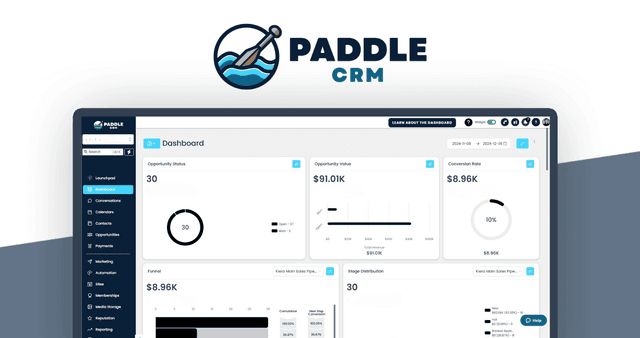
On Paddle CRM, lead capture is part of the product bundle rather than another app you must assemble and maintain. Forms, surveys, trigger links and a web chat widget feed the lead journey. Pipelines and a calendar give that lead a place in the sales process. It does. Paddle also covers two-way email and text, missed-call text back, email campaigns, invoices and reputation management.
For a setup that uses Paddle's listed workflows, triggers and campaigns, Growth and Agency are the relevant native tiers. Starter supports lead capture and email marketing with templates, but its listing does not include workflows. Choose Starter only if another system will handle any step not included in its listing.
| Paddle CRM plan | One-time price | User cap | Contact cap | Workflows listed? |
|---|---|---|---|---|
| Starter | $297 | 1 | 1,000 | No |
| Growth | $497 | 5 | 5,000 | Yes |
| Agency | $997 | 5 per sub-account | 10,000 per sub-account | Yes |
Agency permits up to three sub-accounts, each with up to five users and 10,000 contacts. Growth is the straightforward one-account option for up to 5,000 contacts. The contact cap matters more than the headline price because a lifetime purchase still needs room for every captured lead.
Trigger the workflow and validate it
With Paddle on Growth or Agency, keep the native setup simple. Start small. Use the listed workflows, triggers and campaigns, adding one defined action at a time.
If the form lives in another app, Pabbly Connect becomes the no-code layer between the two systems. A submission starts a workflow, then Pabbly can add filters, path routers, formatters and actions. It also lists instant webhooks, scheduling and delays, which are useful when a form provider, CRM and email tool exchange data in stages.
Pabbly says it supports 2,000+ integrations. That headline count is close to useless if your exact form app and CRM destination are not both listed. Before relying on Pabbly, check its current integration directory for both apps. Based on the 1 October listing check, no specific form-provider-to-Paddle pairing is confirmed. Treat that link as unverified until the live directory says otherwise. That check matters more than the 2,000-plus headline.
Send the welcome email after the record exists
Once the contact record exists, treat the welcome email as a campaign with one job: tell the person what happens next. Paddle lists email campaigns and templates. Growth and Agency also list workflows and triggers, so the form, pipeline, workflows and email tools can sit in the same system. Keep the subject plain and the body short. Do not turn the first email into a miniature sales presentation.
Build for duplicate submissions. A form can be submitted twice when a connection is slow or a visitor taps again. Before launch, decide what should happen when the same email address appears again. Your chosen integration must support that check. Do not bury the rule in a late-stage tweak. Clearly.
Starter's listing does not include workflows, so a design that depends on Paddle workflows needs Growth or Agency or another system. That matters. If Pabbly receives a form from elsewhere, its role is to move clean data to a supported destination. If its current integration list confirms the required action, the data can reach Paddle and its welcome campaign can remain in that system. If it does not, the welcome-email step in your design is still a blank. That is why the integration check comes before the builder design.
Follow up from context, not repetition
The welcome message starts the relationship; it does not decide what happens after a reply. Set the follow-up rule while you design stage one, because the fields you capture determine what you can act on. Fields first.
With Growth or Agency, Paddle lists workflows and triggers, while two-way email keeps replies in the same CRM. Pipelines and the calendar give you context for deciding whether the next step is an email, a call or no message at all.
Pick a deliberate delay. The right window depends on the service and the speed you promise; another business may need a different pace. Your operating rules should spell out how to handle contacts who booked, replied or asked not to be contacted. Do not send every new lead the same next step. Context matters. Document the follow-up delay, exclusions and exit rule before launch.
Choose the operating model before you buy
Use a simple decision rule. If Paddle CRM can host the form and the selected tier includes workflows, keep capture, record, workflow setup and email inside Paddle. If another app owns the form, add Pabbly Connect only after its current integration list covers the required apps and its task allowance fits the workflow.
| Your setup | Practical route | Check before launch |
|---|---|---|
| Paddle hosts the form; Growth or Agency selected | Use Paddle capture, record, workflows, triggers and campaigns | Contact cap and included features |
| Paddle hosts the form; Starter selected | Capture and record; use another system for workflow-dependent steps | Tier does not list workflows |
| Another app owns the form | Pabbly trigger, route and action, then the supported CRM step | Exact app pair, task cap and record matching |
Pabbly's one-time plans cannot be upgraded, so the choice has to survive both contact growth and task growth. The GrabLTD listing checked 1 October 2026 shows Standard at $349, Pro at $799 and Ultimate at $1,298. At that check, Pabbly's vendor page listed 3,000, 10,000 and 20,000 monthly tasks for its one-time plans, while the stored GrabLTD tiers show 3,000, 6,000 and 10,000. Check the live one-time plan table before buying. The cap is the real subscription limit.
Paddle's caps answer a different question: how many contacts you can hold. Pabbly's cap answers how many workflow tasks can run. These are not interchangeable limits. A connector that cannot be upgraded deserves more forecast, not less.
Here is the launch checklist:
- Can Paddle host the form, and does your chosen tier include workflows?
- If Pabbly handles an outside form, are the form app and CRM destination both in the current integration directory?
- Do Paddle's contact cap and Pabbly's monthly task cap leave enough room for realistic lead and workflow volume?
- Is there one documented rule for a repeated submission?
- Does the welcome template tell the person exactly what happens next without adding a miniature sales pitch?
- Is the follow-up delay and exit rule written down?
Start with the map, then choose the plan that covers every handoff. A busy builder is not the goal. The goal is one form submission, one clear owner at each stage, and a welcome email that arrives because the data went exactly where it should.