Zapier is the automation tool most founders reach for first, and for good reason. It connects to more apps than anything else on the market, the editor forgives mistakes, and you can wire up your first "when a form is submitted, add the person to my email list" flow in about four minutes. The trouble shows up later, on the invoice.
Zapier bills by task. Every step that fires inside a workflow burns one. A single new lead running through a three-step Zap counts as three tasks, and once you're past the free tier's few hundred monthly tasks, you climb the paid plans quickly. A solo founder running eight or nine live automations can end up on a plan that costs more per year than a decent laptop. You're not paying for software you buy once. You're renting the connections between your tools, month after month, for as long as you keep the lights on.
That's the case for looking at a lifetime alternative. Here's the honest version of when the swap works, when it backfires, and which tools are actually worth your money.
What you're actually paying Zapier for
Before you swap anything, get clear on what Zapier does well, because a cheaper tool that quietly drops one of these can cost you more in debugging time than you'll ever save on subscription fees.
Four things carry the weight. Integration count, which is Zapier's real moat and the one place every alternative is genuinely weaker. Conditional logic, so a workflow can branch instead of running blind ("if the deal is over $500, notify me; otherwise just log it and move on"). Error handling, which is really the question of what happens when step three fails at 2am and whether you ever find out it did. And webhooks, the escape hatch that lets you connect to anything with an API even when no pre-built integration exists.
Most founders only lean hard on the first and the last. If your automations are mostly "move this piece of data from A to B when something happens," you're using maybe a fifth of what Zapier charges you for. That unused gap is the whole opportunity, and it's bigger than most people admit until they actually audit their Zaps.
Here's the opinionated version, and reasonable people will land elsewhere: if your automation count sits under 50 monthly tasks, switching to a lifetime tool pays for itself inside four to six months and you should stop deliberating. Past roughly 500 monthly tasks, or the moment your workflows start carrying revenue-critical logic, the calculus flips and Zapier's reliability begins to earn its keep again. The mistake founders make isn't picking the wrong tool. It's staying on the expensive one long after their volume stopped justifying it, or jumping off it right before their volume grew into needing it.
Pabbly Connect: the closest like-for-like swap
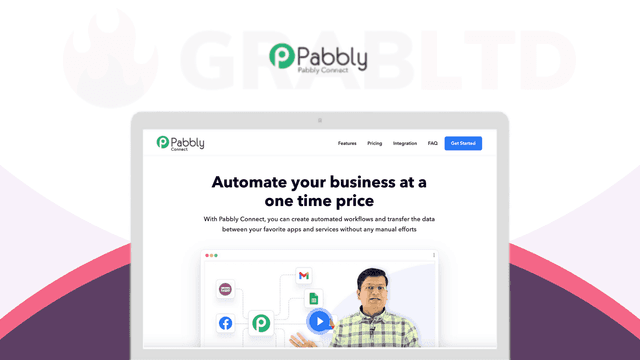
If you want the smallest possible jump from Zapier, Pabbly Connect's lifetime deal is the first one to look at. It runs on the same mental model you already know: triggers, actions, multi-step workflows, a library of built-in apps, and a webhook module for everything the library doesn't cover. The editor won't feel foreign after Zapier, which matters more than it sounds, because the hidden cost of switching automation tools is usually the week you spend relearning where everything lives.
The number that decides it: Pabbly Connect sits around $349 as a one-time purchase on its lifetime tiers. A comparable Zapier plan runs in the $20 to $30 per month range for the task volume a small team genuinely uses. Over 36 months, that subscription totals $720 to $1,080. So the lifetime deal breaks even somewhere around month 12 to 16, and every month after that is free automation for as long as the product keeps shipping.
Two honest caveats before you buy. Pabbly's app catalog is a fraction of Zapier's, so check that your specific tools are supported first, not after the purchase clears. And its internal task accounting counts steps on its own terms, so read the tier limits against your real workflow volume rather than assuming a one-to-one match with how Zapier counts. For the founder running a CRM, an email tool, an invoicing app, and a couple of form builders, it covers the common paths cleanly. For someone stitching together three obscure vertical SaaS tools nobody else uses, verify each connection exists before you hand over a cent.
n8n and the self-host route
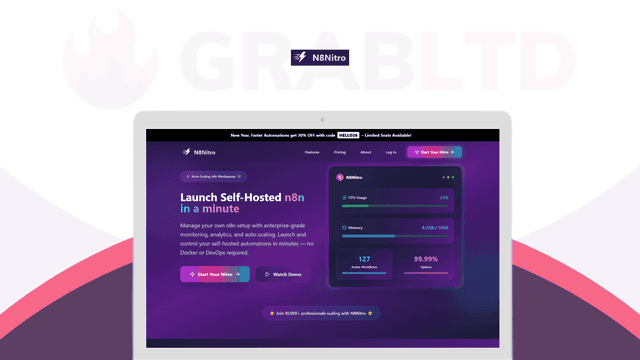
The other serious option is n8n, the open-source automation engine, and its appeal is structurally different. Instead of renting workflow runs, you host the thing yourself and your task count simply stops being a line item. Run 50 automations or 50,000 and the software cost doesn't move, because you're paying for a server, not for each action that fires. For a founder whose automation volume is climbing, that's the difference between a cost that scales with success and one that doesn't.
On GrabLTD, the N8Nitro lifetime deal packages this route for people who'd rather not stand up the whole setup from scratch, at $220 one-time. n8n's conditional logic and branching are legitimately strong, arguably cleaner than Zapier's once you're comfortable thinking in connected nodes rather than a linear list of steps. Its webhook support is first-class, and the HTTP request node means the integrations it doesn't ship out of the box you can usually build yourself, provided you're willing to read an API doc.
That willingness is the entire question, because the tradeoff is real. Self-hosted automation means you own the uptime. When it breaks, there's no support queue to escalate to, just you and the logs at an hour you'd rather be asleep. For a technical founder, that's a fair price for never thinking about task limits again. For someone who tenses up at the word "server," it's a tax dressed up as a saving, and no amount of theoretical cost efficiency makes up for a signup flow that silently died three days before you noticed. n8n is where the "80% of the use cases at a fraction of the cost" line actually holds up, but only for the founder who reads that sentence and feels comfortable rather than nervous.
Make sits in the middle
Make, formerly Integromat, is the third name that comes up, and it earns a mention even though its lifetime availability is patchy and worth checking before you get attached. Make bills per operation rather than per task, and pairs that with a visual scenario builder that some people find genuinely elegant and others find fiddly to the point of distraction. At volume it's cheaper than Zapier, and its branching and data-handling are more powerful than most founders will ever fully use.
Here's the disagreeable take: Make's per-operation billing is a worse mental model than Zapier's per-task billing for any founder who hates a surprise invoice, precisely because it's so much harder to predict in advance. You'll build a scenario, it'll quietly chew through operations inside a loop you didn't account for, and the bill at the end of the month becomes the lesson. Powerful, yes. Predictable, not really. If your reason for leaving Zapier is cost anxiety, trading it for a tool whose spend is harder to forecast is a strange way to solve the problem.
There's a quieter factor buried under the price comparison, and it's the one that separates a good swap from a regretted one: error handling. Zapier will retry a failed step, hold the data, and email you when a workflow keeps choking. That safety net is invisible right up until the day it's the only thing standing between a silent failure and a customer who never got their onboarding email. Lifetime tools vary wildly here. Pabbly Connect has retry logic and a run history you can inspect, which covers most of what a small team needs. Self-hosted n8n gives you granular control over retries and error branches, but only if you actually build them, because nothing configures itself. The point isn't that alternatives lack error handling. It's that on a subscription tool the defaults tend to be sane, and on a lifetime or self-hosted tool the sane defaults are often your job to set up. Budget an afternoon for it when you migrate, and test a workflow by deliberately breaking it before you trust it with anything that touches money.
The break-even math, and where it flips
Run the numbers on your own situation before you touch a single workflow. The honest calculation has three inputs: what you're paying now, how many tasks you actually fire in a month, and what your time is worth when something breaks in the middle of the night.
Take a founder paying $25 a month to Zapier for five automations that move a few hundred tasks. That's $300 a year, $900 across three years. Swapping to a $349 lifetime tool saves roughly $550 over that window, and the saving compounds every additional year the tool keeps running. At that volume, with those stakes, the switch is close to a decision that makes itself.
Now take a founder running 40 automations, several of them touching billing or customer records, firing several thousand tasks a month. Here the lifetime tool's thinner integration catalog and self-managed reliability turn into liabilities that a subscription quietly absorbs on your behalf. The few hundred dollars a year you'd save gets dwarfed by a single botched invoice sync or one silent failure buried in a signup flow. Stay on the tool that pages you the instant something breaks, and treat the monthly fee as insurance rather than waste.
The line between those two founders lands somewhere around 500 monthly tasks and the point where a broken workflow costs real money instead of a mild annoyance. Below that line, lifetime pricing wins on cost and the reliability gap barely surfaces. Above it, Zapier's price is buying you protection, and protection is worth paying for once it's standing between you and your revenue.
One practical move no matter which side you land on: open the productivity lifetime deals with your actual tool list up in another tab, and check connections one by one. The question is never "is this tool any good." It's "does it connect to the four apps I already run every day." That's a two-minute check that saves a $349 mistake, and it's the step almost everyone skips on the way to buying the wrong thing.
If you're early, low-volume, and watching your burn, a lifetime automation deal is one of the cleaner wins on the board. Just don't talk yourself into it the week before you scale into the exact volume that makes the subscription worth paying for all over again.