
QuickBooks Online earns its place when you need its wider accounting system. It becomes unnecessary friction when your actual routine is simple: add a client, create a numbered invoice, send a PDF, then leave the app alone until next month.
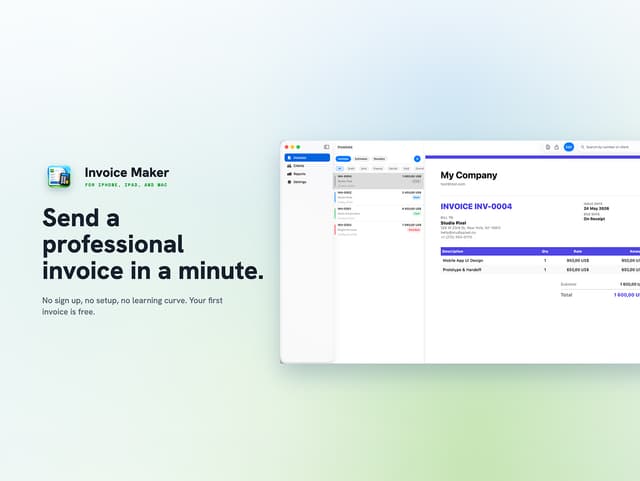
If that sounds familiar, AI Invoice Maker may be a cleaner fit. The distinction matters: this is a scope reduction, not a like-for-like accounting replacement. The current deal costs $19.99 once, excluding tax, and includes updates. Its documented feature set covers nine PDF templates, automatic invoice numbering, a client directory, recurring invoices, a saved product catalog, CSV reports, more than 150 currencies and tax rates.
That sounds almost too easy. The migration only makes sense after you separate invoice creation from bookkeeping, payment collection, tax records and access for other people.
Start with an honest usage audit
Open QuickBooks Online and review the last 90 days of activity. Write down each screen or task that mattered: adding clients, editing invoice lines, sending PDFs, recording payments, categorising expenses, preparing tax records or handling access for a colleague. That list decides whether this switch reduces work or merely moves it elsewhere.
A clean move is plausible when your routine is mostly client records, numbered PDFs, saved products or services, recurring invoices and delivery by email or message. Keep QuickBooks if the same list includes income and expense tracking, payment reconciliation, tax filing work or accounting access for several people. The destination facts do not document those broader functions, so treating them as included would be wishful thinking.
AI Invoice Maker supports iPhone and iPad on iOS 17 or later, Mac on macOS 14 or later, and Apple Vision on visionOS 1.0 or later. One account works across supported devices, but no Windows or Android version is listed. The offer is also restricted to new users.
The blunt part: an invoice-only app is not a safer accounting system. It can be the better operational fit when accounting has become dead weight, but only if you are willing to keep that work elsewhere.
Export before you rebuild anything
Do this while QuickBooks Online remains active. Use the export and report controls available in your account, then cover at least:
- Client names, billing contacts, emails, addresses, currency details and any tax identifiers you rely on.
- Invoice numbers, dates, status, currency, line items, tax, totals, notes and linked client details.
- Open invoices, payments received, balances and the original PDF for each invoice you may need to reproduce.
- Products, services, rates, recurring invoice schedules and the client attached to each schedule.
If a report omits a field you depend on, capture it manually. Save the PDFs beside the exported data so you retain the final presentation as well as the underlying records.
CSV is useful for reading and checking a migration, but it is not an import route by itself. The AI Invoice Maker listing documents CSV report export, not QuickBooks import. Do not cancel QBO while its records are available only inside the account.
Treat the files as sensitive client data. Keep an access-controlled copy, test that each export opens outside QuickBooks, and make a second backup before removing temporary files.
Rebuild the invoice workflow, not the ledger
Create a master sheet from the export, then use it as your migration checklist. Enter one client, one saved product, the required currency and tax rate, and the details of a single invoice. That small test exposes missing fields before you rebuild the whole client list.
Recurring invoices are supported, but no recurring-schedule transfer from QuickBooks is documented. Record each schedule in the new app and prevent the old schedule from generating duplicate invoices during the overlap.
Branding needs particular care. The deal includes nine PDF templates, but the listing does not confirm custom logo uploads, exact colour controls or the transfer of an existing QBO template. Pick the closest design and inspect the result. If your logo, typeface and layout must match precisely, verify those controls before moving live invoices.
Automatic invoice numbering is documented. The starting number, reset behaviour and treatment of deleted test invoices are not. Check the first generated number and record it before sending anything to a client.
PO numbers, legal addresses, tax registration details, payment terms and signatures may also matter to your workflow. Keep any unsupported field in your master sheet rather than quietly dropping it from the PDF. Support for more than 150 currencies and configurable tax rates does not, by itself, confirm that every local tax rule is handled correctly.
Handle the license carefully as well. The seller requires redemption within 30 days. Unredeemed licenses may be returned for store credit within 30 days; once redeemed, the sale is final.
Test the invoice all the way to payment
Build one controlled test using test billing details. Check the client identity, every line item, the total, invoice number, dates, tax treatment, currency and PDF layout. Open the file on the Apple devices you normally use rather than trusting a quick preview on one screen.
Email or messaging delivery is supported. Send the test PDF to yourself through both routes you expect to use, then check whether attachments arrive intact. The listing does not state recipient limits, batch-send allowances, file-size limits or delivery volumes. Test those details with the seller before relying on a large monthly run.
The important gap is payment. Current product facts confirm PDF creation and sharing, but they do not confirm card collection, hosted payment pages, saved payment methods, automatic payment matching or chasing reminders. If clients expect to press pay on an invoice, treat that as an unmet requirement until you verify it.
For an external processor, document who creates the payment request, which fee applies and where the paid invoice is reconciled. That arrangement may work, but its cost belongs in the switch calculation. Do not confuse sending a PDF with collecting payment automatically.
Run a second test in any non-default currency or tax setup you use. Test recurring invoices separately; a correct one-off PDF does not prove that the schedule or reminder behaves correctly.
Compare costs with your real QuickBooks bill
The destination deal is a $19.99 one-time license, excluding tax, with updates included. Spread across 12 months, that is about $1.67 per month. Spread across 36 months, it is about $0.56 per month. Neither figure includes migration time or separate payment charges.
Use the amount on your latest QuickBooks Online bill rather than an old sticker price. Let M equal your current monthly cost:
- Year one: QuickBooks Online costs 12 × M, while AI Invoice Maker costs $19.99. The gross difference is 12 × M minus $19.99.
- Three years: QuickBooks Online costs 36 × M at that same baseline, while AI Invoice Maker remains $19.99. The gross difference is 36 × M minus $19.99.
This is a nominal software comparison, not a forecast of future QBO pricing. Add tax, temporary overlap, external processing fees and the value of your setup time if those matter to your decision.
Do not book the whole difference as savings if you still need to buy another accounting system. You may have reduced the cost of invoice creation while moving the bookkeeping expense somewhere else. That can still be worthwhile, but it is not the same saving.
Cut over after one clean billing cycle
Keep QuickBooks Online active through one complete invoice cycle. This overlap costs money, yet it gives you a rollback path and exposes mistakes before they reach every client.
Use AI Invoice Maker for the new test invoice and then live invoices while continuing any required bookkeeping, tax records and payment matching in the accounting system you retain. Do not leave the same recurring schedule active in both places.
After the first live invoice is paid and reconciled, run a final export from QuickBooks Online. Confirm that old invoices, client details and accounting records remain available, then cancel QBO according to its billing terms if the narrower process has held up.
Archive the final exports, original PDFs, test invoice, branding notes and license redemption confirmation. The cleanest switch is boring: one export, one test PDF, one honest payment check and one full billing cycle before you claim the difference.