

Switching guide

Switch from Trello to FluentBoards

Trello charges per user every month. For a team of five on Trello Standard ($25 a month in total), the FluentBoards Single license at $319 once breaks even in month 13 and saves about $581 over three years. For one person it takes over five years, so this switch is for teams and agencies.

This switch at a glance

Time needed
2-4 hours
Difficulty
Medium
Trello costs
$25 a month
FluentBoards costs
nothing monthly after a one-time purchase
Saves in year 1
$-19
Saves over 3 years
$581

How do you move from Trello to FluentBoards?

  1. Export every board

    Open each Trello board, choose Show menu, then Print and export, and export as JSON. Keep one file per board. Attachments are stored on Trello's servers and may not be in the export, so download the ones you need separately.

  2. Write down what your boards use

    List the boards, lists, labels, members, due dates, Power-Ups and Butler rules you rely on. The FluentBoards deal page lists no automation equivalent, so anything on this list needs a plan.

  3. Choose a plan and buy it

    The Single plan covers 1 site at $319, Agency covers 5 sites at $639, and Unlimited covers any number at $1,279. Buy on the FluentBoards website. The deal page says no code is involved.

  4. Install Pro on a staging copy of your site

    Install and activate Pro on a copy of your WordPress site first, as the deal page describes. Check that the plugins you already run still work with it before you touch the live site.

  5. Import from Trello

    Use FluentBoards' Trello import, one board at a time. Check that lists, cards, due dates and members came across. The deal page does not say which Trello fields carry over, so check comments and attachments by hand.

  6. Set roles and client access

    Recreate your team's roles in FluentBoards. If clients need to see their projects, set up the frontend portal and test it with a client account.

  7. Test one real project end to end

    Create a card, add subtasks, set a recurring task, log time and move the card through every list. Do this with a real project, not a test board, so you see the gaps.

  8. Move the team, then cancel Trello

    Give the team a cutover date and bookmark the new board. Archive the Trello boards rather than deleting them. Once everyone has moved, cancel the paid plan in Trello's billing settings and keep the exports for a few months.

What can go wrong?

  • No refund policy stated. The vendor's pricing page does not state a refund policy, and the deal page advises asking the vendor before you buy. Get the answer in writing first.
  • You host it. FluentBoards runs on your own WordPress site, so you handle hosting, backups and plugin updates. If the site goes down, your boards go down with it.
  • Calendar and table views need Pro. The free version has Kanban and list views only. If you want calendar or table views, the paid license is required.
  • Automations and Power-Ups do not carry over. The deal page lists no Butler-style automation or Power-Up equivalent. Any rule your team relies on has to be rebuilt by hand, or it stops working after the move.

FluentBoards is a real replacement for Trello's board view, but it is a different kind of product. Trello is hosted and bills per user. FluentBoards is a plugin you run on your own WordPress site and pay for once.

Who should switch

Switch if you already run WordPress, you manage client projects or a team of three or more, and you want to stop paying per person each month. The FluentBoards lifetime license does not charge more when you add people. It charges more only when you add sites. You can find other project tools on GrabLTD's deals page.

Stay on Trello if you do not run WordPress, if your team relies on Trello's mobile apps or Butler automations, or if you need a stated refund policy before you pay. The deal page lists no mobile app and no automation rules, and it says the vendor does not state a refund policy.

What it costs over three years

Trello Standard costs $5 per user a month on annual billing, or $6 billed monthly. Premium costs $10 per user a month on annual billing, or $12.50 billed monthly. These are list prices for October 2026, so check the current price before you compare. Because Trello bills per person, this guide compares a small team of five people on Standard at the annual rate: $25 a month, or $300 a year.

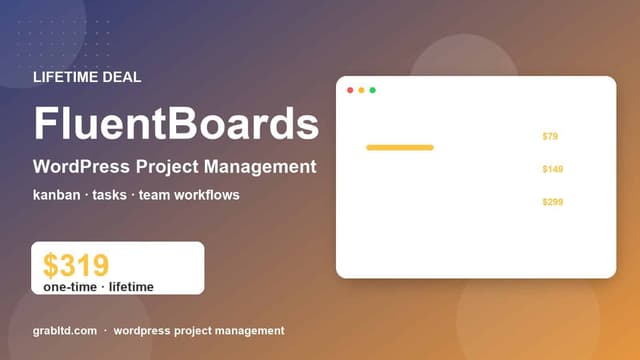
FluentBoards lifetime plans are Single at $319 for one site, Agency at $639 for five sites, and Unlimited at $1,279. The Single plan has no per-person charge. For the five-person team, three years of Trello Standard cost $900, so the $319 plan saves about $581 over three years and is about $19 more in year one. It breaks even in month 13. On Premium the same team pays $50 a month, and the plan breaks even in month 7. For one person on Standard the picture flips: three years cost $180, and the plan takes about 64 months to break even. The more people share the boards, the better this switch looks.

These figures leave out hosting. FluentBoards needs a WordPress site. If you do not already run one, add that cost before you decide.

What you give up

The deal page lists Kanban and list views in the free version, with calendar and table views requiring Pro. It also lists subtasks, recurring tasks, a time tracker, client onboarding, a frontend portal and role management. Projects can be imported from Trello. File storage can run on Cloudflare R2, Amazon S3, DigitalOcean or Backblaze B2.

The deal page does not list Trello's mobile apps, Butler automation or Power-Ups. Look at your boards before you switch, because the page gives no equivalent for them. The page does mention webhooks and MCP support, which may help if you connect tools by code.
Trello to FluentBoards questions

Do I need WordPress to use FluentBoards?

Yes. The deal page describes it as a WordPress plugin that you host yourself. No hosted version is listed.

Is the license really lifetime?

The deal page says each lifetime plan includes lifetime updates and lifetime support. It also lists annual plans, which include one year of updates and support.

Does the free version cover my needs?

It covers Kanban and list views. Calendar and table views, and the other features the page lists for Pro, need the paid license.

What if I want a refund?

The deal page says the vendor's pricing page does not state a refund policy. Ask FluentBoards before you buy.

The deal this guide uses

  • FluentBoards Lifetime Deal | WordPress Project Management & Kanban

    Productivity

    FluentBoards

    Self-hosted WordPress project management with Kanban boards and unlimited projects and assignees.

    $319Regular price $39920% offSold by FluentBoards